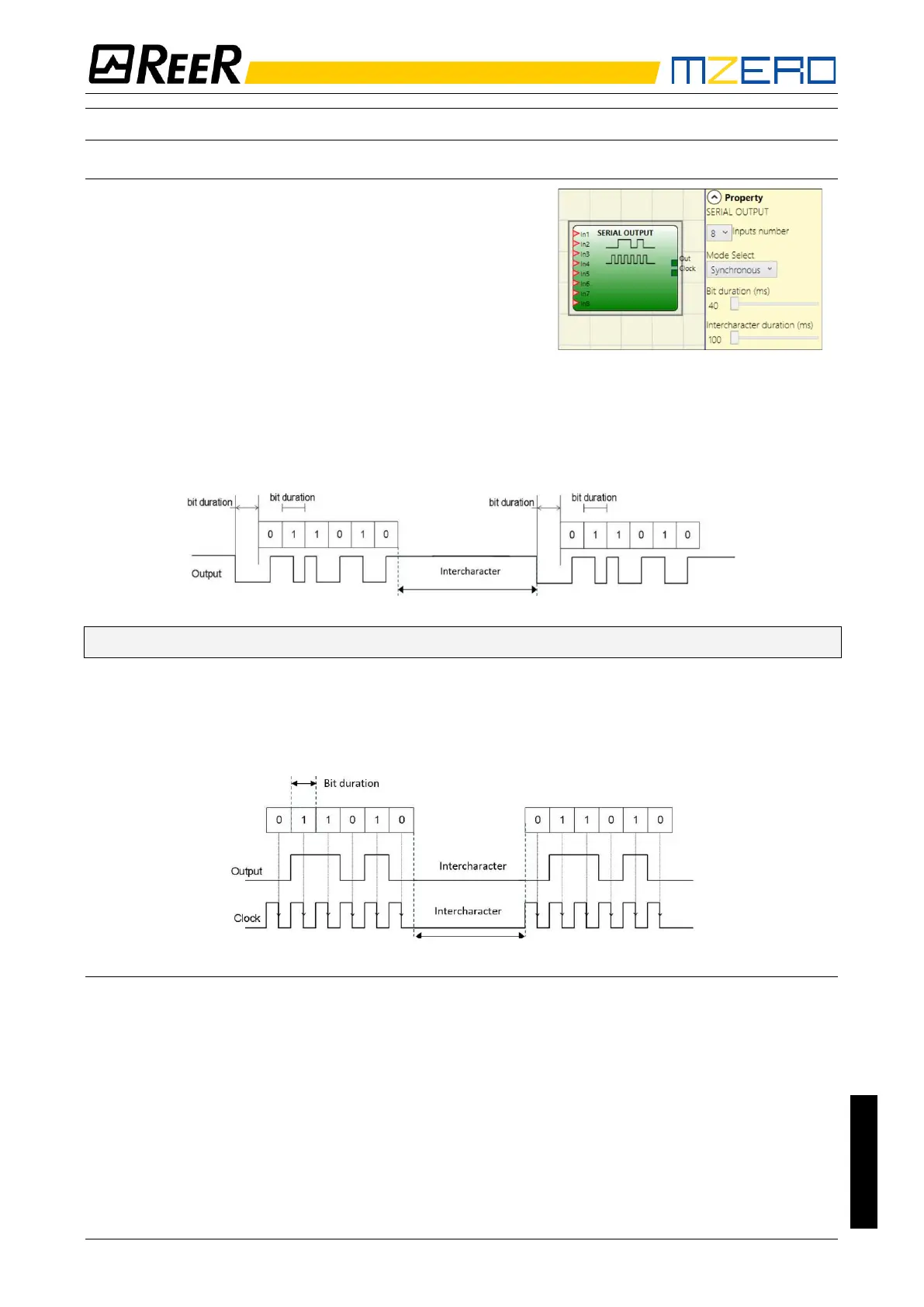
The Serial Output operator outputs the status of up to 8
inputs, serialising the information.
Operating principles.
This operator outputs the status of all the connected inputs in
two different ways:
Asynchronous serialisation:
1) The status of the line in the idle condition is 1 (TRUE);
2) The start data transmission signal is 1 bit = 0 (FALSE);
3) Transmission of n bits with the status of the connected inputs encoded using the Manchester method:
- Status 0: rising edge of the signal at the centre of the bit
- Status 1: falling edge of the signal at the centre of the bit
4) Intercharacter interval is 1 (TRUE) to allow synchronisation of an external device.
➔ With the Asynchronous method the Clock output is not present.
Synchronous serialisation:
1) The output and the clock in the idle condition are 0 (FALSE);
2) Transmission of n bits with the input status using OUTPUT as data, CLOCK as the timing base;
3) Intercharacter interval is 0 (FALSE) to allow synchronisation of an external device.
Parameters
Inputs number: Defines the number of inputs of the function block, which may be 2...8 (asynchronous) or
3...8 (synchronous).
Mode select: The user can choose two ways of tranmission: Asynchronous and Synchronous.
Please refer to “Operating principles” at the top of this page.
Bit length (ms): Enter the value corresponding to the length of each single bit (input n) in the pulse train
that makes up the transmission.
- 40 ms...200 ms (Step 10 ms)
- 250 ms...0.95 s (Step 50 ms)
Intercharacter interval (ms): Enter the time that must pass between the transmission of one pulse train
and the next.
- 100 ms...2.5 s (Step 100 ms)
- 3 s...6 s (Step 500 ms)


 To Next Page