This definition of PL and of the other related parameters as set forth in ISO 13849-1 only
refers to the functions implemented in the MZERO system by the MZD configuration
software, assuming configuration has been performed correctly.
The actual PL of the entire application and the relative parameters must consider data for all
the devices connected to the MZERO system within the scope of the application.
This must only be performed by the user/installer.
Connect to MZERO
After connecting MZERO to the PC via CSU cable (USB) use the icon for the connection.
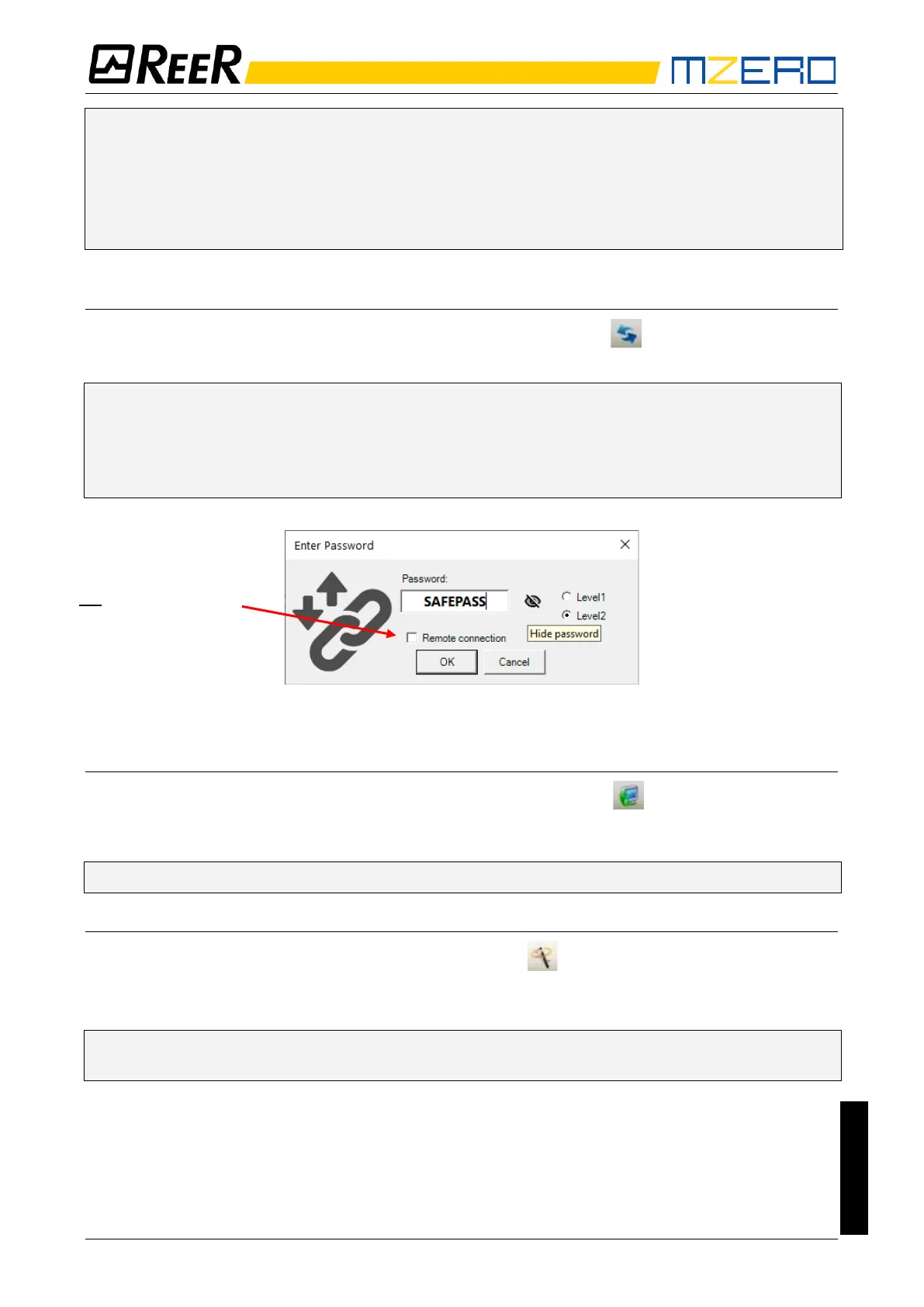
A window appears to request the password. Enter the password (see "Password protection").
➔ With the eye “visible/not visible” icon you can select to see/hide the entered password.
➔ If a remote connection (via internet) is needed MZERO can connect to the appropriate
devices through its USB port.
➔ In this case select "Remote connection".
Figure 25
Sending the configuration to MZERO
To send the saved configuration from a PC to MZERO use the icon on the standard toolbar
and wait the execution. MZERO will save the project in its internal memory. (Password Required:
level 2).
➔ This function is possible only after project validation with OK result.
Download a configuration file (project) from MZERO
To download a project from MZERO to MZD use the icon on the Standard toolbar.
MZD will display the project residing in MZERO. (Level 1 password is enough).
➔ If the project must be used on other MZERO system perform a "Project Validation" (page
30) and a "Testing the System" (page 40).


 To Next Page