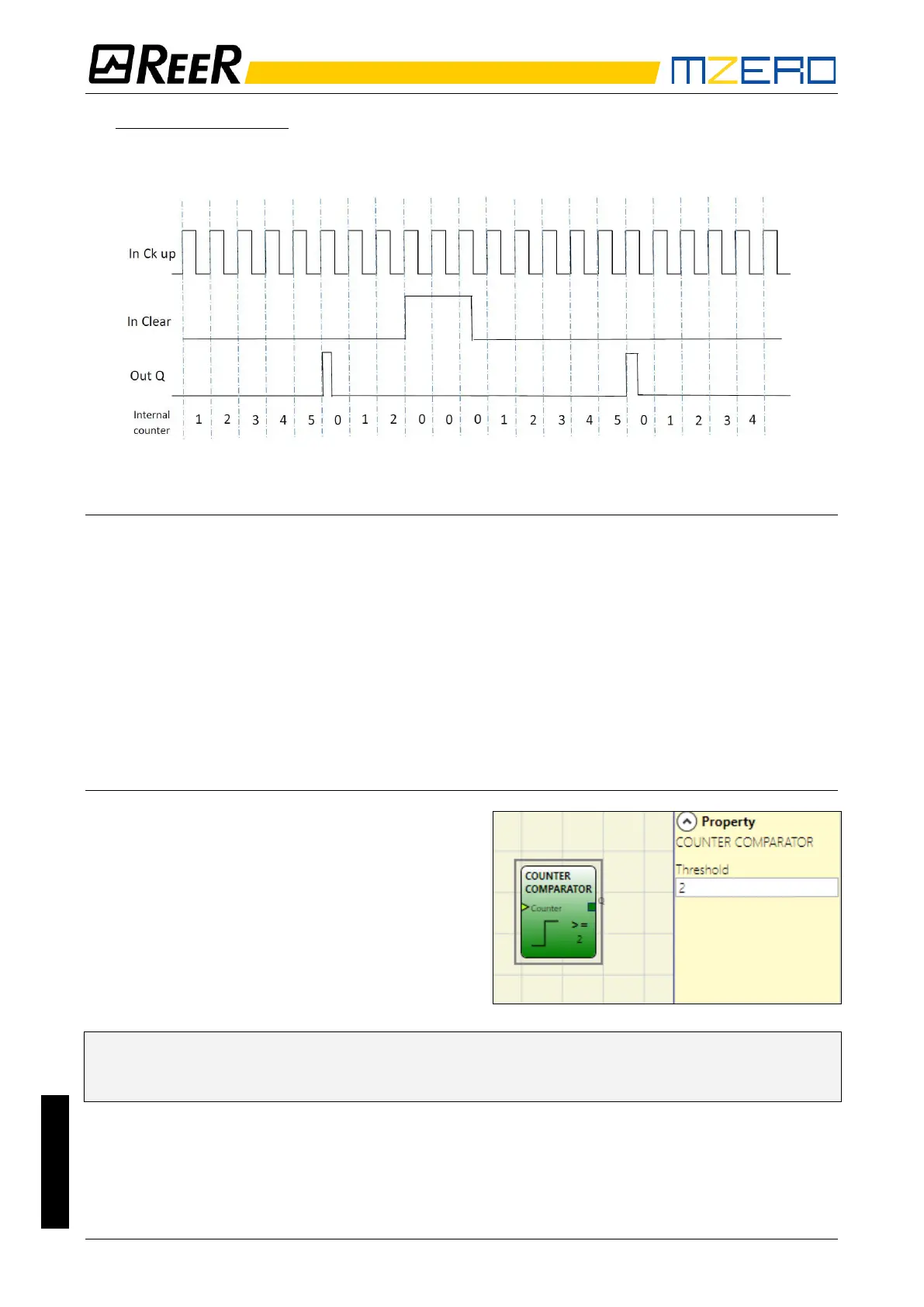
3) MANUAL/AUTOMATIC: The counter generates a pulse duration equal to the system
response time as soon as the set count is reached. If the CLEAR signal is activated, the
internal count goes back to 0.
Parameters
Enable Clear: If selected enables the signal CLEAR in order to restart the counter setting output Q
to 0 (FALSE). It also offers the possibility to select the operation mode.
Counter type: If ENABLE CLEAR is not selected operation is AUTOMATIC (example 1).
If ENABLE CLEAR is selected, operation is selectable between MANUAL (example 2) or
MANUAL/AUTOMATIC (example 3).
Ck down: Enables counting down.
Two-way: If selected it enables counting on both the rising and falling edges.
Counter value: If selected, it allows the current counter value to be outputted from the delay block.
This output can be sent as input to one or more COUNTER COMPARATOR blocks.
COUNTER COMPARATOR
Gets as an input the counter value of an
operator COUNTER and compares the
received value with a threshold set by the user.
The OUT output will be 0 (FALSE) as long as the
COUNTER value is lower than the threshold value.
The OUT output will be set to 1 (TRUE) for
COUNTER values equal to or higher than the
threshold value.
➔ The COUNTER COMPARATOR operator can only be connected to the Counter value of a
COUNTER operator. Multiple COUNTER COMPARATOR can be also connected to a single
COUNTER operator.


 To Next Page