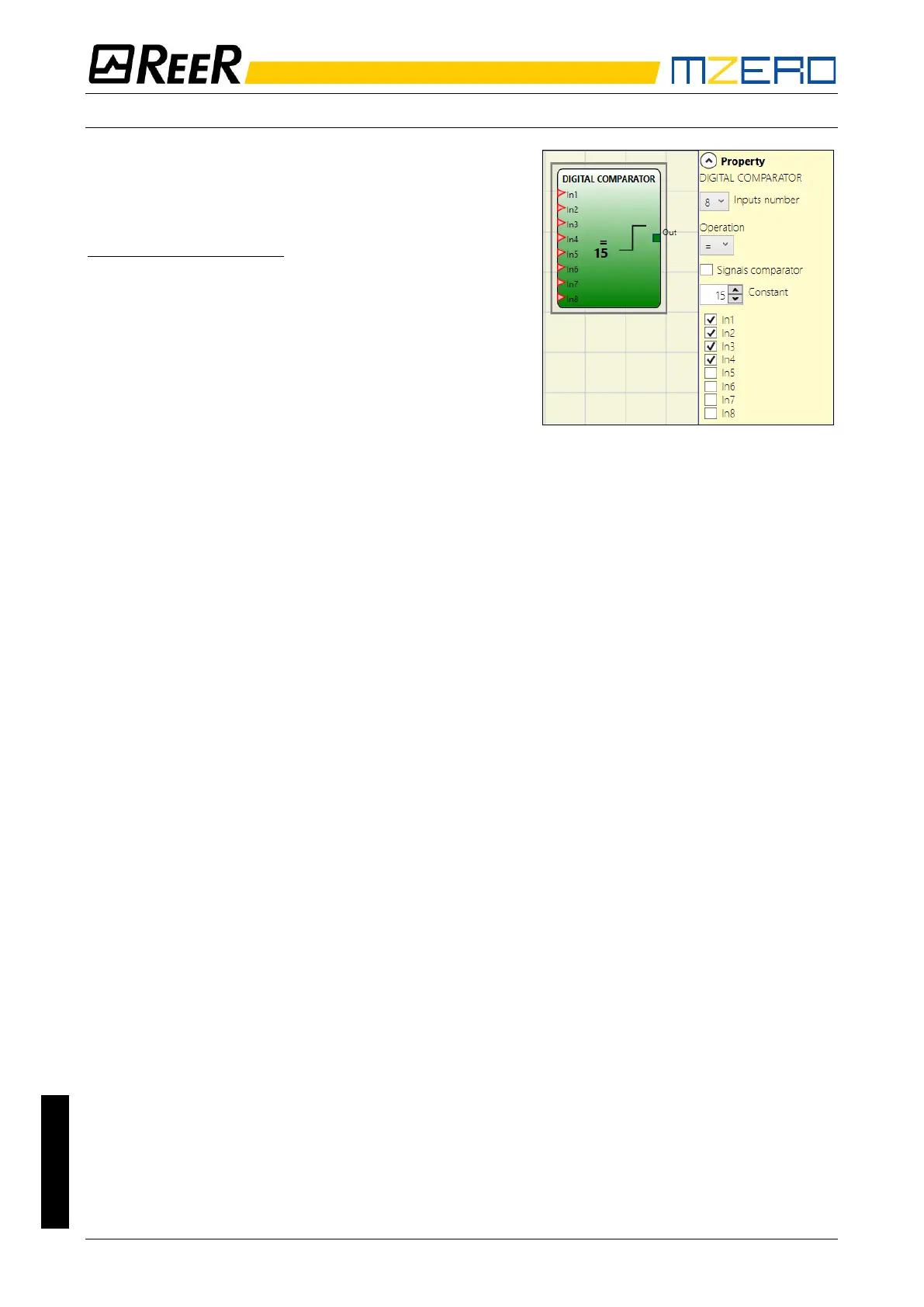
DIGITAL COMPARATOR
The digital comparator allows to compare (in binary
format) a group of signals with a constant or two groups
of signals to each other
Comparison with constant
In this case the Signal Comparator check must not be
activated.
The DIGITAL COMPARATOR block allows to compare a
series of input signals (from 2 to a maximum of 8). The
integer constant could be inputted directly as Decimal
number or as a combination of binary values. In the latter
In1 is the LSB (least significant bit) while input In8 (or less
if the number of inputs selected is less than 8) is the MSB
(most significant bit).
The user could choice among various operation listed below:
• < (Lower) The OUT output will be 1 (TRUE) as long as the input value is less than the
decimal value set as constant. The OUT output will be set to 0 (FALSE) when the input value
is higher than or equal to the decimal value set as constant.
• >= (Higher) or equal The OUT output will be 1 (TRUE) as long as the input value is higher
than or equal to the decimal value set as constant. The OUT output will be set to 0 (FALSE)
when the input value is lower than the decimal value set as constant.
• > (Higher) The OUT output will be 1 (TRUE) as long as the input value is higher than the
decimal value set as constant. The OUT output will be set to 0 (FALSE) when the input value
is lower than or equal to the decimal value set as constant.
• <= (Lower or equal) The OUT output will be 1 (TRUE) as long as the input value is lower
than or equal to the decimal value set as constant. The OUT output will be set to 0 (FALSE)
when the input value is higher than the decimal value set as constant.
• = (Equal) The OUT output will be 1 (TRUE) as long as the input value is equal to the decimal
value set as constant. The OUT output will be set to 0 (FALSE) when the input value is
different from the decimal value set as constant.
• != (Different) The OUT output will be 1 (TRUE) as long as the input value is different from
the decimal value set as constant. The OUT output will be set to 0 (FALSE) when the input
value is equal to the decimal value set as constant.


 To Next Page