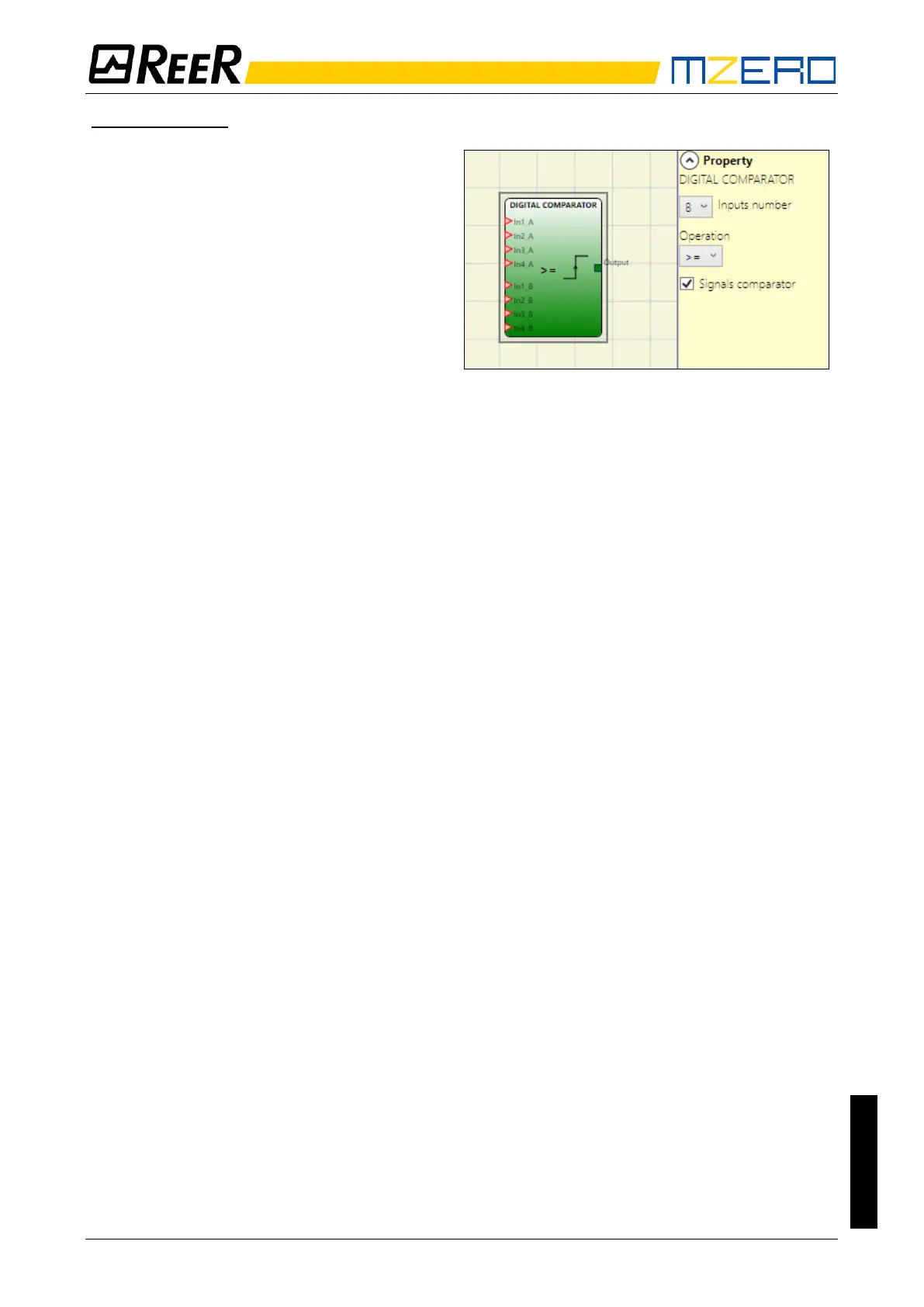
Signal comparison
Signal comparison: Selecting this item will
allow the DIGITAL COMPARATOR operator to
compare the first four A inputs (In1_A...In4_A)
with the second four B inputs (In1_B...In4_B).
Depending on the value of the inputs and the
operation selected, the following results will
be obtained:
• < (Lower): The OUT output will be 1
(TRUE) as long as the value of A inputs
is lower than the value of B inputs. The
OUT output will be set to 0 (FALSE) when the value of A inputs is higher than or equal to
the value of B inputs.
• >= (Higher or equal): The OUT output will be 1 (TRUE) as long as the value of A inputs is
higher than or equal to the value of B inputs. The OUT output will be set to 0 (FALSE) when
the value of A inputs is lower than the value of B inputs.
• > (Higher): The OUT output will be 1 (TRUE) as long as the value of A inputs is higher than
the value of B inputs. The OUT output will be set to 0 (FALSE) when the value of A inputs
is lower than or equal to the value of B inputs.
• <= (Lower or equal): The OUT output will be 1 (TRUE) as long as the value of A inputs is
lower than or equal to the value of B inputs. The OUT output will be set to 0 (FALSE) when
the value of A inputs is higher than the value of B inputs.
• = (Equal): The OUT output will be 1 (TRUE) as long as the value of A inputs is equal to the
value of B inputs. The OUT output will be set to 0 (FALSE) when the value of A inputs is
different from the value of B inputs.
• != (Different): The OUT output will be 1 (TRUE) as long as the value of A inputs is different
from the value of B inputs. The OUT output will be set to 0 (FALSE) when the value of A
inputs is equal to the value of B inputs.


 To Next Page