46
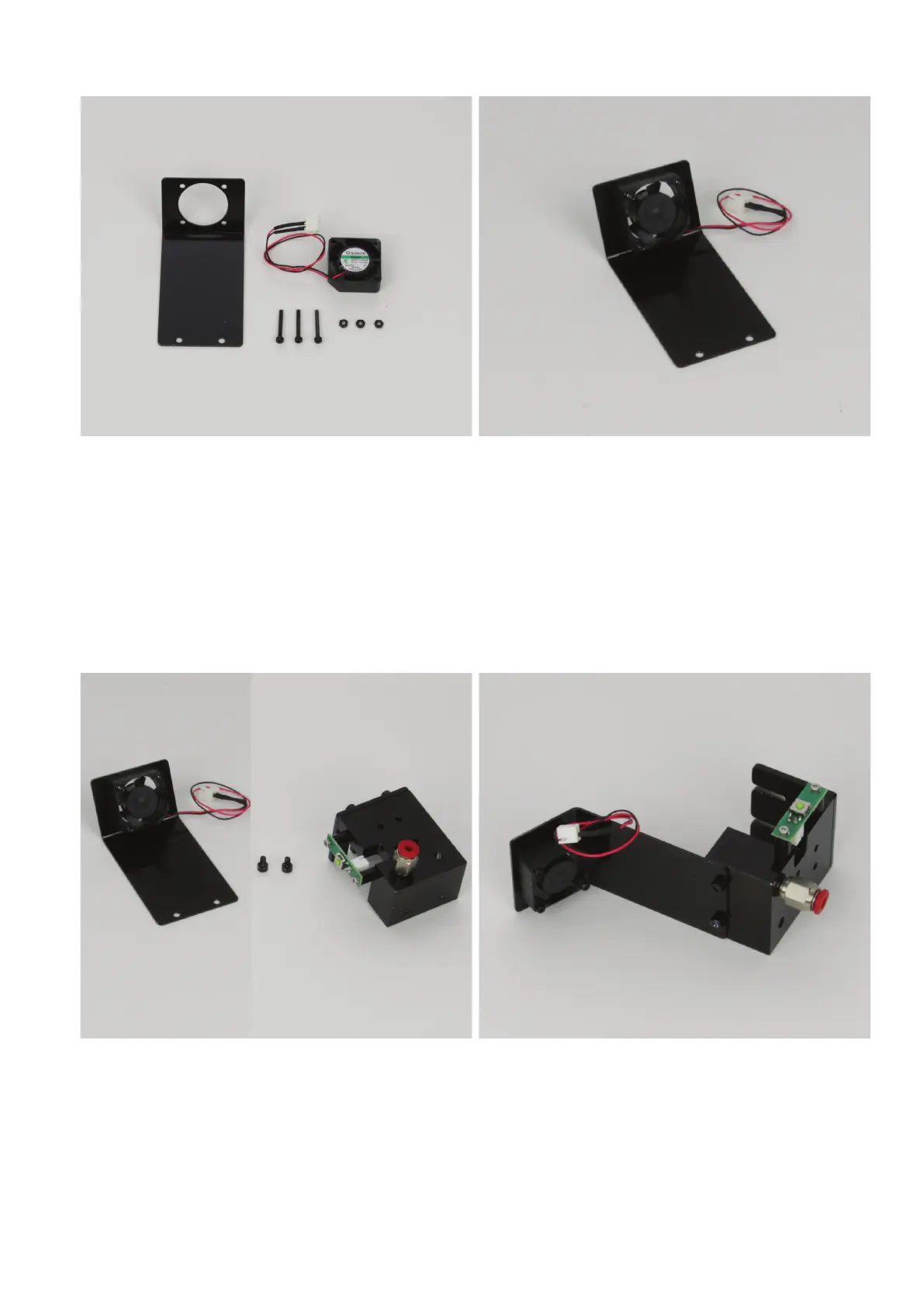
Attachingthefanatthefansheet
1x fan sheet
1x fan
3x cylinder head screw M2x16 black
3x nut M2 black
Install the fan on the fan sheet from above with the 3 cylinder-head
screws and nuts. The screws must be pushed through the sheet and
thefanfrombehind(fromtheviewasillustrated).Thenutsmustbe
on top of the fan.
The fan must be aligned so that the connection cables are placed as
showninthegureandtheblowingdirection(markedbyanarrowon
the fan) goes through the fan sheet.
Optionally, the nuts can be secured with threadlocker varnish.
Assemblyofthefansheetontheextruderholder
1x fan sheet with installed fan
2x cylinder head screw M3x5 black
1x extruder holder
Attach the fan sheet to the front of the extruder holder with both cyl-
inder-head screws.
The fan must be turned away from the holder.
Optionally, the nuts can be secured with threadlocker varnish.



 To Next Page