73
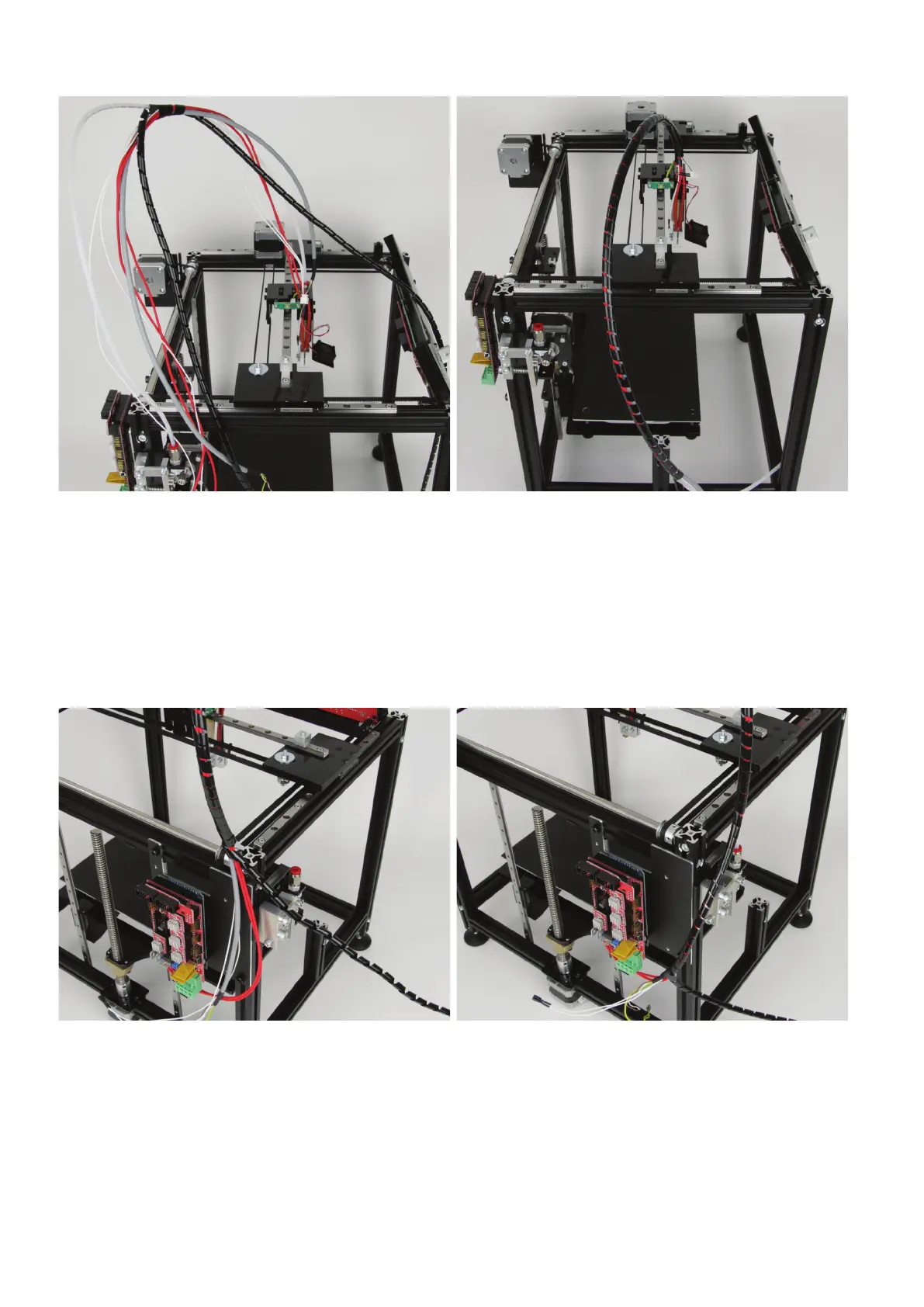
Takealllinesoftheextrudercarriage(cable01/linesoftheheating
cartridge, cable 03/lines of the temperature sensor, cable 04) and at-
tachthemtothelamenttubewith2to4windingsofthespiraltube.
Then wind the spiral tube around the cables further in the direction
of the extruder.
When you have wound a piece, tighten the spiral tube again by turn-
ing it tighter.
When you have reached the extruder, push the spiral tube in the di-
rectionofthelamentinfeeduntilthespiraltubehasreacheditsend.
Thenwindinthedirectionlamentinfeed.Itisrecommendedtore-
leasethelamenttubeagainfromthequickclosureofthelament
infeed(simplypresstheredplasticpart)andtopulloutthetube.
Continuewindinginthelamentinfeeddirectionuntilthetworedca-
bles can be placed cleanly to the corresponding connection at the
main PCB from the heating cartridge.
Totestthis,simplyattachthecablestrandtothealuminiumproleas
illustrated above.
Now wind the spiral tube around the cables only, and not around the
lamenttube.
When you have reached the end of the outer insulation of cable 01,
stop winding, tighten the spiral tube again and cut off the rest.
Connect the two red cables to the connection "D10" at the main PCB.
The polarity is irrelevant for this.
Pushthelamenttubeintothequickclosureagain.



 To Next Page