5
Confirmation Displays
This section explains three confirmation displays: Check Modes, Preview and
Transmission File Status.
Check Modes
This section explains items that are displayed and how to display the Check
Modes screen.
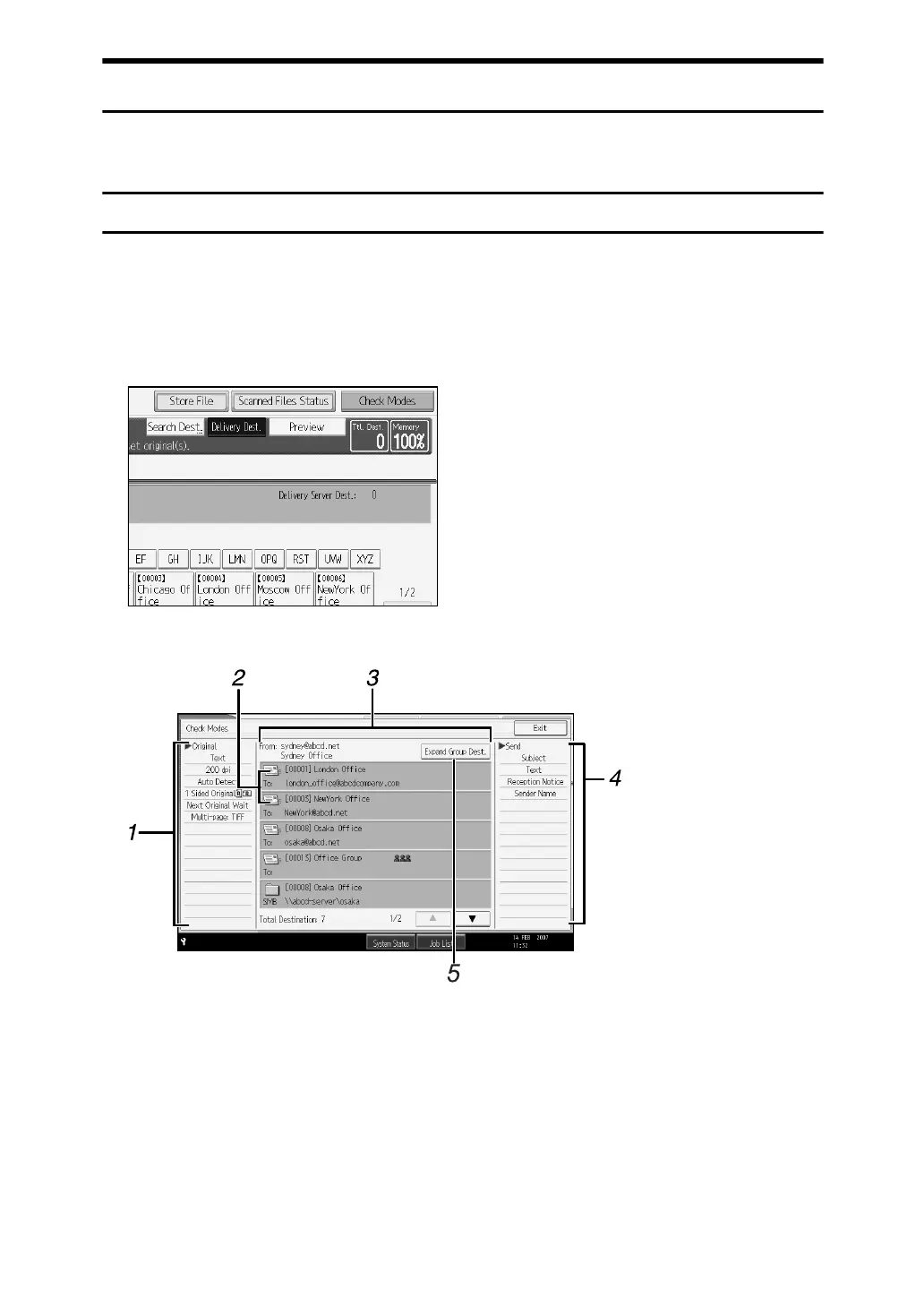
Use the Check Modes screen to check scanning and transmission settings.
Pressing [Check Modes] switches the screen from the initial scanner screen to the
Check Modes screen.
❖ Check Modes
1. Original
Displays Scan Settings, Original Orienta-
tion, and other scanning settings.
2. Transmission function icon
Displays the icon of the transmission
function in use.
3. Sender and Destination
Displays the sender and transmission or
delivery destinations.
4. Send
Displays transmission settings such as
Sender and Subject.
5. [Expand Group Dest.]
Press to display the members of the
group, when a group is specified as the
destination.
ATG005S



 To Next Page
 Loading...










