Specifying E-mail Destinations
25
1
Selecting Destinations by Searching an LDAP Server
This section explains how to search for an address registered in an LDAP server
and specify it as an e-mail destination.
Important
❒ To use this function, an LDAP server must be connected to the network.
❒ Under [System Settings], the LDAP server must be registered and [LDAP
Search] must be set to [On]. For details, see General Settings Guide.
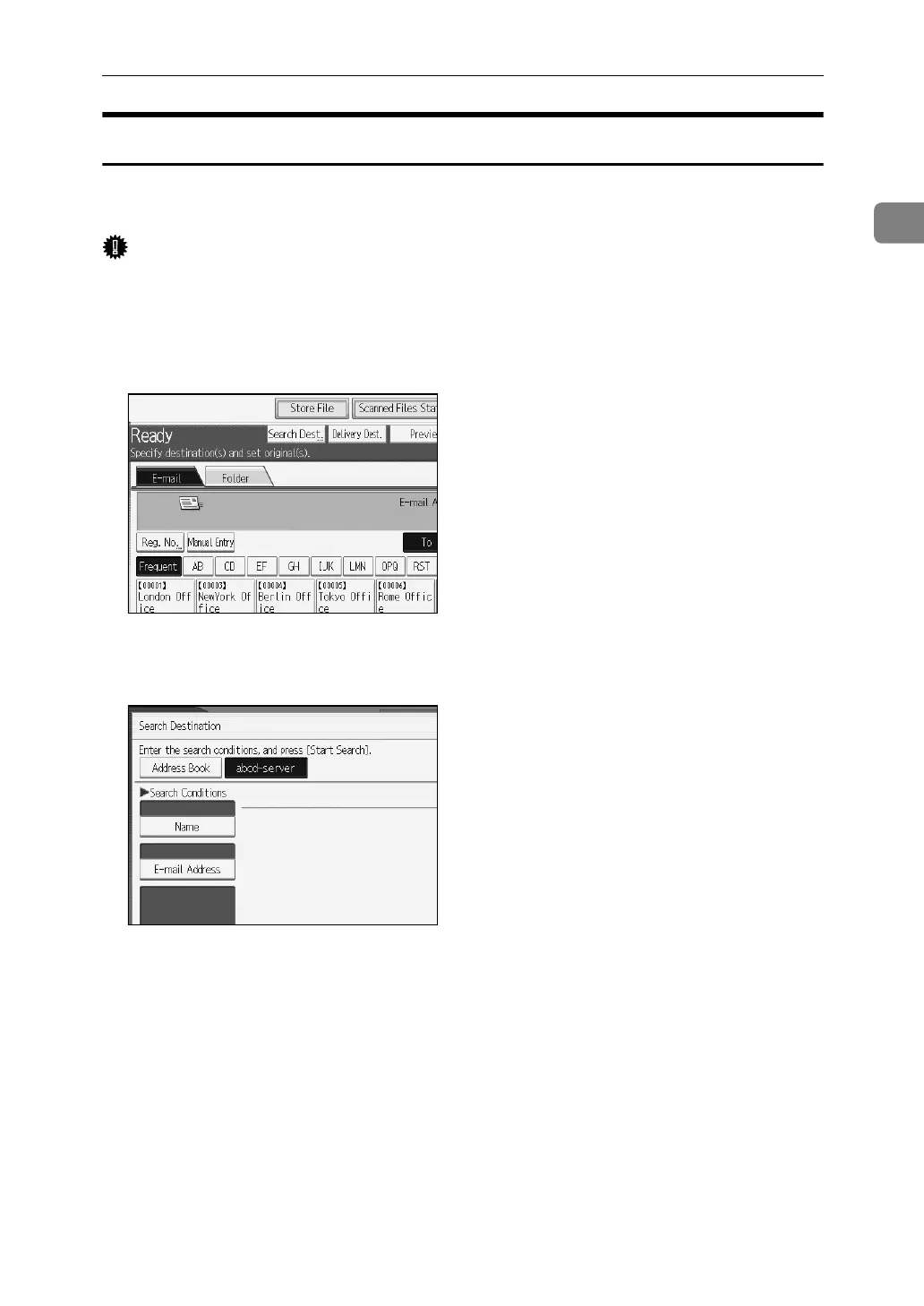
A Press [Search Dest.].
B Select the LDAP server that appears next to [Address Book].
Register the LDAP server in advance in [System Settings].
If authentication is required to access the selected server, the authentication
screen appears. To authenticate, enter the user name and password.
C To search by destination name, press [Name].
To search by e-mail address, press [E-mail Address].
The soft keyboard appears.
You can also search by combining [Name] and [E-mail Address]. If you search
by [Name], LDAP server's settings determine whether the search is based on
surname or first name. Consult your administrator.
D Enter the beginning of the destination name.
To search by e-mail address, enter the beginning of the destination address.



 To Next Page
 Loading...










