1.Detailed Descriptions
18
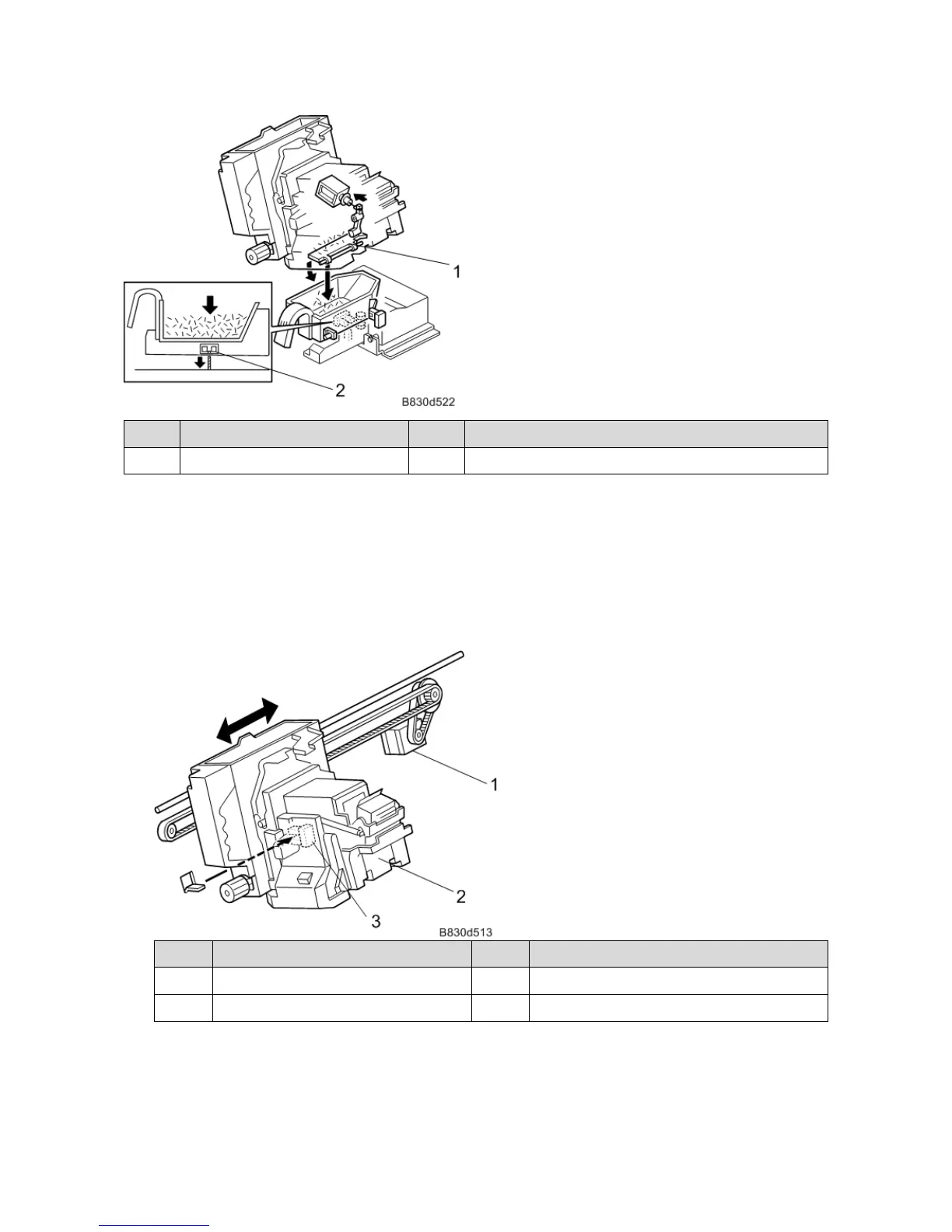
No. Description No. Description
1 Staple Trimmings Tray 2 Staple Trimmings Hopper Full Sensor
Stapler Movement
The stapler moves horizontally or rotates, depending on the stapling mode.
• Horizontal Shift
The stapler moves in the horizontal direction along a rod, driven by a timing belt. The home position of the
stapler is the front side. For 2-position stapling, the stapler staples the front side first and then shifts to the
rear side to staple there.
No. Description No. Description
1 Stapler Movement Motor 3 Stapler Movement HP Sensor
2 Stapler
Staple Rotation
For the rear corner stapling mode, the stapler shifts to the corner and waits to staple after horizontal shift. The
staple rotation motor rotates the stapler to the correct angle.



 To Next Page