EasyManua.ls Logo

Rinstrum C530 - User Manual

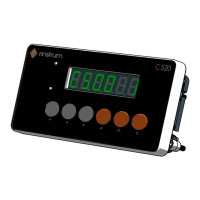
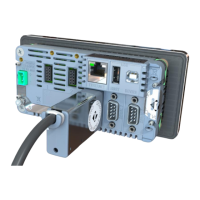
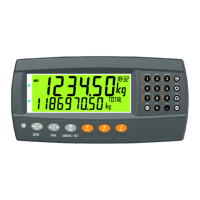
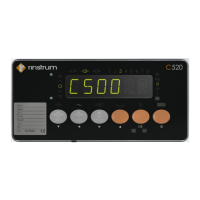
Rinstrum C530
182 pages
Print Icon
To Next Page IconTo Next Page
Loading...
C500 Series
Digital Indicator Reference Manual

Table of Contents

Other manuals for Rinstrum C530

Questions and Answers

  • T
    Timothy OlsonAug 12, 2025
    Why do the keys not work on my Rinstrum C530?
    • B
      Brandon GrahamAug 12, 2025
      The keys on your Rinstrum Touch Panel might not be working due to several reasons: the key may be disabled in the setup (SPEC:KEY setting), the weight is outside of the permitted limits for that key operation, or the operation is being blocked by scale instability. Also, check if Zero, Tare, and Print functions require a stable weight. In industrial mode, you can force these functions to be performed immediately upon key press using the SPEC:KEY setting.
  • V
    Vicki CrossAug 20, 2025
    What to do if there is no communication with a PC using RS232 on a Rinstrum C530 Touch Panel?
    • R
      ryanhallAug 20, 2025
      If you are experiencing communication issues between your Rinstrum Touch Panel and a PC via RS232, check the port settings in the SERIAL:SERx menu and verify that a null modem cable is not in use (pins 6..9 should be disconnected). Also, ensure that a select (Sxx) command is sent before any command/query.
  • A
    Anita TrujilloAug 27, 2025
    What to do if there is no bus communication using RS485 on a Rinstrum Touch Panel?
    • S
      Sara SmithAug 27, 2025
      If your Rinstrum Touch Panel is not communicating via RS485, make sure that a select (Sxx) command is sent before a command/query. Check that the connection is 4-wire, verify the port settings in the SERIAL:SERx menu, and inspect the cable and converter (if one is being used).
  • F
    Faith DavisSep 3, 2025
    How to fix unstable weight readings on a Rinstrum C530 Touch Panel?
    • K
      Kelsey RobertsSep 3, 2025
      To resolve unstable weight readings on your Rinstrum Touch Panel: * Check the connection to the loadcells. * Ensure that the indicator is properly connected. * Verify that the resolution setting is correct. * Check the OPTION:FILTER setting.

Rinstrum C530 Specifications

General IconGeneral
Display TypeTFT LCD
Resolution800 x 480 pixels
ConnectivityEthernet, USB
Power12-24 VDC
Ingress ProtectionIP65
Power Supply12-24 VDC
Display Size7 inch
Operating SystemLinux
Operating Temperature0°C to 50°C
Communication InterfacesEthernet, USB, RS232

Related product manuals