7
Controls and features
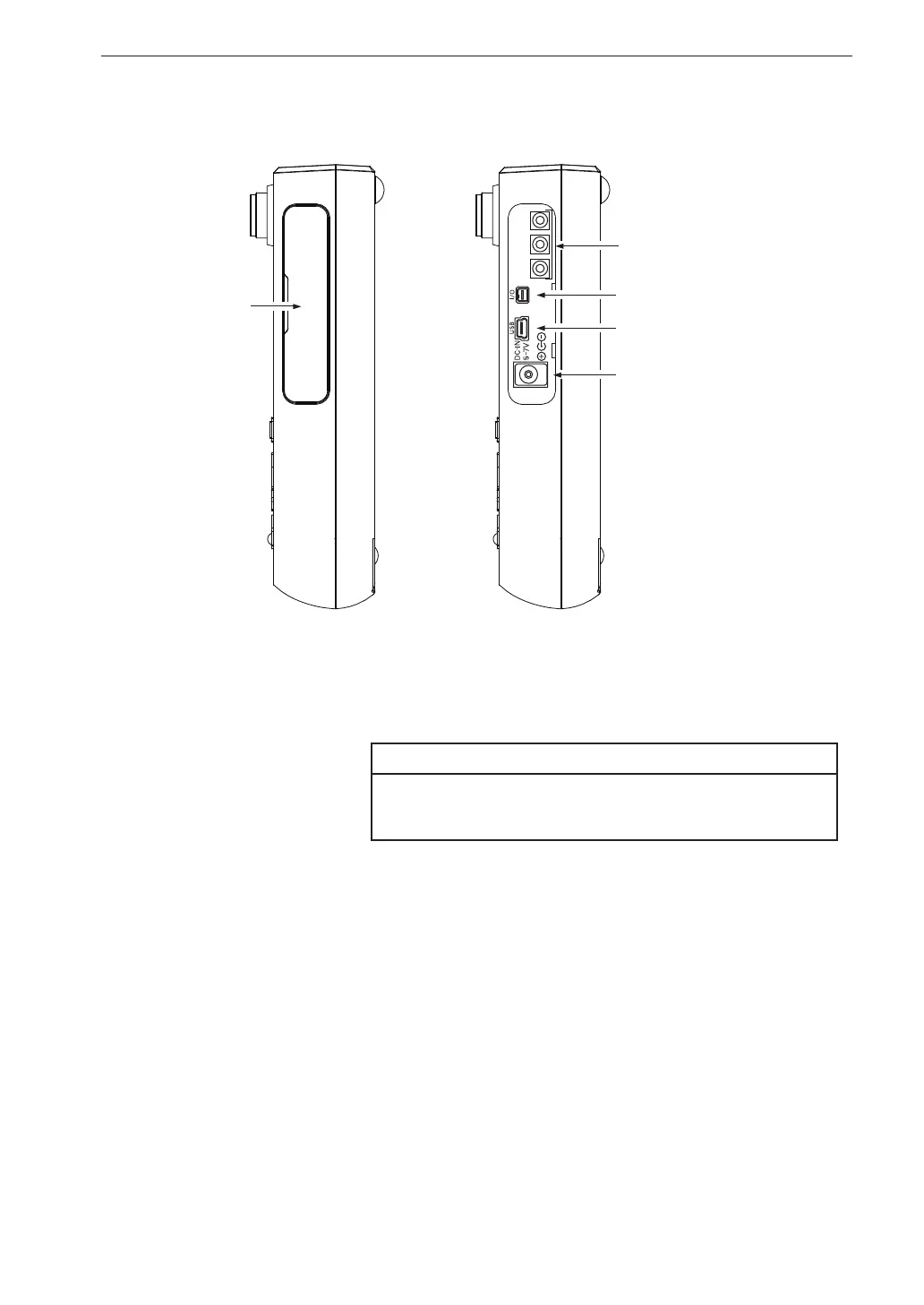
Right side view
Side cover
This cover protects the connectors on the right side during transport or
storage. Removing the cover gives access to the connectors shown above.
Important
To keep the water and dust resistant performance,
close tightly the side cover of the unit.
OUTPUT connectors
These are BNC connectors which carry the output signal for the X, Y,
and Z axis.
An AC signal corresponding to frequency weighting or a DC signal cor-
responding to vibration level is output here.
The [Display/ I/O] on the menu list screen allows selection of alternating
current (AC) or direct current (DC) output.
I/O connector
Serves for RS-232C connection (including printer) or a comparator signal
is output here.
OUTPUT
X Y
Z
I/O connector
OUTPUT connectors
USB connector
Side cover
DC IN connector



 To Next Page