135
Serial Interface
Connection to a computer
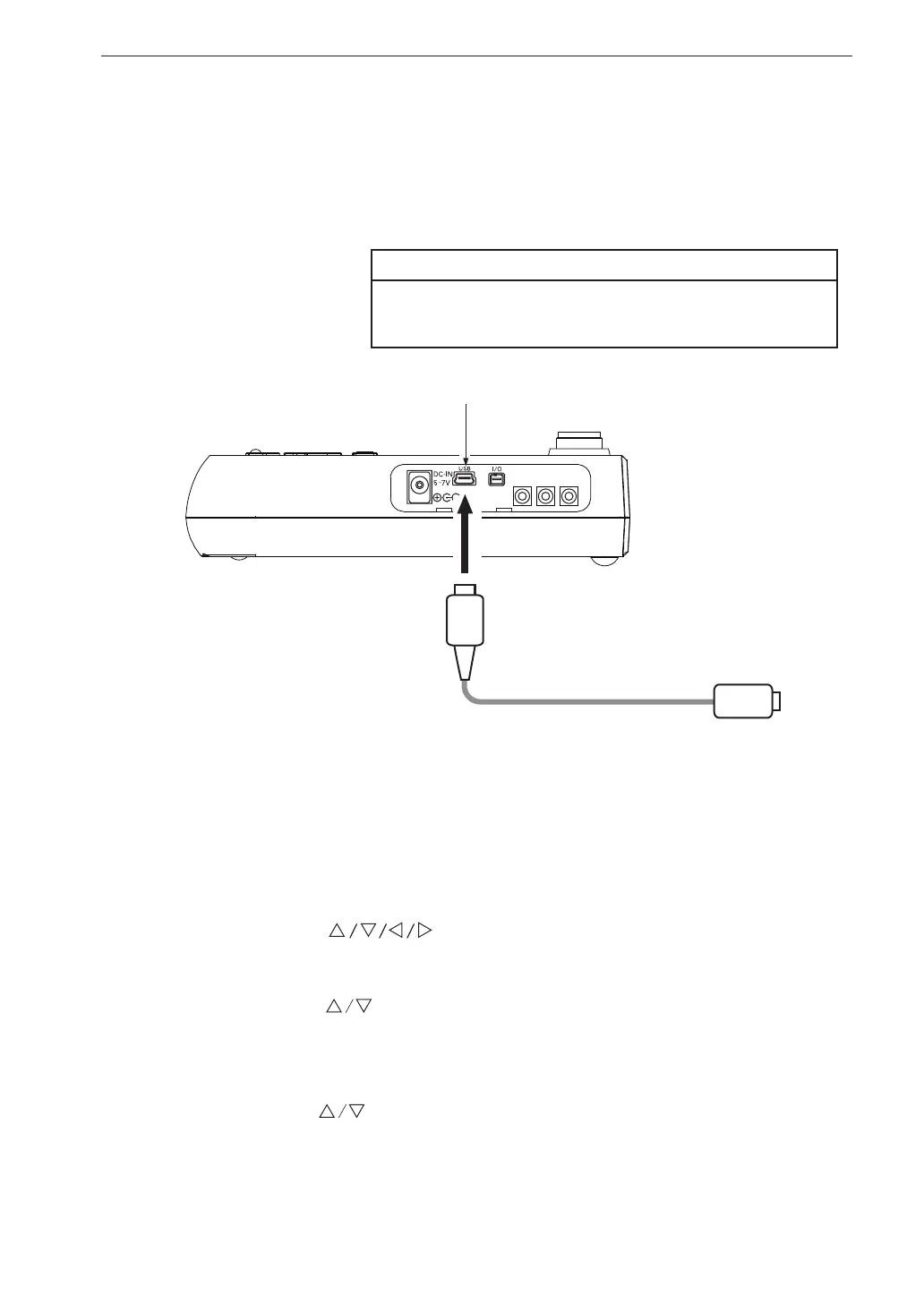
Connect the USB connector on the bottom of the VM-55 with a USB connector
of a computer, using the optional (generic) A - mini B USB cable as shown
below.
Important
Be sure to connect the cable only after selecting
the [USB] setting.
Setting of the VM-55 when using the USB
When using USB, set the communication interface for the VM-55 following
the steps below.
1. Press the MENU/ENTER key to bring up the menu list screen.
2. Use the
keys to select [Display / I/O] and press the
MENU/ENTER key. The display / I/O screen appears.
3. Use the keys to select [Communication Interface] and press
the MENU/ENTER key. The communication control function screen
appears.
4. Use the
keys to select [USB] and press the MENU/ENTER key.
5. Press the START/STOP key to return to the measurement screen.
OUTPUT
X
Y
Z
USB connector (mini B)
Open
the side cover
To computer
A - mini B USB cable



 To Next Page