124
Serial Interface
The VM-55 incorporate a serial interface. This interface allows the use of a
computer to make measurement parameter settings and to control the mea-
surement. It is also possible to send measurement results (current results as
well as data stored in the memory of the VM-55) to the computer for further
processing.
Standard terminal software (Hyper Terminal, etc.) can also be used as com-
munication client.
RS-232C
Connection to a computer
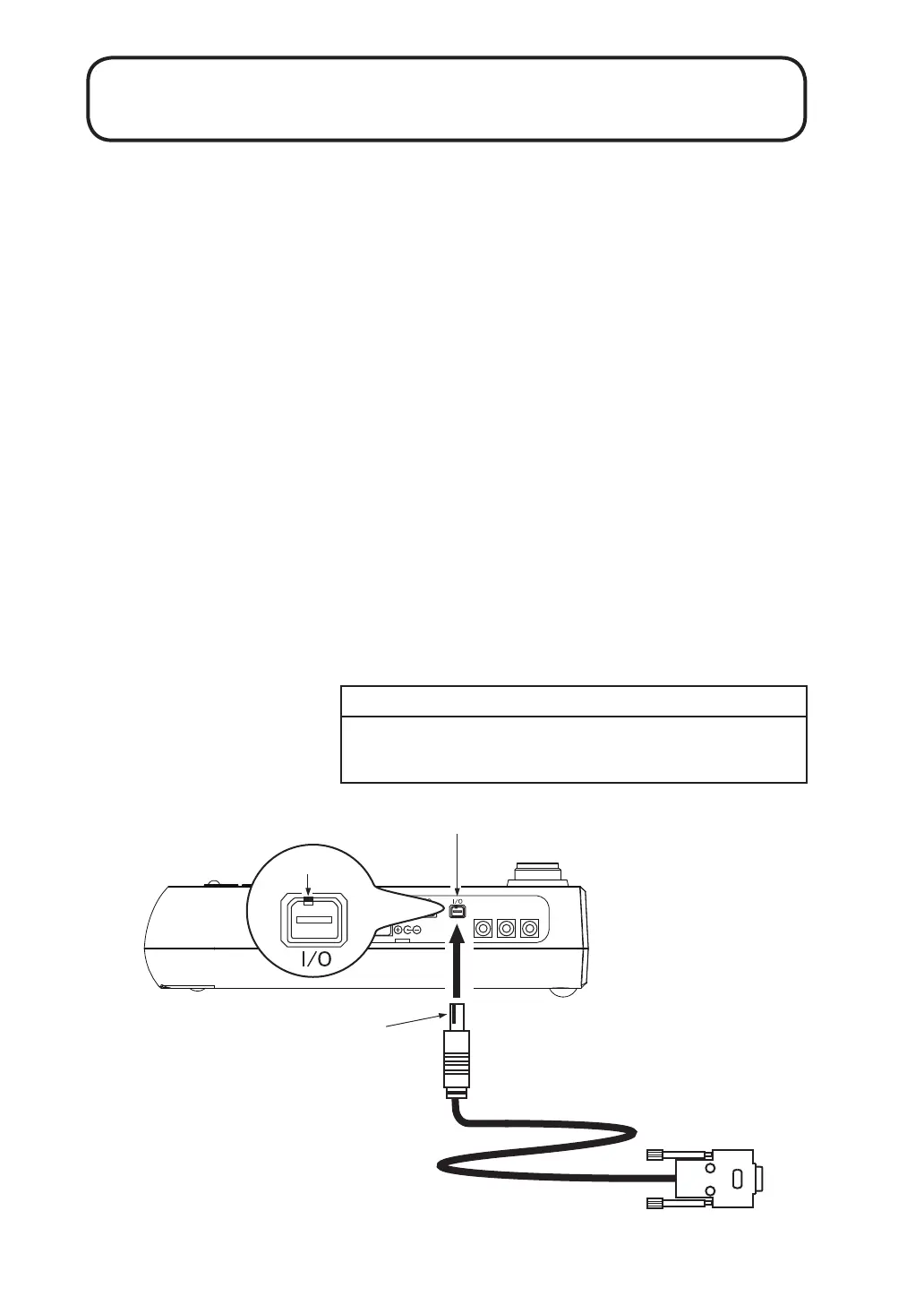
Connect the I/O connector on the right side of the VM-55 with a RS-232C
connector of a computer, using the optional RS-232C serial I/O cable CC-42R
as shown below. The performance of other cables will not be guaranteed.
Note that the performance of multiple units connection with RS-232C will
not be guaranteed.
Important
Do not connect the cable connector to the I/O
connector reversely.
OUTPUT
X
Y
Z
Projection
I/O connector
Open
the side cover
With the notch up,
align it with the projection
of the I/O connector.
RS-232C serial I/O cable CC-42R
To computer



 To Next Page