44
Reading the Display
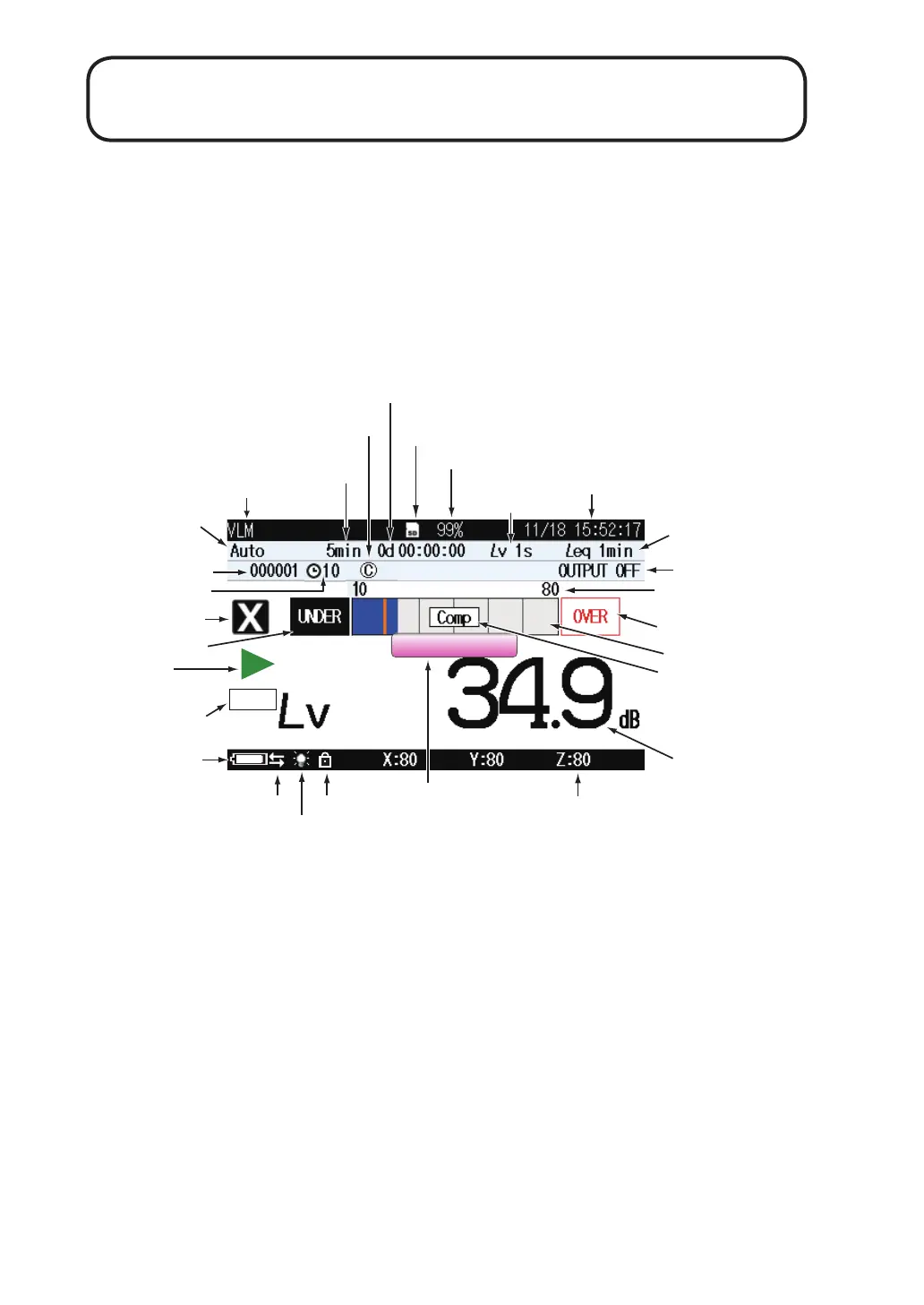
Measurement screen display
The illustration below shows all elements of the display for explanation
purposes. In actual operation, such a screen will not be shown. (In case of
1 channel screen indication,)
Store
MARKER-1
Mode of analysis
Store mode
L
v
store interval
Bar graph level range
Bar graph
Under-range indication
Channel
L
v
value / L
va
value
display
Battery status
Auto store display
Key lock
Current date and time
Setting of output, etc
SD memory card insertion indicator
Measurement
in progress symbol
Overload indication
Comparator
Address
Delay time
SD memory card remaining capacity
L
eq
calculation interval
USB/RS-232C
connection
Backlight
Level range settings
Marker 1 / marker 2
display
Operation/measurement elapsed time
Comparator
indication
Measurement time/
Total measurement time



 To Next Page