43
Preparations
6. Use the keys to
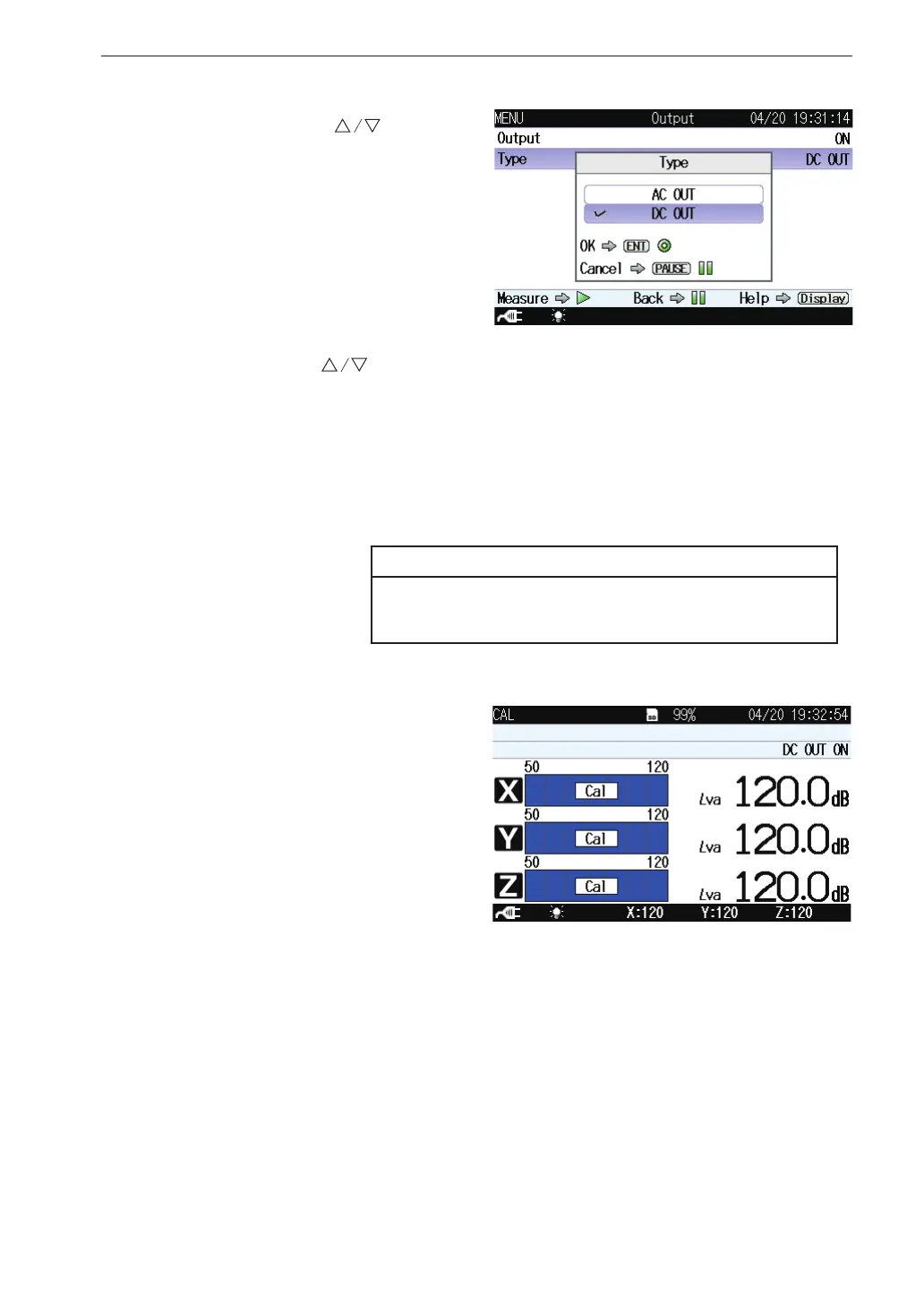
select [Type] and press
the MENU/ENTER key.
The type screen appears.
7. Use the keys to select the type (AC OUT, DC OUT) and press
the MENU/ENTER key.
AC OUT: The OUTPUT connectors provide AC signal.
DC OUT: The OUTPUT connectors provide DC signal.
Select the output type that is appropriate for the equipment to be
connected.
Note
It is not possible to select different AC OUT or DC
OUT settings for individual channels.
8. Press the START/STOP key to return to the measurement screen.
9. Press the OUTPUT CAL
key.
The display switches to
calibration indication.
Verify that the measure-
ment value reading is the
same as the maximum
value for the level range
in each axis (X, Y, Z).
During calibration, the OUTPUT connectors supply the following
signal.
AC : 31.5 Hz, 1 Vrms (OUTPUT setting is “AC OUT” )
DC: 2.5 V (OUTPUT setting is “DC OUT” )
Use this signal to calibrate the external equipment such as a level
recorder or analyzer.
10. Press the Output Cal key again to cancel the calibration mode.



 To Next Page