40
Preparations
Connecting external equipment
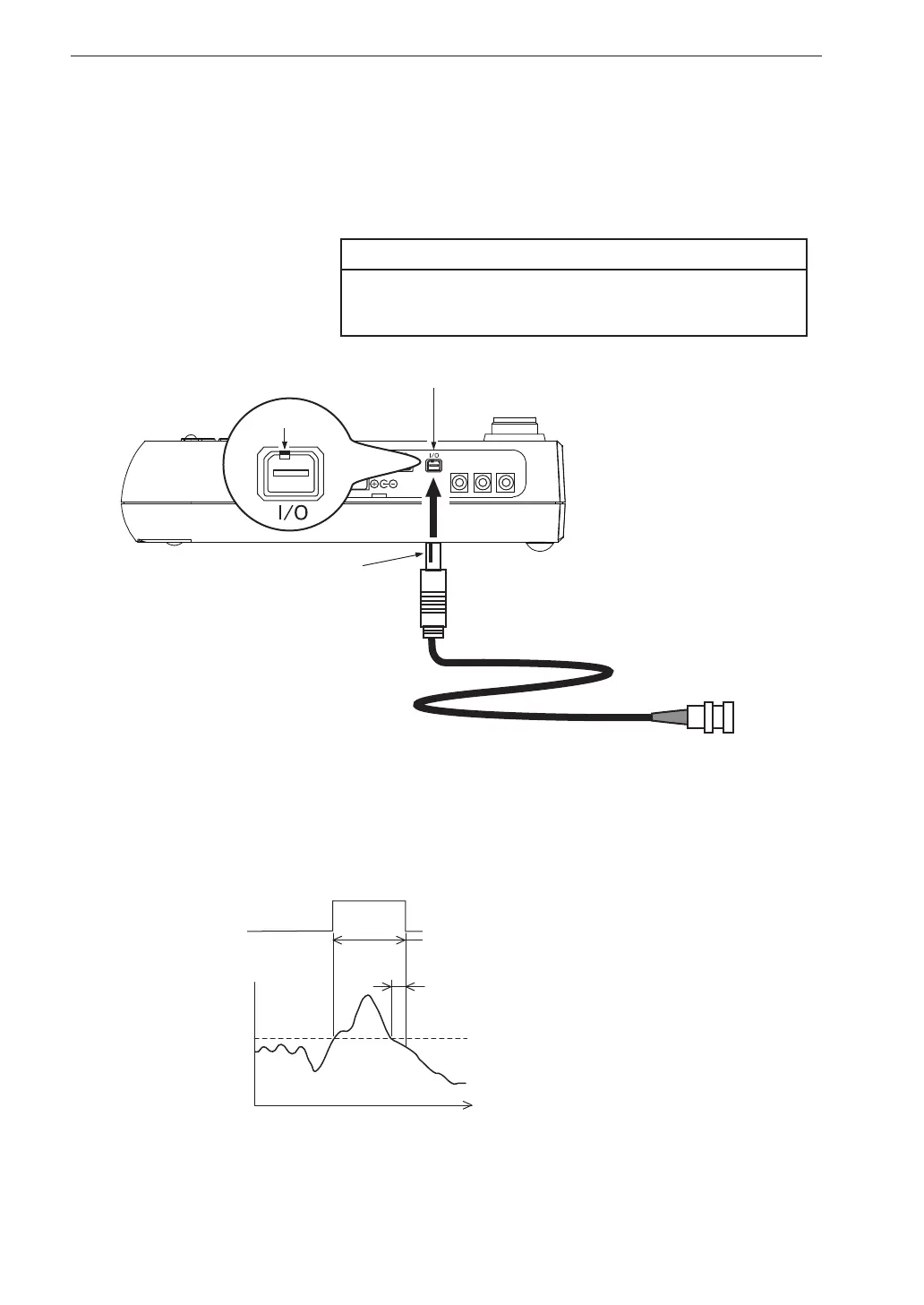
Connect the I/O connector on the right side of the VM-55 with an input connector
of external equipment, using the optional comparator output cable CC-42C as
shown below. The performance of other cables is not guaranteed.
Important
Do not insert the cable connector to the I/O
connector reversely.
OUTPUT
X
Y
Z
BNC connector
I/O connector
Comparator output cable CC-42C
Open
the side cover
To externa l
equipment
With the notch up,
align it with the projection
of the I/O connector.
Projection
About the comparator output
The comparator signal output timing pattern is as shown below (see page 110).
Time
Comparator signal output continues
for 1 second after signal crosses level threshold
1 s
Comparator output
Comparator
level
ON
OFF



 To Next Page