83
Store Operation
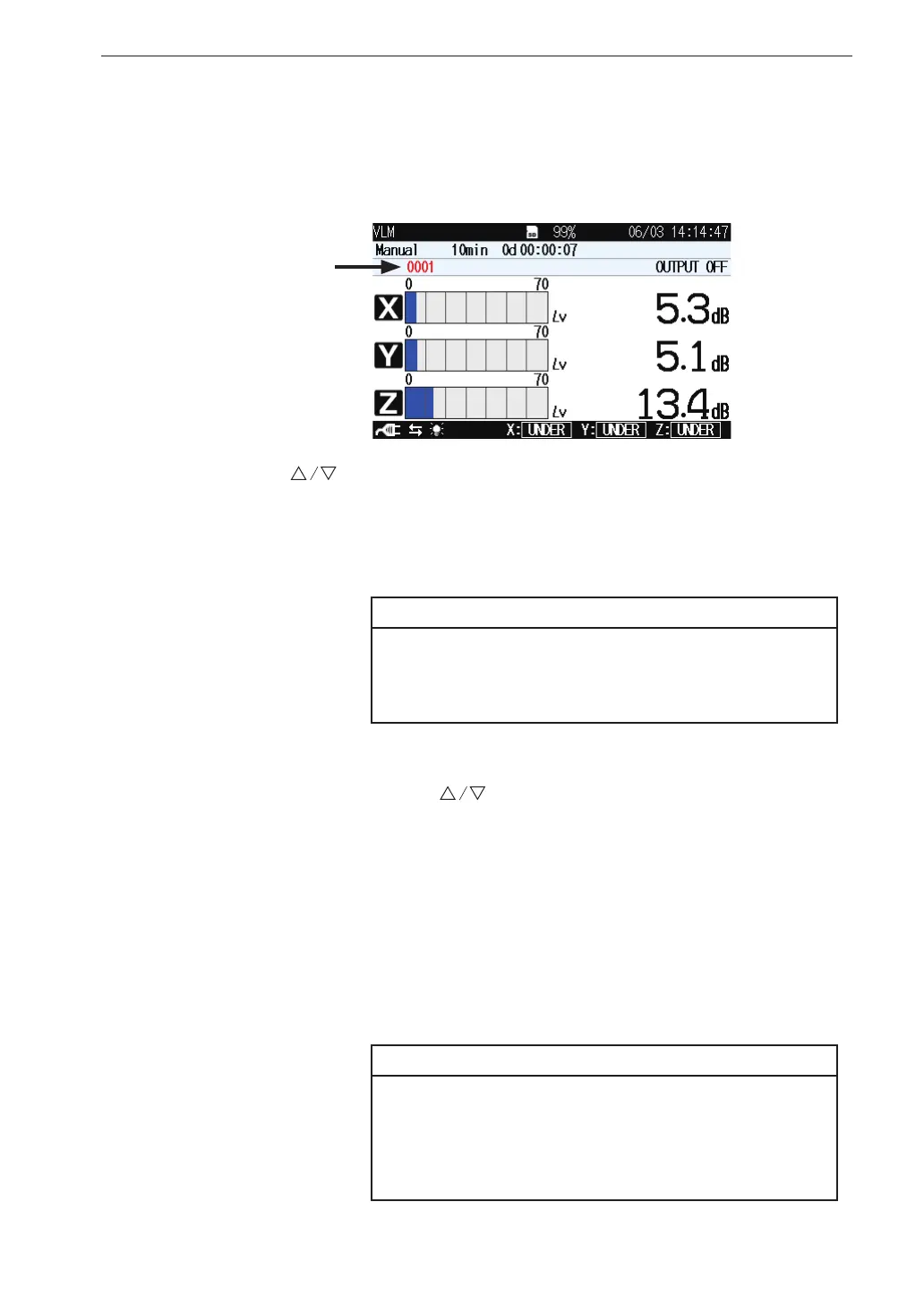
10. Specify the store address.
The currently selected address is shown on the screen. If the address
is shown in red, it already contains data.
The
keys can be used to specify the address in the range from
0001 to 1000. Any data already present in the selected address will be
overwritten (erased and replaced by the new data). For information on
how to check existing data, see the section “Recalling stored data”.
Note
In Manual mode, no data overwrite warning will be
shown. Proceed with care, as data will be forcibly
overwritten.
11. Start a measurement. When it nishes, a con rmation screen will
be displayed. Use the
keys to select “Store data” and press the
MENU/ENTER key to store the processing results.
The store process takes about 1 second. When it is completed, the
address is incremented by one step. The stored data includes the
following information: date and time when processing was started,
measurement time, conditions and processing results, overload and
under-range information, other information.
The T-L (time-level graph) display screen is not stored.
Important
Any measurement data present in the currently
displayed address will be overwritten. If the
address is shown in red, it contains data. Take
care not to accidentally overwrite data.
Address



 To Next Page