Advanced Features
Automatic Sorting Into Groups [Program]
129
Renaming a Program
Program names can be changed to better describe their usage or purpose.
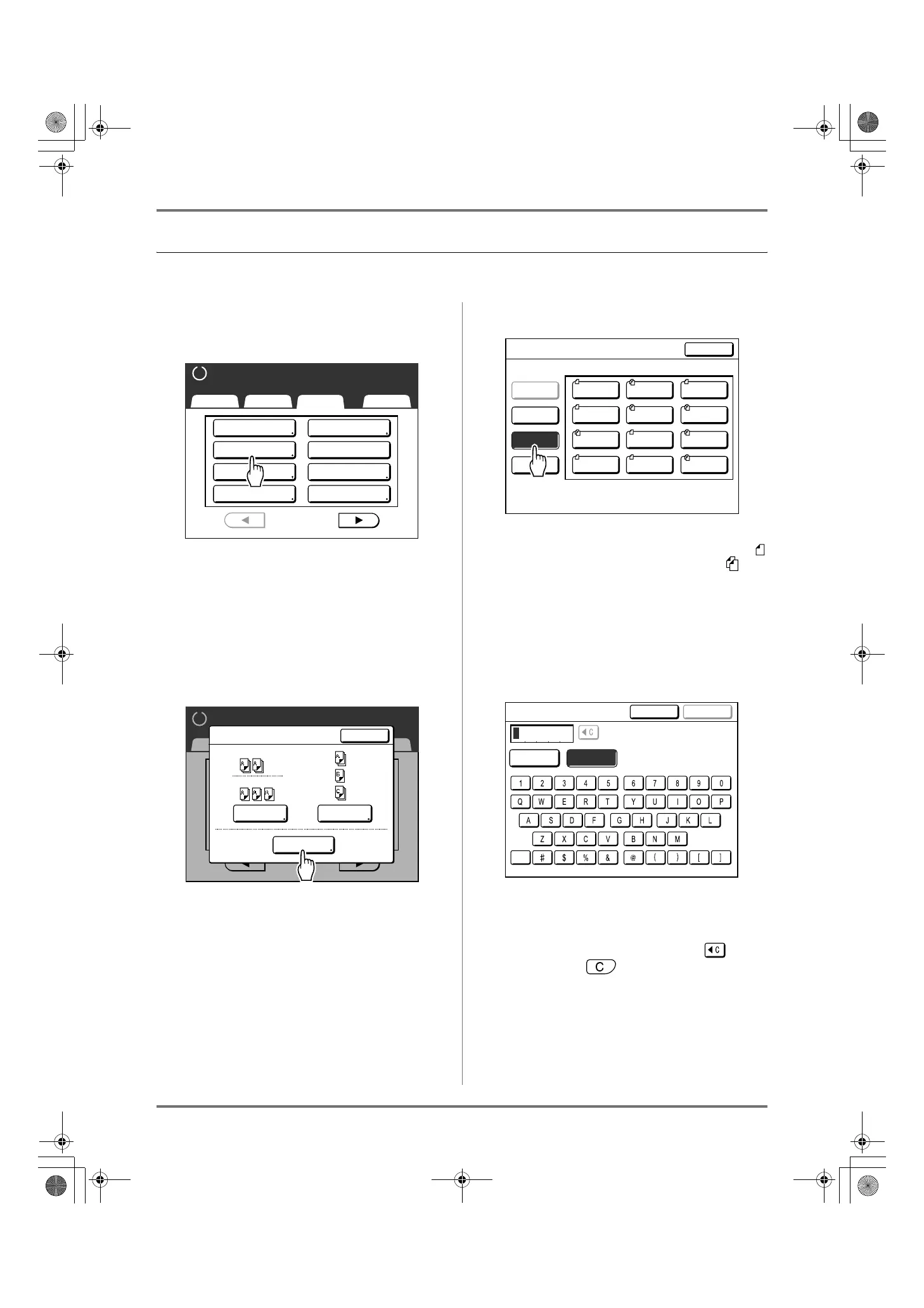
1
Touch [Program] on the Functions
screen.
Note:
• If [Program] button is already highlighted,
touching it will again display the Program
screen, and not the Rename a Program screen.
Touch [Cancel Job] then [OK] to return to
Functions screen. Touch [Program] again.
2
Touch [Program List].
3
Touch [Rename].
Note:
• Each Program button has an icon on top left.
indicates Single Page Mode Program, indi-
cates Multi-Page Mode Program.
4
Select a program to rename.
5
Touch the character buttons to enter
a new name.
Change capitalization by selecting the [Small] or
[Capital] button. )p.130
Note:
• To delete the current name, touch button
or press the key.
6
When entered, touch [OK].
Returns to the Program List screen. The program
is renamed.
Basic Selections Functions Admin.
Ready to Make Master
P
.
Program
Meter Display
Top Margin
1/4
Job Memory
Dot Process
Book Shadow
Multi-Up Print
2 Up
Ready to Make Master
Basic Selections Functions Admin.
1/9
P
.
Program Type
Single
Program List
Multiple
Close
01G
02G
Program List
Select a Button Name to be Changed
P-04
P-07
P-08
P-11
P-12
P-01
P-02
P-03
P-05
P-06
P-09
P-10
Close
Clear
Rename
Retrieve
Register
CapitalSmall
Rename
Cancel OK
REG-ML_EN.book Page 129 Wednesday, September 21, 2011 5:19 PM



 To Next Page