Functions for Master-Making
Printing Multiple Originals on One Sheet [2 Up] [Multi-Up Print]
73
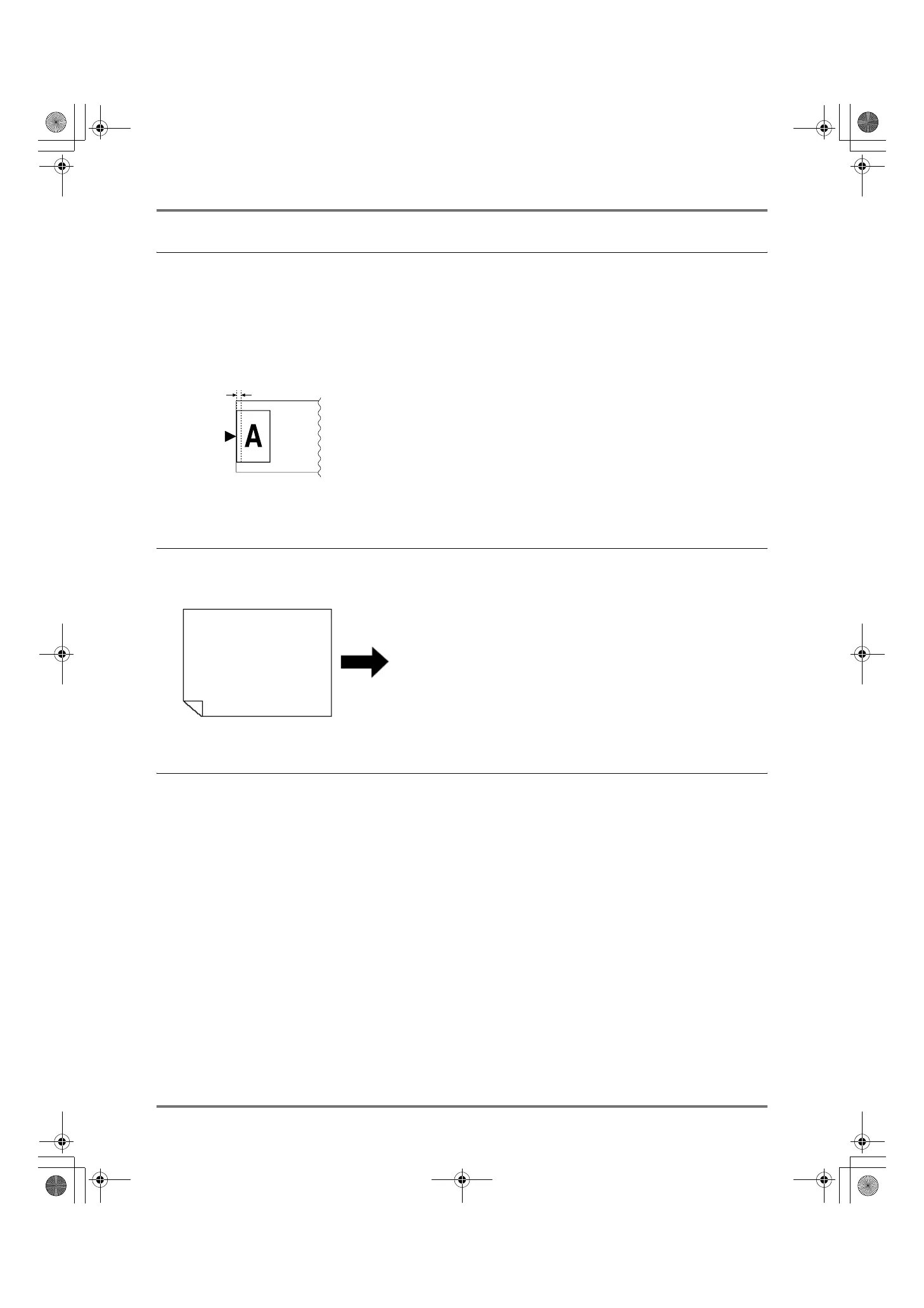
Margin
Leave a margin of at least 5 mm (
3
/
16
") on the top edge of the Glass Platen or the ADF unit (Option). Allowing a proper
margin is critical in well-balanced Multi-Up positioning.
)p.18
Note:
• A margin on the top edge will remain regardless of enlargement or reduction settings.
Orientation of Print Paper
Always place paper in the Paper Feed Tray as shown below.
Multi-Up Interval
“Multi-Up” performs scanning for the number of sheets.
The interval between the first scan and the second scan is called “Multi-Up Interval”.
Replace originals or change settings for the second scan during the “Multi-Up Interval”.
Note:
• Default “Multi-Up Interval” can be set on the Admin. screen. The factory default is 15 seconds. )p.161
5mm (
3
/
16
")
(Top Side)
Set Position
The Glass Platen
or the ADF unit (Option)
Paper feeding direction
REG-ML_EN.book Page 73 Wednesday, September 21, 2011 5:19 PM



 To Next Page