Advanced Features
Using Job Memory Functions [Job Memory]
136
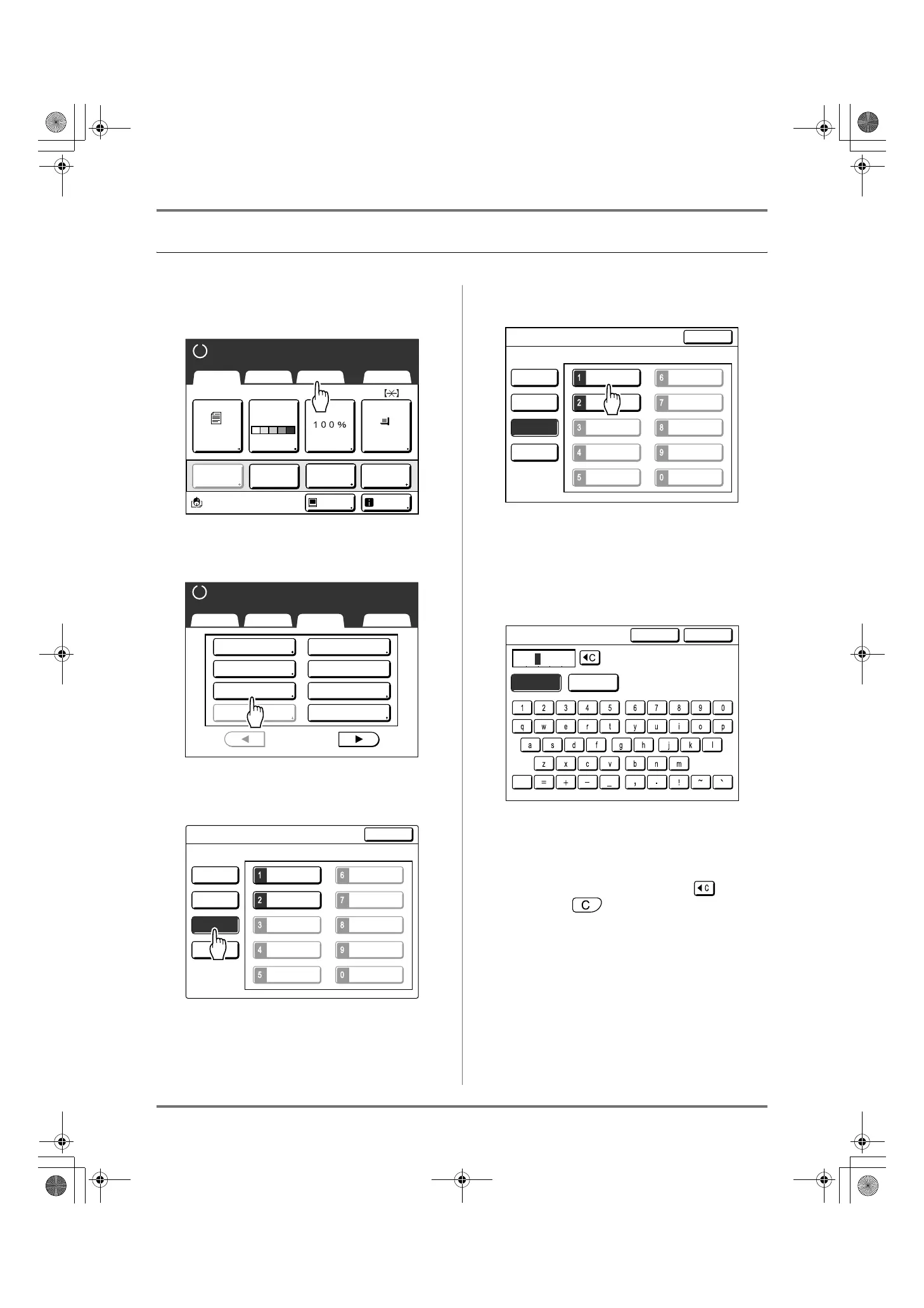
Renaming a Job Memory
1
Touch [Functions] on the Master
Making Basic Screen.
2
Touch [Job Memory].
3
Touch [Rename].
4
Select a Job Memory to rename.
Unregistered buttons are grayed-out and are not
available.
5
Touch the character buttons to enter
a new name.
Change capitalization by selecting the [Small] or
[Capital] button.
)p.130
Note:
• To clear the current name, touch button or
press the key.
A4
Black
Page(A4)
Basic Selections Functions Admin.
Contrast Size Paper
Idle Info
Ready to Make Master
Reserva-
tion
Multi-Up
Print
Editor
Dot
Process
Line
Auto
Basic Selections Functions Admin.
Ready to Make Master
P
.
Program
Meter Display
Top Margin
1/4
Job Memory
Dot Process
Book Shadow
Multi-Up Print
2 Up
M-6
M-2
M-1
M-7
M-3 M-8
M-4 M-9
M-5 M-10
Job Memory
Rename
Clear
Retrieve
Register
Close
Select a Button Name to be Changed
M-6
M-2 M-7
M-3
M-8
M-4
M-9
M-5
M-10
Job Memory
Rename
Clear
Retrieve
Register
Close
M-1
Select a Button Name to be Changed
M-1
CapitalSmall
Rename
Cancel OK
REG-ML_EN.book Page 136 Wednesday, September 21, 2011 5:19 PM



 To Next Page