Functions for Printing
Extending the drying time [Interval]
97
Extending the drying time [Interval]
A sheet of paper is normally fed and printed with each drum (cylinder) rotation, but by extending the paper feed inter-
val, the ink has more time to dry, which prevents ink marks on the back of the next sheet.
The paper feed interval (skip rotation) can be set from 1 - 10.
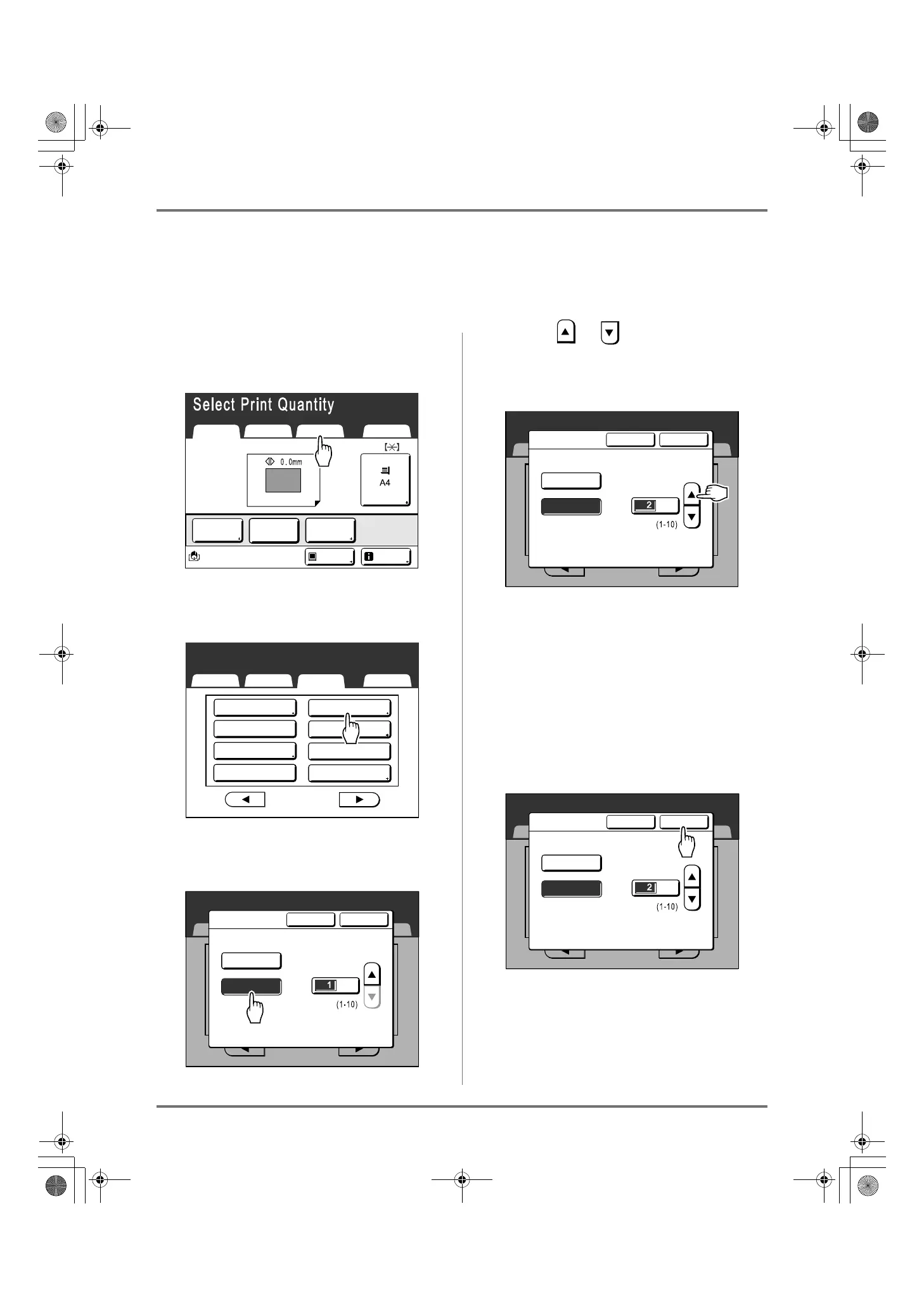
1
Touch [Functions] on the Print Basic
Screen.
2
Touch [Interval].
3
Touch [ON].
4
Touch or to set the number of
Skip Rotations for the Print Drum
(Cylinder).
Note:
• Print Quantity Keys can also be used to enter
numbers.
• If you are using extended paper and set the
Print Drum (Cylinder) skip rotation to an odd
number, the actual skip rotation is the “Set
Number +1”.
)p.171
5
Touch [OK].
Returns to the Functions screen.
Interval setting is updated.
Reserva-
tion
Interval
Renew Page
Select Print Quantity
Basic Selections Functions Admin.
Paper
Black
Idle Info
Print Position
Basic Selections Functions Admin.
Select Print Quantity
P
.
Idling Action
Confidential
3/4
Ink Saving
Sorter
Renew Page
Auto Page Renewal
Interval
Editor
Basic
Select Print Quantity
P
.
Selections Functions Admin.
3/4
Interval
Cancel OK
(Numeric keypad is available for input)
Skip Rotation
-
OFF
ON
Basic
Select Print Quantity
P
.
Selections Functions Admin.
3/4
Interval
Cancel OK
(Numeric keypad is available for input)
Skip Rotation
-
OFF
ON
Basic
Select Print Quantity
P
.
Selections Functions Admin.
3/4
Interval
Cancel OK
(Numeric keypad is available for input)
Skip Rotation
-
OFF
ON
REG-ML_EN.book Page 97 Wednesday, September 21, 2011 5:19 PM



 To Next Page