Advanced Features
Proof and Print (with the ADF unit (Option) installed) [ADF Semi-Auto]
147
Proof and Print
(with the ADF unit (Option) installed)
[ADF Semi-Auto]
Selecting “Auto Process” with the ADF unit (Option) installed automatically performs the complete printing job, but
you cannot make proof copies, or any necessary adjustments of each master. To pause for check after printing a
proof copy of each master, select “ADF Semi-Auto”.
Important!:
• Turn “Auto Process” OFF when using “ADF Semi-Auto”.
)p.64
Note:
• The default “ADF Semi-Auto” can be set on the Admin. screen.
)p.159
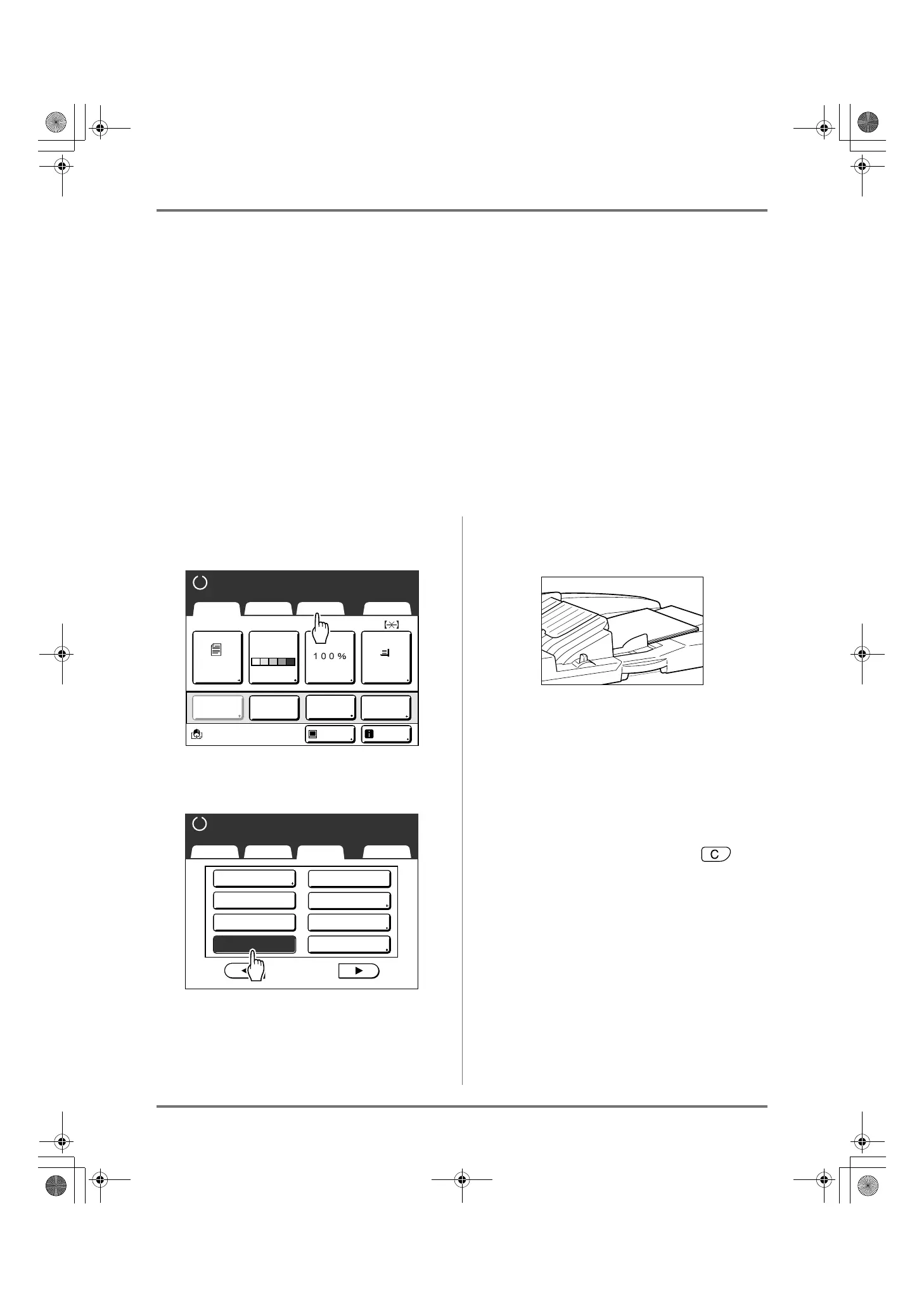
1
Touch [Functions] on the Master
Making Basic Screen.
2
Touch [ADF Semi-Auto].
“ADF Semi-Auto” is selected.
3
Place original(s) in the ADF unit
(Option).
The ADF unit (Option) detects the document, and
automatically opens the Master Making Basic
Screen
4
Enter the number of copies using the
Print Quantity Keys.
The number is displayed on the Print Quantity Display.
Note:
• To change the number, press the key,
then re-enter the correct number.
A4
Black
Page(A4)
Basic Selections Functions Admin.
Contrast Size Paper
Idle Info
Ready to Make Master
Reserva-
tion
Multi-Up
Print
Editor
Dot
Process
Line
Auto
Basic Selections Functions Admin.
Ready to Make Master
P
.
Max. Scan
Side Margin
2/4
Reservation
ADF Semi-Auto
USB Job List
Storage Memory
Overlay
Preview
REG-ML_EN.book Page 147 Wednesday, September 21, 2011 5:19 PM



 To Next Page