Advanced Features
Idling Action [Idling Action]
143
Idling Action [Idling Action]
When the machine has not been used for an extended period of time, or when the Print Drum (Cylinder) is replaced,
the first several copies may be printed too light. By performing “Idling Action” before making a master, high print qual-
ity may be instantly achieved and reduce paper waste.
Important!:
• “Idling Action” is effective only in conjunction with the master-making process. When performing print processes
only, “Idling Action” will have no effect.
Note:
• To perform “Idling Action” automatically when making a master after a specified period of time since the last print
job, set “Auto Idling” on the Admin. screen.
)p.163
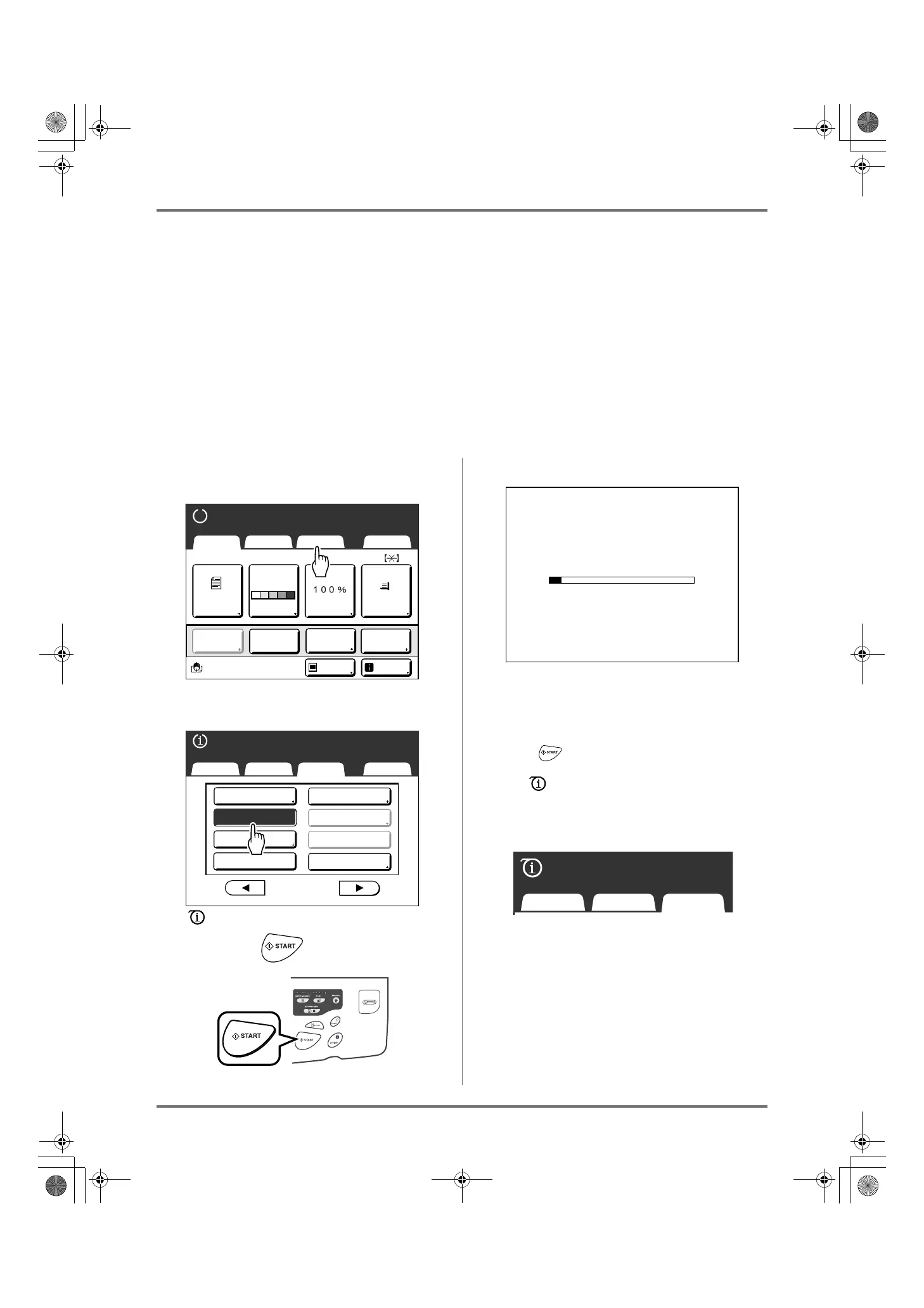
1
Touch [Functions] on the Master
Making Basic Screen.
2
Touch [Idling Action].
appears on screen.
3
Press the key.
The following screen appears.
After “Idling Action” has been finished, the master-
making process is started.
Note:
• Remember to load the originals before pressing
the key as the master will be made imme-
diately after “Idling Action” finishes.
• If displays in the screen message area
even though it is not set, this indicates that the
“Auto Idling” time has elapsed. If you make a
master in this status, “Idling Action” is executed.
A4
Black
Page(A4)
Basic Selections Functions Admin.
Contrast Size Paper
Idle Info
Ready to Make Master
Reserva-
tion
Multi-Up
Print
Editor
Dot
Process
Line
Auto
Basic Selections Functions Admin.
Ready to Make Master
P
.
Idling Action
Confidential
3/4
Ink Saving
Sorter
Renew Page
Auto Page Renewal
Interval
Editor
Idling...
Basic Selections Functions
Ready to Make Mas
REG-ML_EN.book Page 143 Wednesday, September 21, 2011 5:19 PM



 To Next Page