Preparing to Print
32
Basic Operations
Preparing to Print
First, set up the Paper Feed Tray and Paper Receiving Tray of the machine.
Important!:
• Do not use unsuitable paper, or mix paper of different sizes.
Doing so can cause paper jams and damage the machine.
)p.15
Setting up the Paper Feed Tray and Loading Paper
1
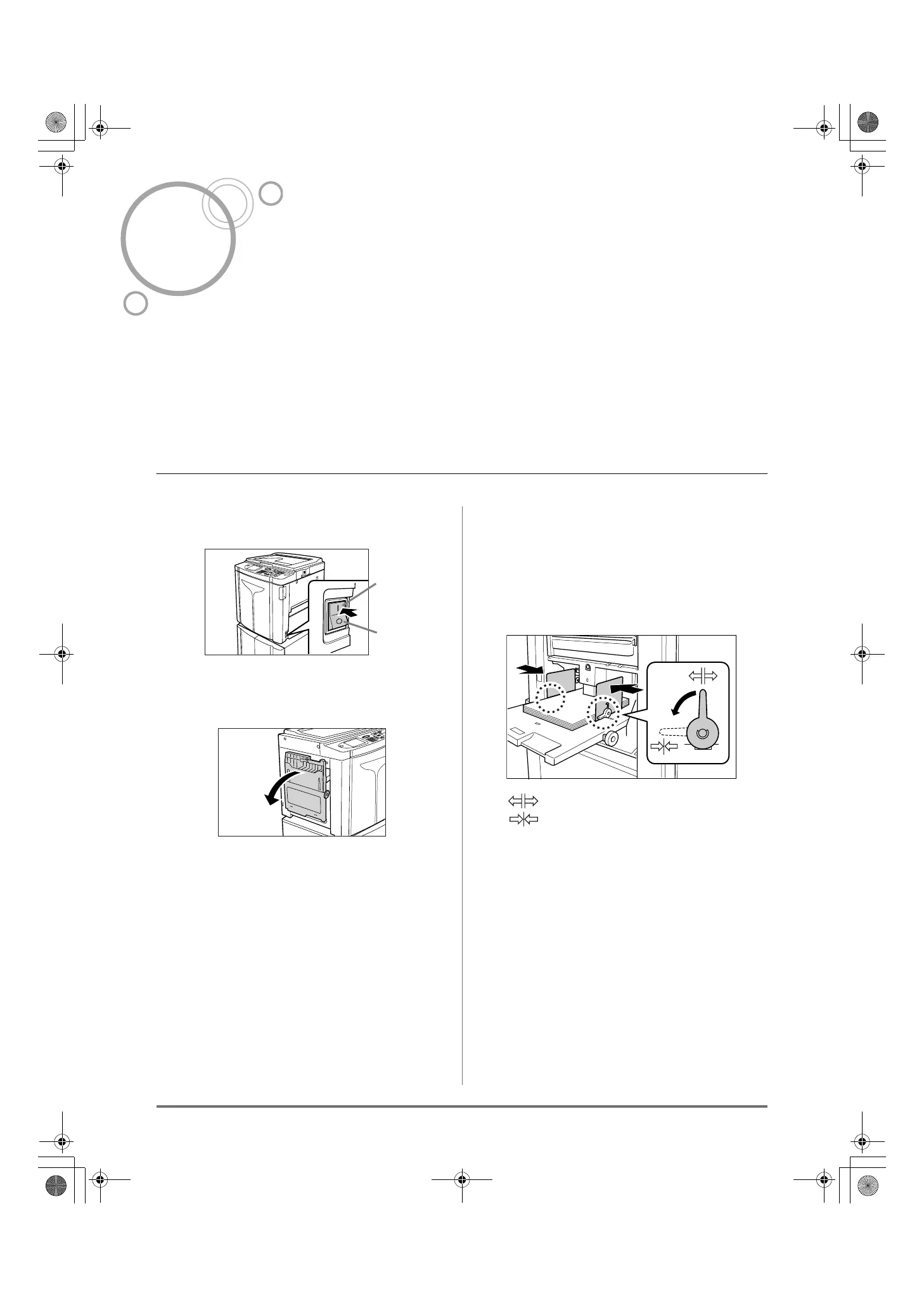
Turn the power ON.
2
Open the Paper Feed Tray.
Pull the Paper Feed Tray to open until it comes to
a rest.
3
Load paper.
1) Place paper in the printing orientation.
2) Slide the Feed Tray Paper Guides to fit to the
sides of the paper. Then turn the right and left
Feed Tray Paper Guide Levers to lock the
guides.
: Unlock
: Lock
Important!:
• Make sure that the Feed Tray Paper Guides fit
tight up against the paper.
Failure to do so can produce undesired results.
Note:
• Custom-sized paper must be registered on the
Admin. screen before use.
)p.170
Failure to do so may create an incomplete mas-
ter.
ON
OFF
REG-ML_EN.book Page 32 Wednesday, September 21, 2011 5:19 PM



 To Next Page