Functions for Master-Making
Using Custom-Sized Paper [Paper]
63
Using Custom-Sized Paper [Paper]
The machine automatically detects standard-sized paper in the Paper Feed Tray to create a correct size master for
printing. However, because non-standard paper sizes cannot be detected, they must be manually specified before a
master can be made.
Important!:
• Custom paper size must be registered on the Admin. screen. Failure to do so may make an incomplete master.
)p.170
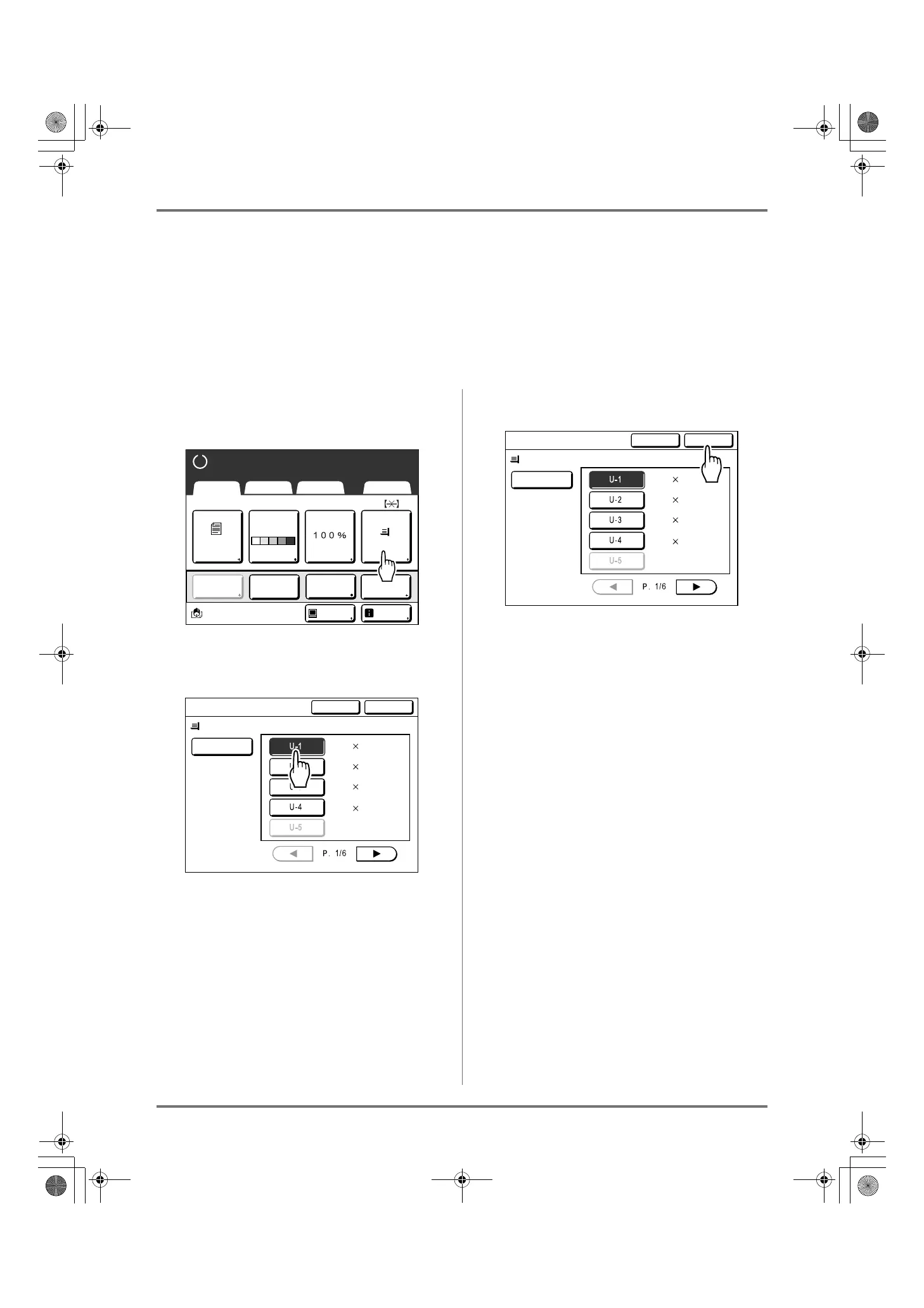
1
Touch [Paper] on the Master Making
Basic Screen.
2
Touch the desired paper size.
Important!:
• Previously recorded custom paper sizes is dis-
played on this screen. Make sure to register any
custom sizes not displayed here prior to use.
)p.170
Note:
• Touch [Auto] to use standard-sized paper.
3
Touch [OK].
Returns to the Master Making Basic Screen.
“Paper size” is updated.
A4
Line
Black
Page(A4)
Basic Selections Functions Admin.
Contrast
Auto
Size Paper
Idle Info
Ready to Make Master
Reserva-
tion
Multi-Up
Print
Editor
Dot
Process
Auto
Standard-T
W 90 H148
mm
No Entry
Cancel OK
Paper Size
W340 H550
mm
W 90 H500
mm
W120 H240
mm
Auto
Standard-T
W 90 H148
mm
No Entry
Cancel OK
Paper Size
W340 H550
mm
W 90 H500
mm
W120 H240
mm
REG-ML_EN.book Page 63 Wednesday, September 21, 2011 5:19 PM



 To Next Page