Functions for Master-Making
Adjusting the Side Margins of the Master [Side Margin]
85
Adjusting the Side Margins of the Master
[Side Margin]
If you are using the ADF unit (Option) to print multiple originals and need to move the left and right margins to make
a master, use “Side Margin” for one simple operation to offset the margins for all the originals (up to 10 mm (
13
/
32
")
left/right).
Important!:
• The “Side Margin” function shifts the location of the original to the right or left. It does not reduce the size of the orig-
inal.
• By using “Side Margin”, the opposite side of the side margin may be pushed out of the print area and not print.
Check the margins of the original prior to setting.
• This function cannot be used with the following functions.
– Multi-Up Print
–2 Up
–Overlay
Note:
• This function can be used to set the side margins even when the original is set on the Glass Platen.
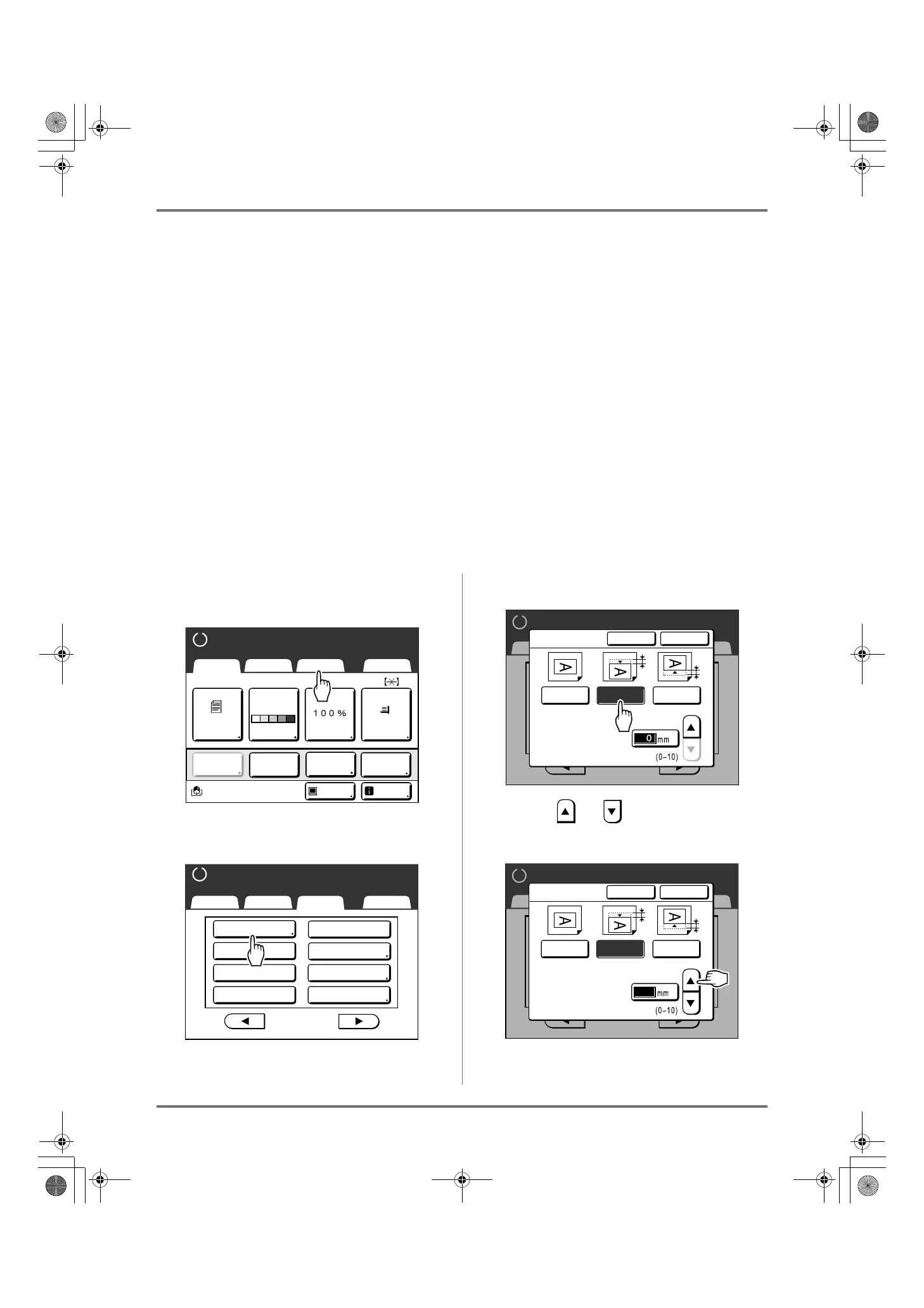
1
Touch [Functions] on the Master
Making Basic Screen.
2
Touch [Side Margin].
3
Touch [Left] or [Right] to adjust.
4
Touch or to specify the shift
distance.
You can set from 0 to 10 mm (0" to
13
/
32
").
A4
Line
Black
Page(A4)
Basic Selections Functions Admin.
Contrast
Auto
Size Paper
Idle Info
Ready to Make Master
Reserva-
tion
Multi-Up
Print
Editor
Dot
Process
Basic Selections Functions Admin.
Ready to Make Master
P
.
Max. Scan
Side Margin
2/4
Reservation
ADF Semi-Auto
USB Job List
Storage Memory
Overlay
Preview
Ready to Make Master
2/4
P
.
Basic Selections Functions Admin.
Cancel OK
OFF Left Right
(Numeric keypad is
available for input)
Side Margin
Shift
Ready to Make Master
Basic Selections Functions Admin.
2/4
P
.
Cancel OK
OFF Left Right
(Numeric keypad is
available for input)
Side Margin
Shift
5
REG-ML_EN.book Page 85 Wednesday, September 21, 2011 5:19 PM



 To Next Page