Basic Operations
Preparing to Print
34
Adding or Replacing Paper
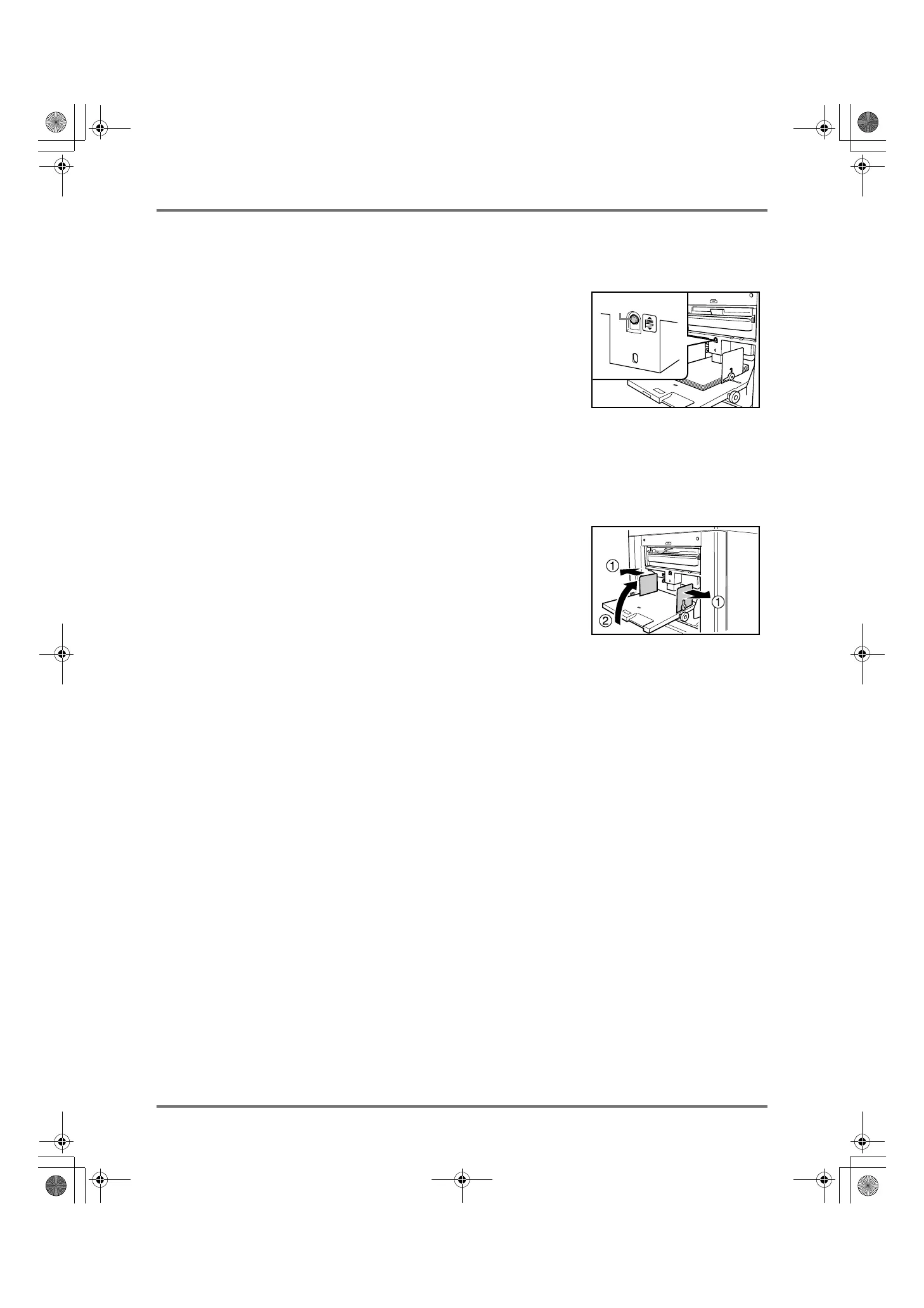
When you add paper or replace with paper of a different size at the time of printing, press the Feed Tray Ascent/
Descent Button to lower the Paper Feed Tray.
• The Paper Feed Tray is lowered while you press and hold the button, and
when you release the button, the tray stops at that position.
• When the tray runs out of paper or you remove all paper, the tray is automat-
ically lowered to the bottom.
Important!:
• When changing to a different paper size, remember to readjust the Receiving
Tray Paper Guides and Paper Stopper. ()p.35)
• When changing to a different quality paper, remember to adjust the Paper Feed Pressure Adjustment Lever.
Closing the Paper Feed Tray
Before closing the Paper Feed Tray, remove the paper and widen the Feed Tray Paper Guides to the limits. Then
close the Paper Feed Tray.
Feed Tray Ascent/Descent
Button
REG-ML_EN.book Page 34 Wednesday, September 21, 2011 5:19 PM



 To Next Page