Basic Operations
Printing from a Computer Data [Direct Print] [USB Job List]
45
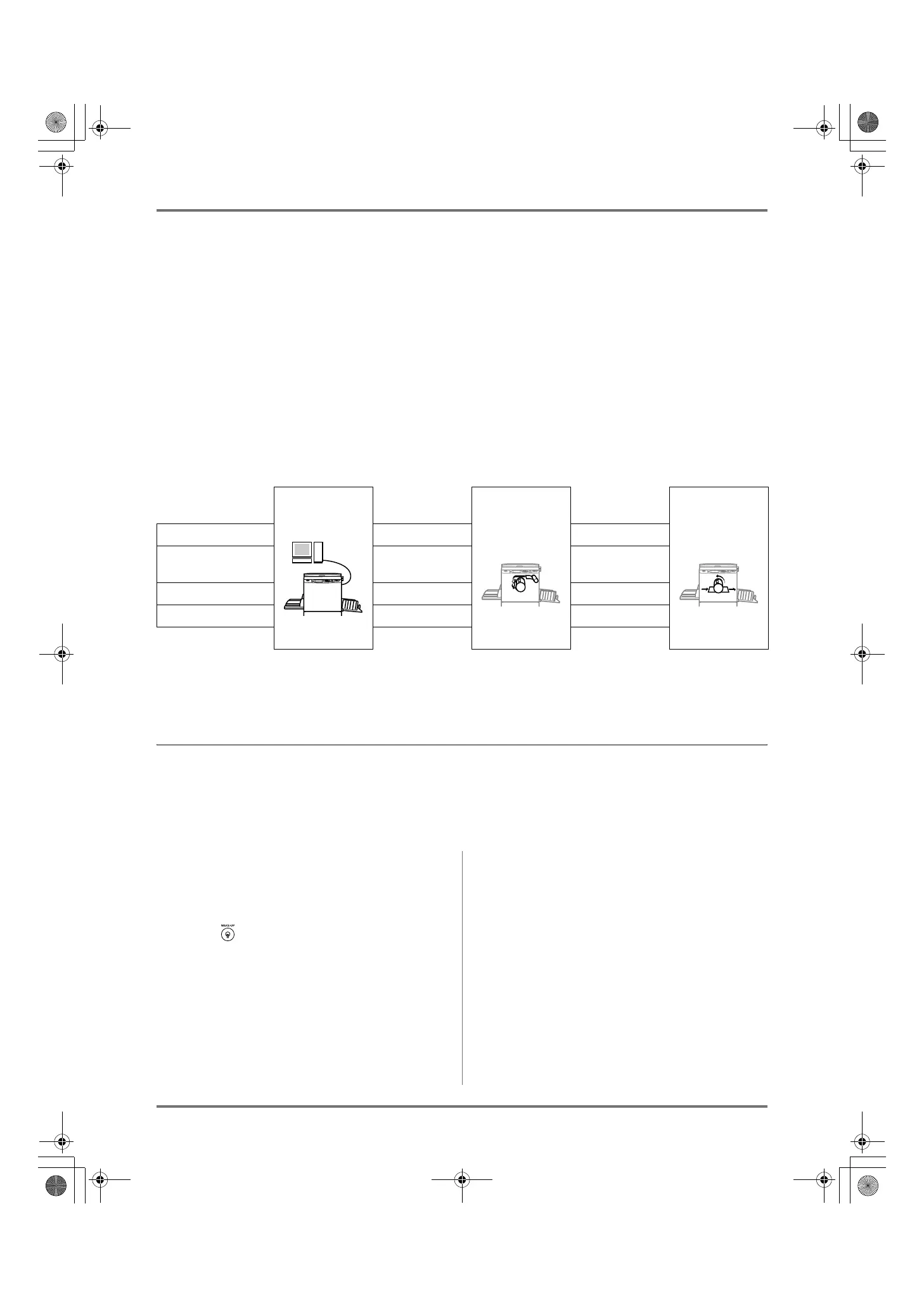
Auto Process and Stop Timing
Auto Process is a combined automated steps of receiving data from the computer, making a master, and printing.
To activate “Process”, open the printer properties dialog box on the computer and select “Auto-process”. (A proof
copy will not be printed.)
During each process, in order to adjust settings or to change paper, you can stop the operation.
To temporarily halt an operation during the creation of a master or during print process, select one of the following
three options for “Process” in the printer properties dialog box.
• Pause before “Master”
Halts the operation before master-making:
To change settings, to change paper and to change Print Drum (Cylinder)
• Pause before “Print”
Halts the operation before printing:
To print proof, to adjust ink density, to adjust positioning and to change printing speed
• Auto-process “OFF”
Stops twice; before making a master, and again before printing.
Note:
• The timing for stopping printing can also be changed from the display of the machine.
)p.54
Printing Computer Data [Direct Print]
The computer and printer must be connected by cable.
Note:
• When “User Management” is set by the administrator, the users will be asked to identify themselves during operations.
)p.43
1
Make sure the machine is ON.
Check the Control Panel.
Note:
• When the power is OFF, both the Display and
the key are off. Turn the power ON.
)p.32
• The machine automatically wakes up from
Energy Saving mode when data is sent from a
computer, and it starts processing the data.
2
Check for printing paper.
Make sure paper is loaded.
To load or to change the paper, see the following page:
)p.32
After replacing with paper of a different size,
adjust the position of the Receiving Tray Paper
Guides and Paper Stopper.
)p.35
Receive data
from computer
Stop before
making a master
Master Making Stop before
printing
Printing
Auto-process “ON” --- ---
Pause before
“Master”
Yes ---
Pause before “Print” --- Yes
Auto-process “OFF” Yes Yes
REG-ML_EN.book Page 45 Wednesday, September 21, 2011 5:19 PM



 To Next Page