Advanced Features
Changing Default Settings [Admin.]
166
3
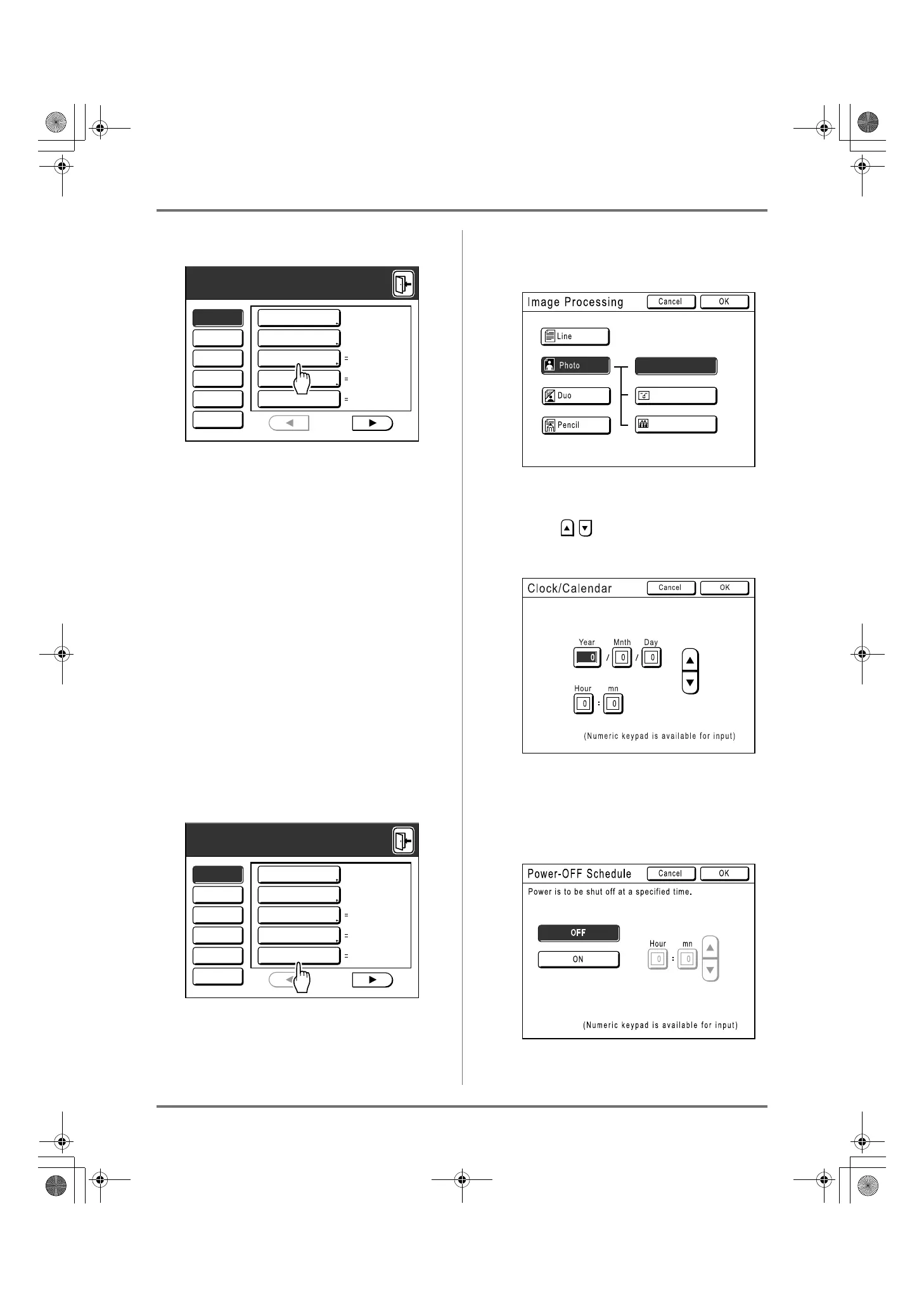
Select a function to modify.
Display Access Buttons
Display Access Buttons allow for quick selection
of desired functions by displaying only relevant
groups of function buttons.
[All]: All Functions
[Display]: Functions related to Screen Display
[Default]: Basic Operational Functions
[System]: Functions affecting the entire System
[Link Mode]: Functions related to Linked Printer
[Editor]: Functions related to Editor
• [Link Mode] is only displayed when a Linked
Printer is connected.
4
Change settings.
Some functions have their own Setup screens,
some don't. There are several styles for setting
values. Following samples demonstrate different
value setting styles.
No additional Setup Screen
(2 or more options to choose from)
Touch the function name button to change the
value displayed to the right.
Once the settings have been changed, con-
tinue on to step 6.
Additional Setup Screen Available
Button Style
Choosing a button makes it the default.
Additional Setup Screen Available
Numeric Value Style
Touch to increase/decrease value.
Numbers may be entered using the Print
Quantity Keys.
Additional Setup Screen Available
Multi Level Entry Style
Select a button, then set its values either by
touching more buttons or entering a value
numerically.
The following screen appears.
Mode Screen
Mode Select.
Logo(EZ)
P
.1/9
All
Display
Default
System
Link Mode
Editor
DirectAccess Entry
Selections Entry
Display Priority
Mode Key Pattern
Start-Up Screen
Admin.
Mode Screen
Mode Select.
Logo(EZ)
P
.1/9
All
Display
Default
System
Link Mode
Editor
DirectAccess Entry
Selections Entry
Display Priority
Mode Key Pattern
Start-Up Screen
Admin.
Image Type
Standard
Group
Portrait
REG-ML_EN.book Page 166 Wednesday, September 21, 2011 5:19 PM



 To Next Page