Functions for Master-Making
Printing from Bound Documents [Book Shadow]
82
1
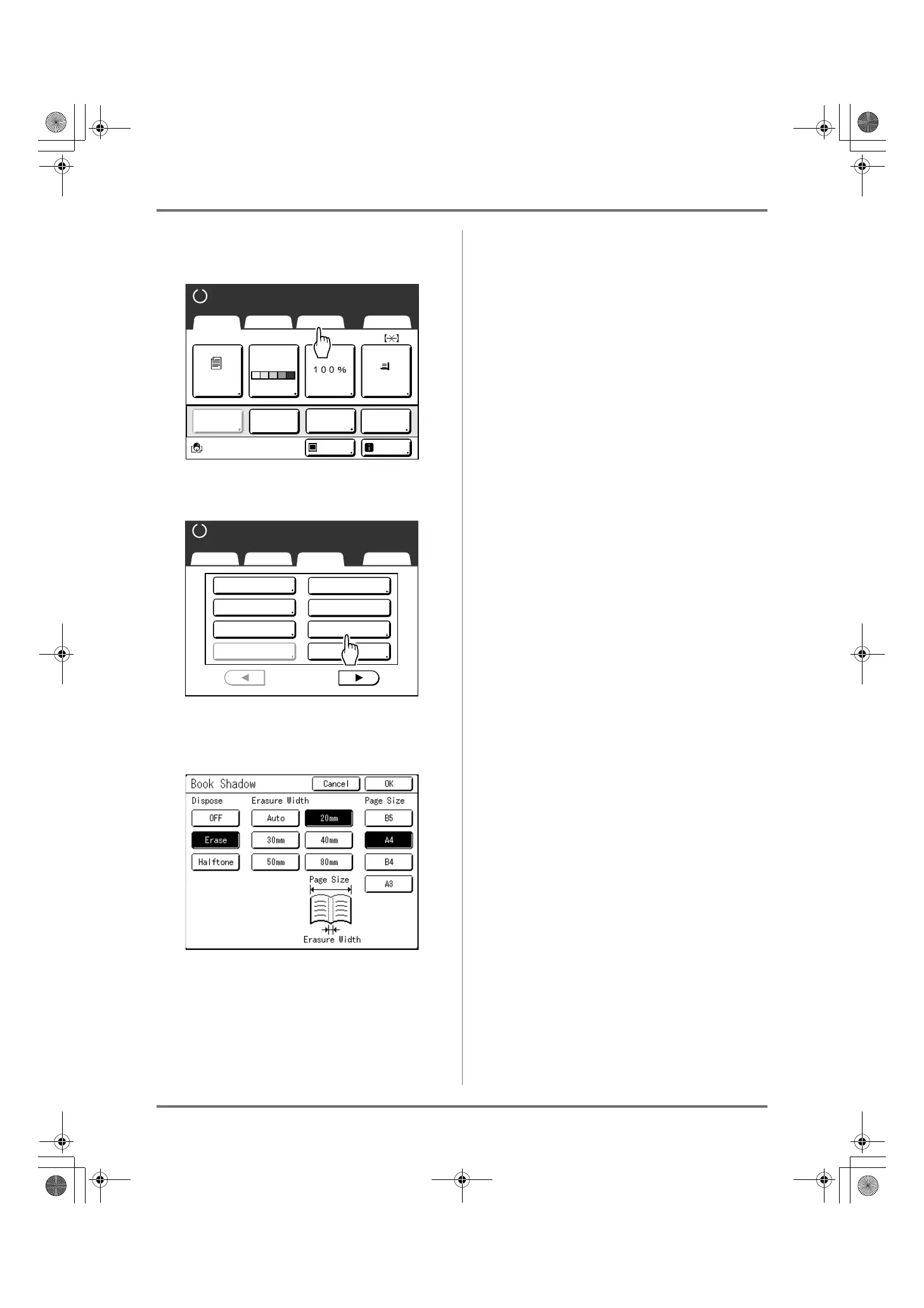
Touch [Functions] on the Master
Making Basic Screen.
2
Touch [Book Shadow].
3
Touch [Erase] or [Halftone] for
“Process”.
• [OFF]: Book Shadow is not performed.
• [Erase]: Erases shadows near the center and
around the original.
Select the size of spread original from “Page Size”.
• [Halftone]: Photo processes the center
shadow for a natural feel and deletes shadows
that it can around the original.
4
Touch [Erasure Width] and [Page
Size].
• If you set “Process” to “Halftone”, you can only
select “Auto”.
• If you set “Erasure Width” to “Auto”, original
detection is performed automatically, and the
erasure width is calculated from the detected
size.
• If you specify the erasure width, original detec-
tion is not performed automatically. Touch [Era-
sure Width], and then touch the [Page Size] for
the magazine or book you have placed.
5
Touch [OK].
Returns to the Functions screen. “Book Shadow”
setting is updated.
A4
Line
Black
Page(A4)
Basic Selections Functions Admin.
Contrast
Auto
Size Paper
Idle Info
Ready to Make Master
Reserva-
tion
Multi-Up
Print
Editor
Dot
Process
Basic Selections Functions Admin.
Ready to Make Master
P
.
Program
Meter Display
1/4
Job Memory
Dot Process
Top Margin
Book Shadow
2 Up
Multi-Up Print
REG-ML_EN.book Page 82 Wednesday, September 21, 2011 5:19 PM



 To Next Page