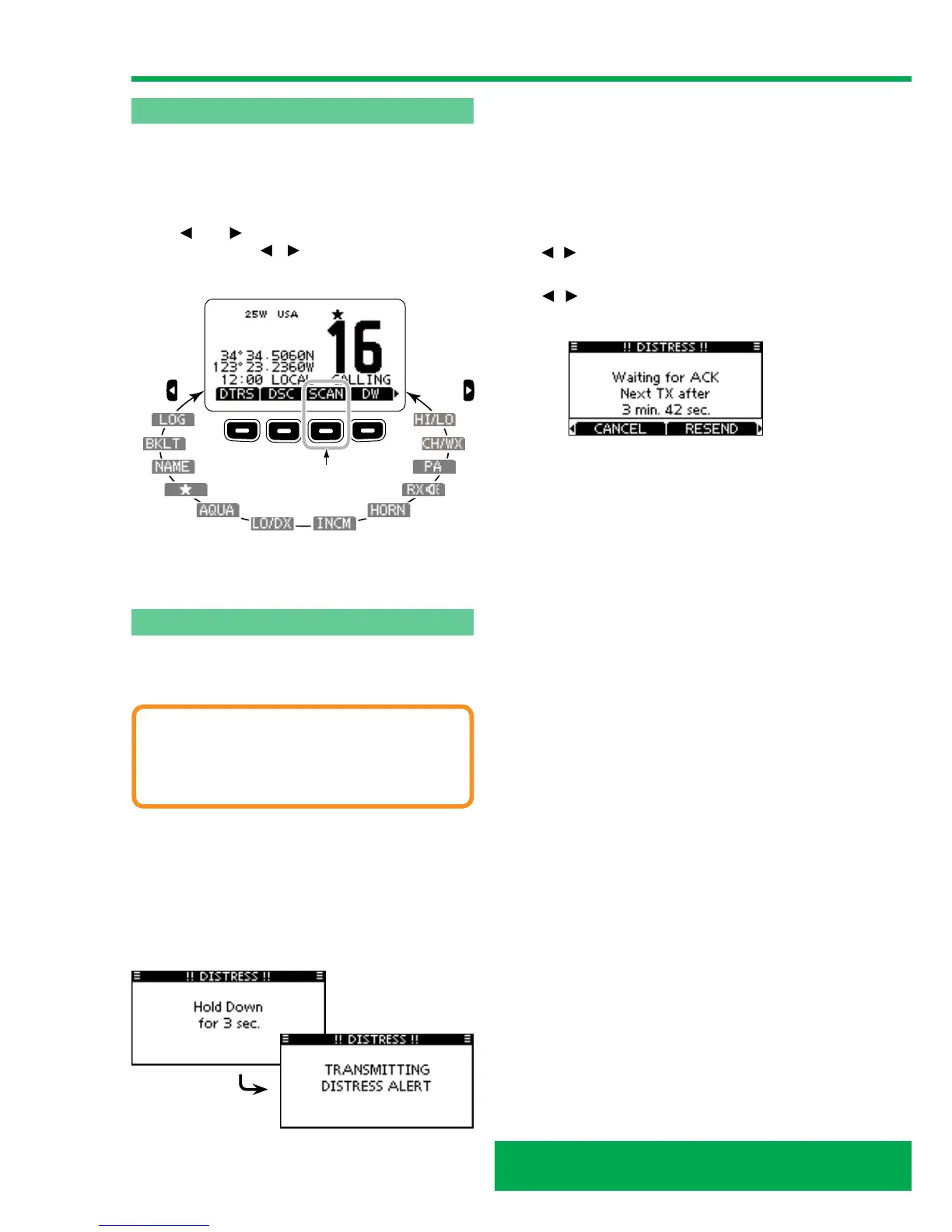
ICOM IC-M423G softkey function
Various functions can be assigned to the softkeys. When
a key function is assigned, the key icon is displayed above
the softkey, as shown below.
Softkey function selection
When ‘ ’ or ‘ ’ is displayed beside the key icon,
sequentially pushing / displays the previous or the
next key function that is assigned to the softkey.
Push Push
Push this key to star
t
and stop scan.
The order of the key icons may differ, depending on the
version or presetting.
Making a Distress call
A Distress call should be made if, in the opinion of the
helm, that the ship or a person is in distress and requires
immediate assistance.
CAUTION
Never make a Distress call if your ship or a person
is not in an emergency. A Distress call should be
made only when immediate help is needed.
Simple call
While lifting up the key cover, hold down ‘DISTRESS’ for 3
seconds to transmit the Distress call.
• While holding down ‘DISTRESS’, count down beeps
sound and both the key and display backlighting blink.
• DSC channel (Channel 70) is automatically selected and
the Distress call is transmitted.
After transmitting the call, the transceiver waits for an
acknowledgment call.
• The Distress call is automatically transmitted every 3.5
to 4.5 minutes, until an acknowledgement is received
(‘Call repeat’ mode), or DSC Cancel call is made.
• Push ‘RESEND’ to manually transmit the Distress
repeat call.
• Push ‘
/ ’ then push ‘INFO’ to display the transmitted
Distress call information.
• Push ‘
/ ’ then push ‘PAUSE’ to pause the Call repeat
mode, push ‘RESUME’ to resume it.
After receiving the acknowledgment, push ‘ALARM OFF’
then reply using the microphone.
A distress alert default contains:
• Nature of distress: Undesignated distress.
• Position information: The latest GPS or manually
entered position is held for 23.5 hours, or until the
power is turned OFF.



 To Next Page