B Class Atlantic 85 Manual – First Issue, June 2017
Activity 6 - Communications
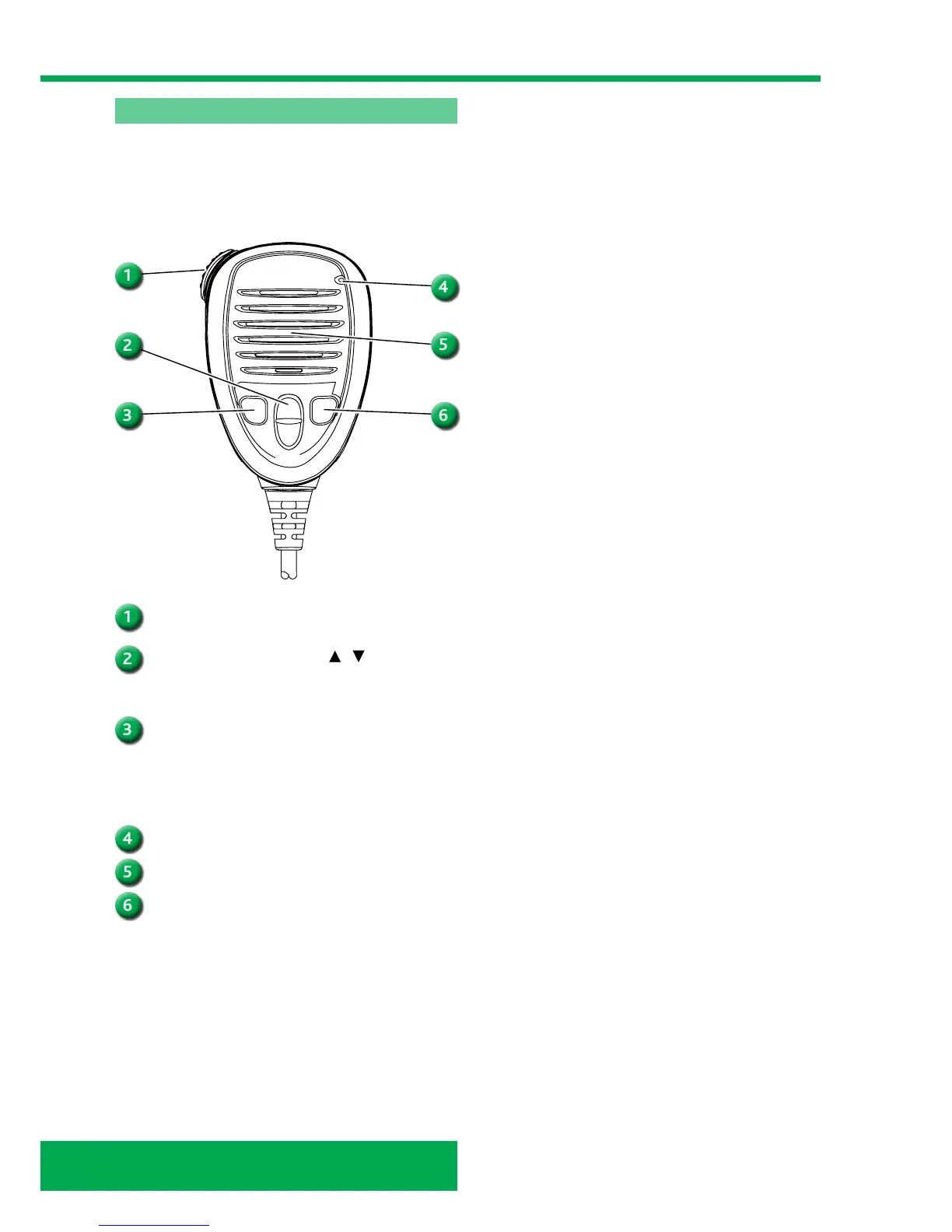
PTT
Hold down to transmit, release to receive.
CHANNEL UP/DOWN KEYS
/
Push either key to check Favorite channels, change
scanning direction or manually resumes a scan.
TRANSMIT POWER KEY [H/L]
Push to toggle the power high or low.
• Some channels are set to only low power.
While holding down [H/L], turn ON the power to
turn the Microphone Lock function ON or OFF.
MICROPHONE
SPEAKER
CHANNEL 16
Push to select Channel 16.
Hold down for 1 second to select the Call channel.
• The “CALL” icon is displayed when the Call
channel is selected.
Speaker microphone (fist mic)
The graphic below shows the fist mic for the M423G.
The key following explains its functions. The helm’s fist
mic is stowed in its holder, on the lower port side of the
console, forward of the helm’s foot. Crew 2 and 3 fist mic
is stowed on the port side of crew 2 and 3 console.



 To Next Page