5.8. WRAPPING TENSION ADJUSTMENT
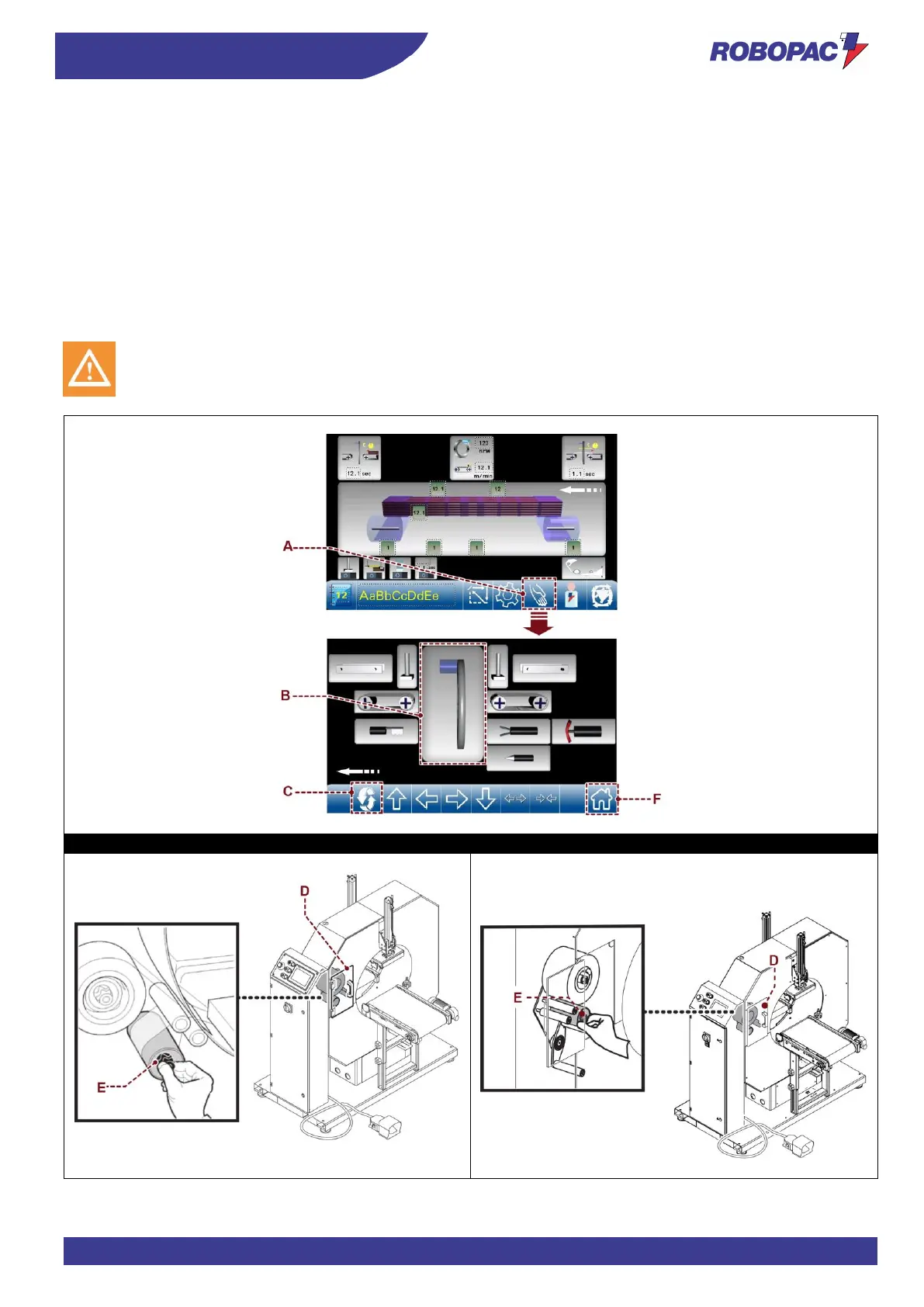
1. Display the main page.
2. Touch the key (A) to access the manual movements (see paragraph 6.3. “Description of control panel” -
“Description of control panel manual controls”).
3. Touch the slewing ring (B) key to enable it and then the “spool” key (C).
The spool carriage unit automatically moves in front of the door (D).
4. Open the door (D) to access to the clutch roller adjustment.
5. Use knob (E) on the roller with clutch to adjust film wrapping tension; the roller is equipped with mechanical
clutch, turn clockwise to increase the braking effect and the film stretch.
6. Close the door and press the reset push-button.
7. Press the “Home” (F) key to return to the main page and to set up the machine.



 To Next Page