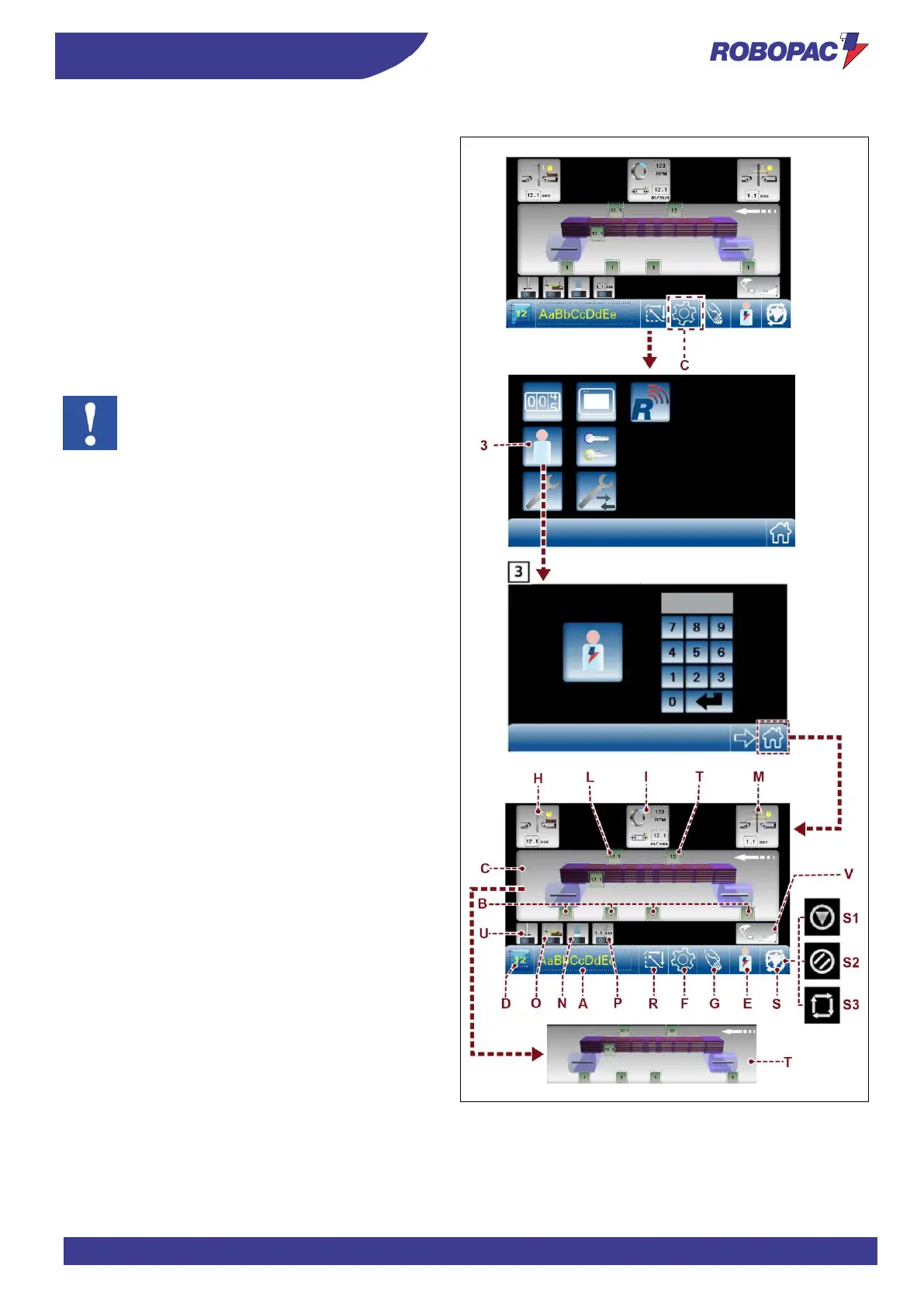
1. Display the main page (see “Description of control
panel”-“Main page”).
2. Touch key (C) to access the general parameters page.
3. Touch key (3) and access with the password as
machine manager (see “Description of control panel”-
“Operator and password change”).
4. Touch the home key to return to the main page.
5. Touch one of the keys (B, C, H, I, L, M, N, O, P, Q, T)
to display the page containing the required parameter.



 To Next Page