INFORMATION ABOUT THE USE
6.3.8. DESCRIPTION OF CONTROL PANEL MANUAL CONTROLS
Manual controls are to be used to individually
operate the machine moving parts, in case of
service or check before the automatic cycle start-
up.
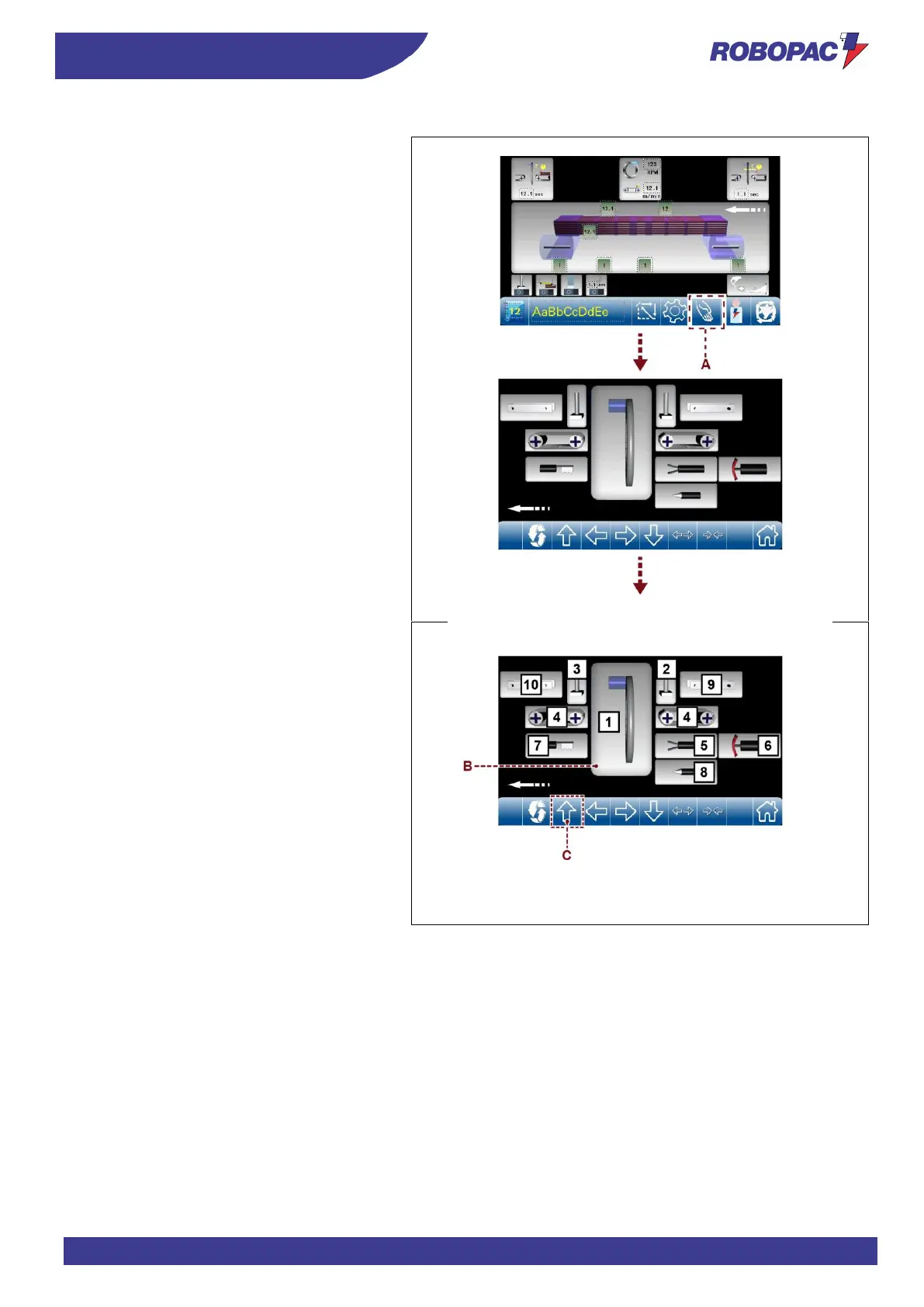
By touching the key (A) from the main page, you
can access the manual movements.
By touching the image of the object you want to
move, you will enable the keys corresponding to
the possible movement.
For example, by touching the image of the slewing
ring (B), key (C) will be displayed (light blue,
therefore enabled).
Key (C) (if present) moves the slewing ring.
Key (C) (impulse key) moves the slewing ring for
“spool change”.



 To Next Page