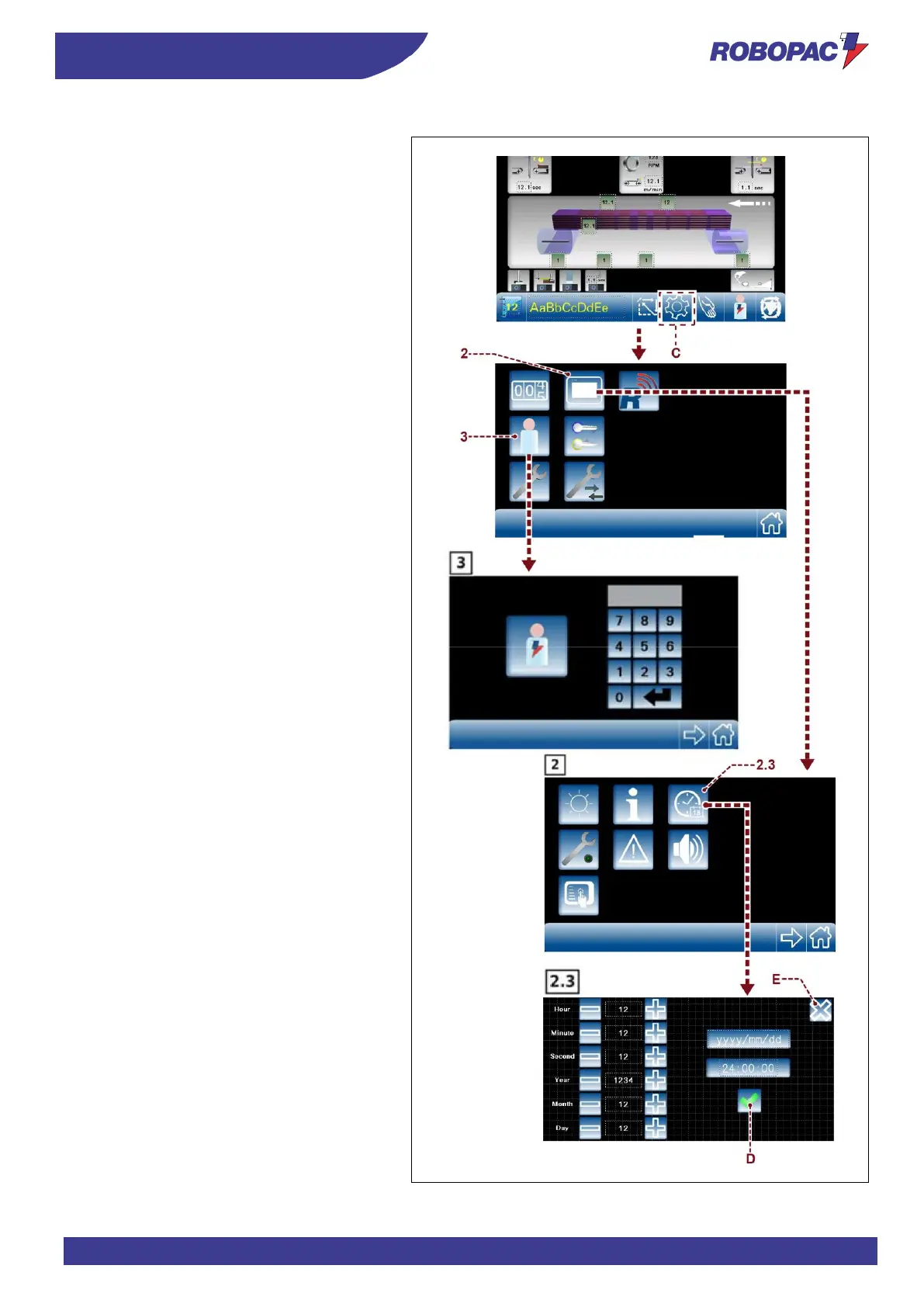
1. Display the main page (see “Description of
control panel”-“Main page”).
2. Touch key (C) to access the general
parameters page.
3. Touch key (3) and access with the password
as machine manager (see “Description of
control panel”- “Operator and password
change”).
4. Touch key (2) to access the "H.M.I. Enabling"
page.
5. Touch key (2.3) to display the date and time
setting page.
6. Once the time and date have been set,
confirm with button (D). Confirm with key (E)
to return to the main page.



 To Next Page