2F-85 & 2F-140 - Instruction Manual
Firmware Update
Warning
A gripper firmware update is required to use your 2F-85 or 2F-140 Gripper with the I/O Coupling. Make sure you have
the latest version installed.
1. Connect the 2F-85 or 2F-140 Gripper to your computer via the I/O Coupling using the USB cable. If the I/O coupling got
wet, make sure the micro USB port is properly dryed before connecting the USB cable.
2. Run the Robotiq User Interface (RUI)to update the firmware.
You can now use your gripper with the four (4) factory presets on the I/O Coupling. You can also program and save your own
presets by connecting the I/O Coupling to your PC using the USB cable. To do so, refer to the Robotiq User Interface Manual
available at support.robotiq.com.
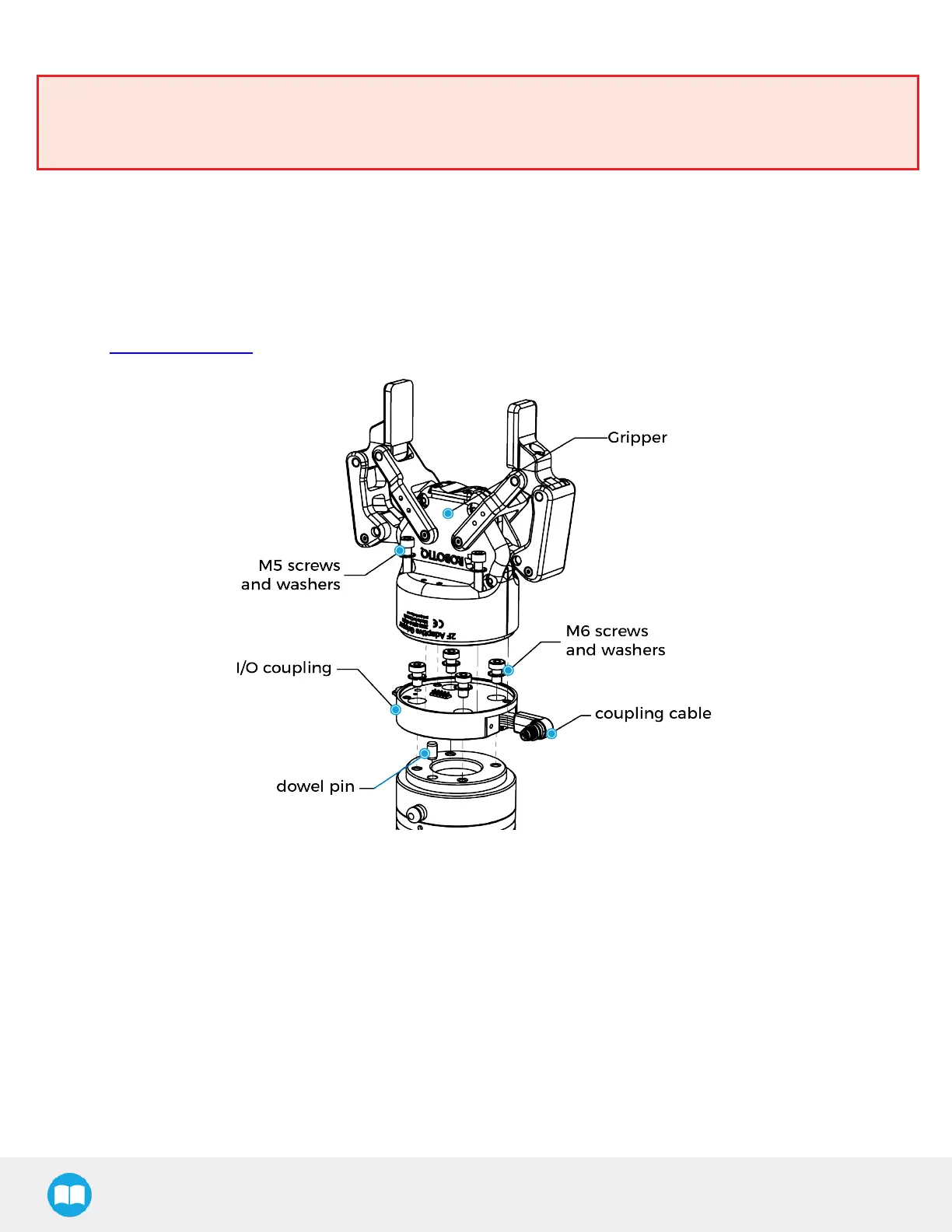
Fig. 3-4: Mechanical Installation of the I/O Coupling.
26



 To Next Page