2F-85 & 2F-140 - Instruction Manual
Multiple Grippers
It is possible to connect and control up to four grippers on the same URrobot.
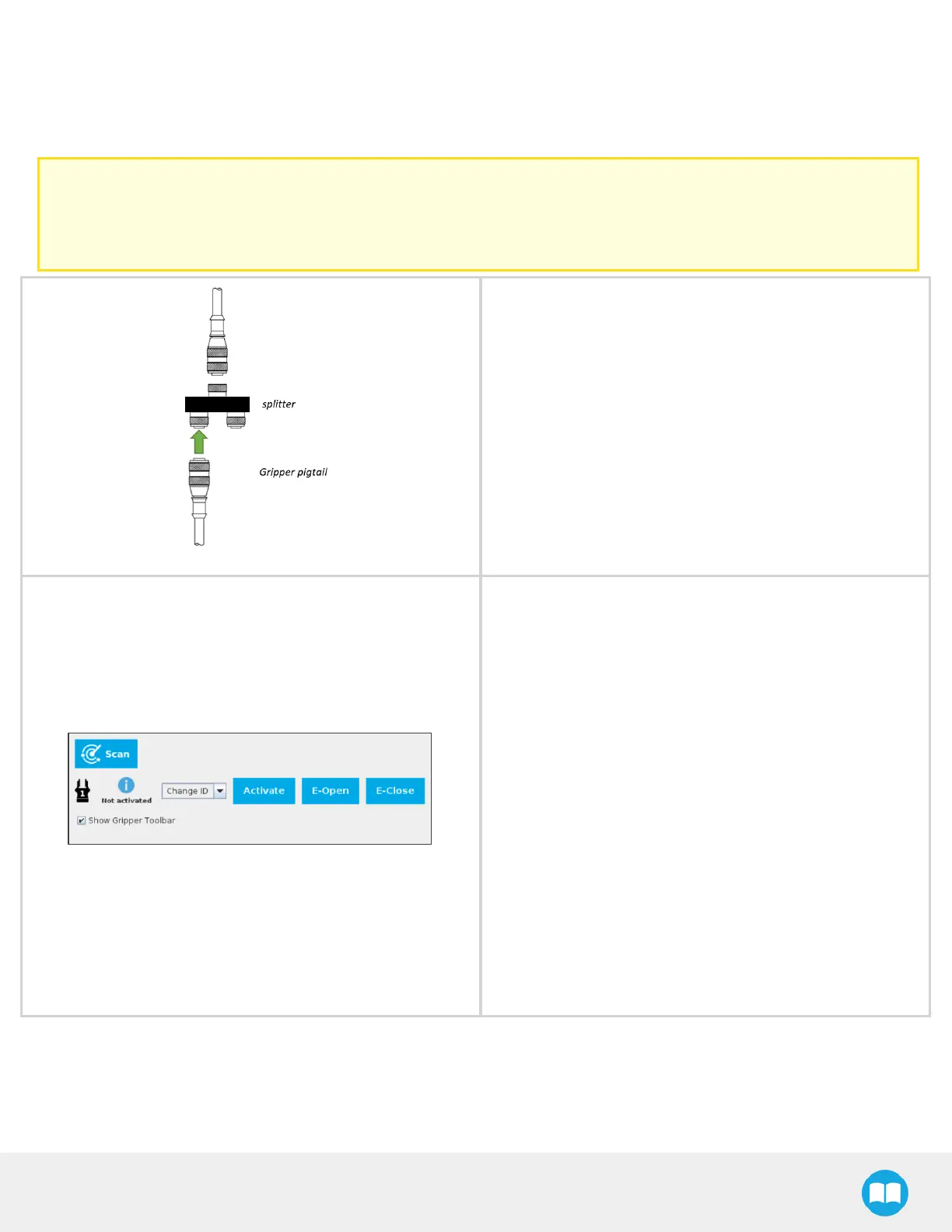
When installing multiple grippers on a URrobot, set an ID for each gripper. To do so, perform the following steps for each gripper.
Caution
Connect only one gripper at a time using the splitter (refer to the Installing the Gripperon the robot section and the
Electrical Setup section for detailed instructions). After a gripper hasbeen identified by PolyScope, disconnect it and
repeat the installation procedure for each additional gripper.
l
Connect only one gripper at a time using the splitter.
For CB-Series:
1. From the PolyScope home page, go to Program Robot
and then tap the Installation tab.
2. Tap Gripper.
3. Tap the Dashboard tab.
4. Tap the Scan button to detect grippers.
For e-Series:
1. Tap Installation in the top ribbon
2. From the left navigation pane, tap URCaps
3. Tap Gripper.
4. Tap the Dashboard tab.
5. Perform steps3 to 6 listed under the Activating a Grip-
per Connected to the Robot Wrist on a e-SeriesRobot
section
43



 To Next Page