2F-85 & 2F-140 - Instruction Manual
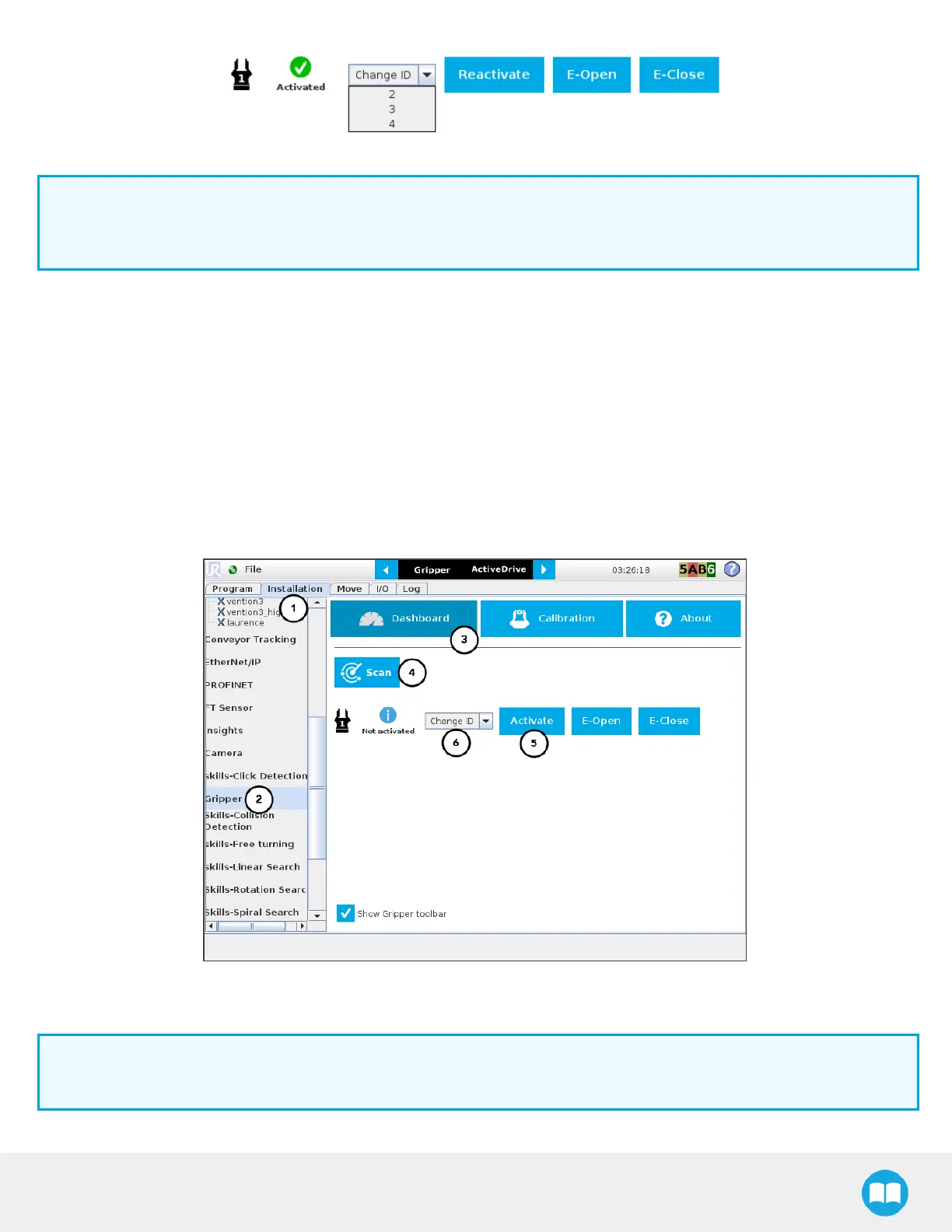
Fig. 4-15: Gripper ID modification in the Gripper Dashboard
Info
The E-Open and E-Close buttonsallow the user to open and close the gripper even if it is not activated.
These emergency commandsuse very low speed and force settings.
Single Gripper for CB-Series
Open or create a robot program
1
Tap the Installation tab
2
Select Gripperin the left pane
3
Tap the Dashboard button
4
If no gripper isfound, tap the Scan button to detect any gripper that might be connected to the robot
5
Tap the Activate button
Fig. 4-16: Gripper Dashboard (steps highlighted)
6
If required, change the ID of the gripper; ID numbers range from 1 to 4
Info
The default gripper ID allocated to the first device connected is 1.
87



 To Next Page