Robustel GoRugged R3000 Lite User Guide
RT_UG_R3000 Lite_v.1.4.1 15.11.2016 54 / 135
Confidential
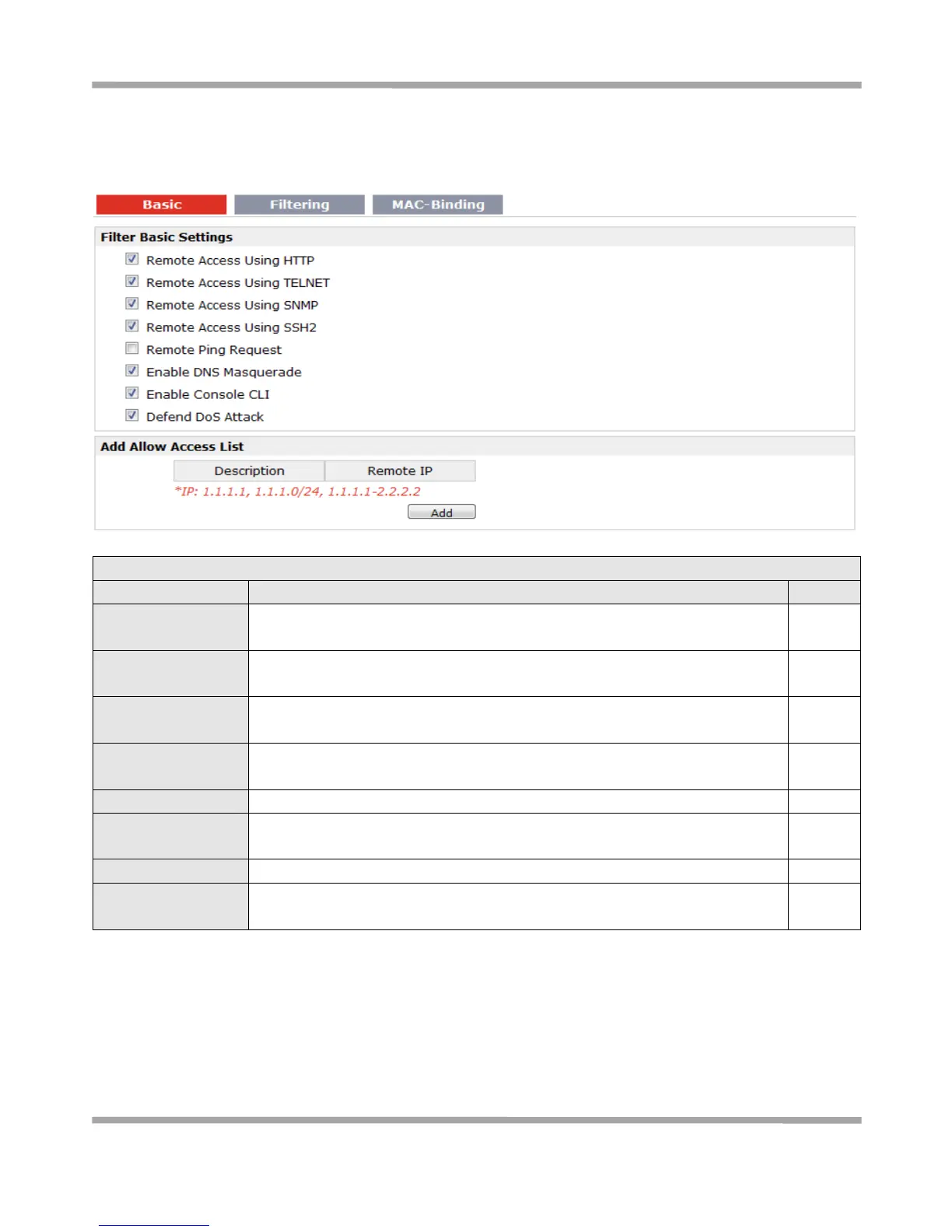
If you disable one of tabs: “Remote Access Using HTTP”, “Remote Access Using TELNET”, “Remote Access Using
SNMP”, “Remote Access Using SSH2” or “Remote Ping Request”, it will pop up “Add Allow Access List” to allow you to
preset specific user to access to WAN interface of R3000. For example, if you disable “Remote Ping Request” and add
“Remote IP” then only these specific users can ping to WAN interface of R3000.
Enable to allow users to access the router remotely on the internet side via
HTTP.
Remote Access Using
TELNET
Enable to allow users to access the router remotely on the internet side via
Telnet.
Enable to allow users to access the router remotely on the internet side via
SNMP.
Enable to allow users to access the router remotely on the internet side via
SSH2.
Enable to make router reply the Ping requests from the internet side.
Open the 53 port of the router; enable users to use the DNS function of the
router.
Enable to configure router through Command Line Interface.
Enable to defend dos attack. Dos attack is an attempt to make a machine or
network resource unavailable to its intended users.











 To Next Page