EasyManua.ls Logo

Robustel R1520 - Page 169

Robustel R1520
173 pages
Print Icon
To Next Page IconTo Next Page
To Previous Page IconTo Previous Page
Loading...
Robustel R1520 Hardware Manual
RT056_HM_R1520 8/12
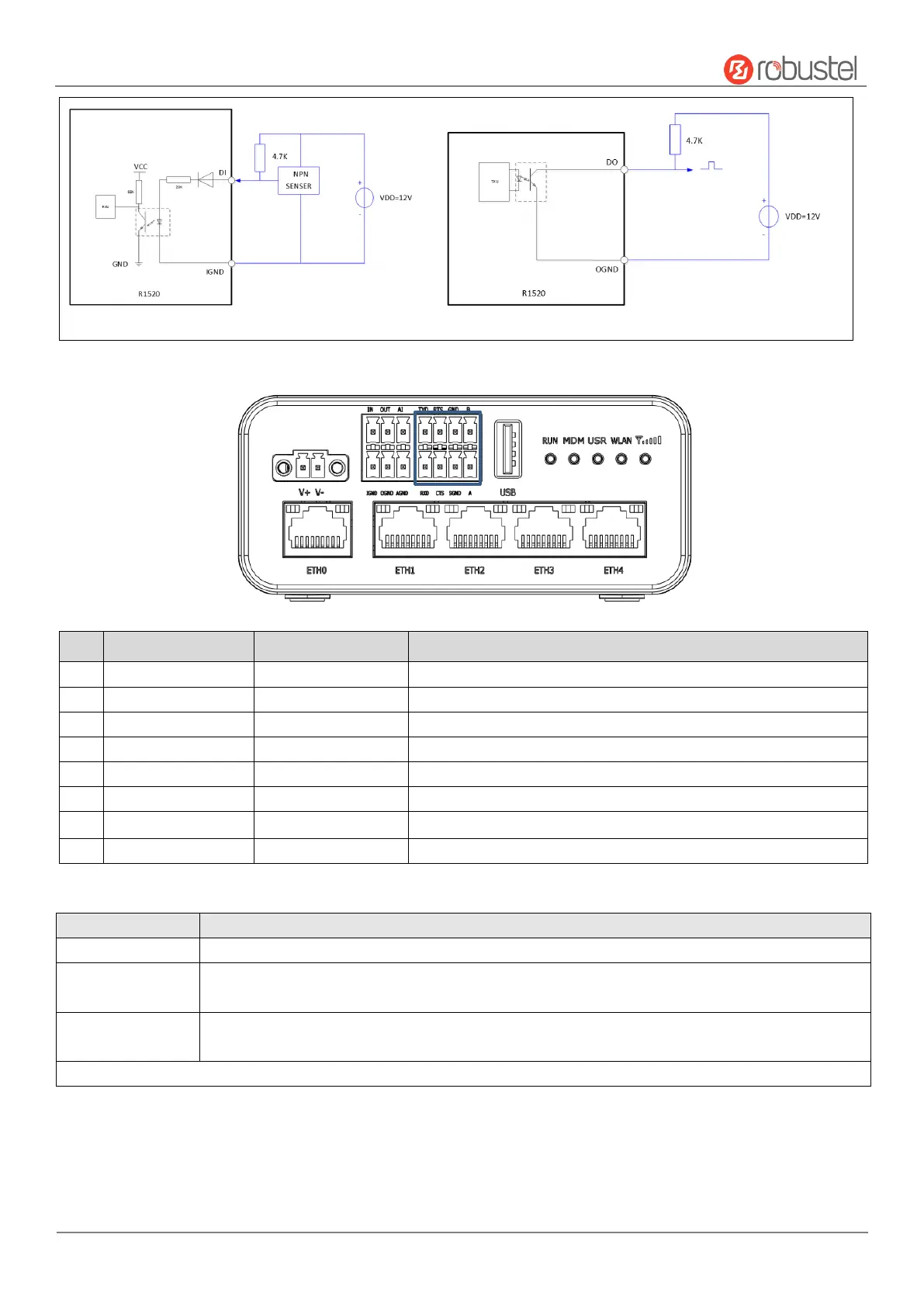
DI&DO Typical Connection Diagram
3. RS-232/RS-485
PIN
RS232
RS485
Description
1
TXD
--
Router → Devices
2
RTS
--
Router → Devices
3
--
GND
RS485 Signal Ground
4
B
RS485 Data+ (B)
5
RXD
--
Router ← Devices
6
CTS
--
Router ← Devices
7
SGND
--
RS232 Signal Ground
8
--
A
RS485 Data+ (A)
4. Reset Button
Feature
Operation
Reboot
Press and hold the RST button for 2~ 5 seconds under the operating status.
Restore to default
configuration
Press and hold the RST button for 5~10 seconds, the RUN LED starts blinking quickly, the router will restore to default
configuration.
Restore to factory
default settings
Once the operation of restoring default configuration is performed twice within one minute, the router will restore to factory
default settings.
Note: The more details please refer to RT123_SM_RobustOS Software Manual, 2.3 Factory Reset.

Table of Contents

Other manuals for Robustel R1520