Robustel R1520 User Guide
RT056_UG_R1520_v.1.0.3 Dec. 25, 2021 70/159
Set the maximum current threshold. When the current collected by the AI interface is
greater than the minimum voltage threshold, an event notification will be triggered.
Unit: mA.
Collect the latest data every few seconds.
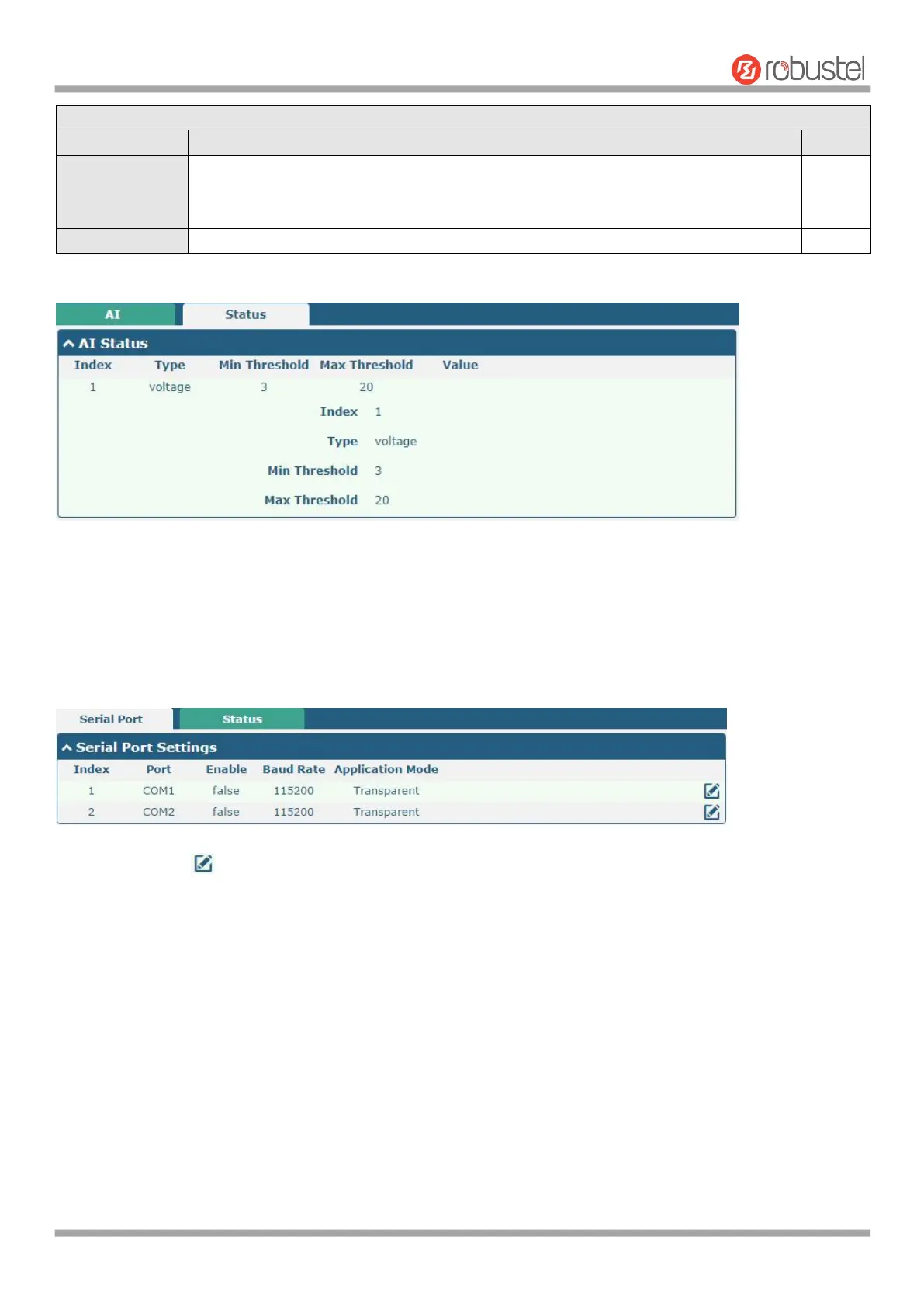
Click the "Status" column to view the status of the AI.
4.2.9 Serial Port
This section allows you to set the serial port parameters. The R1520 router supports two serial ports, COM1 and
COM2. It can also be modified according to requirements and configured as two COM1 or two COM2. The serial data
can be converted into IP data or through IP data into serial data, and then the data can be transmitted through wired
or wireless network, so as to realize the function of transparent data transmission.
Click the right-most button of COM1 as below.


 To Next Page