100 Rockwell Automation Publication 2711P-UM008J-EN-P - April 2022
Chapter 3
Change Popup Input Color Settings
You can change the popup input color settings for your terminal.
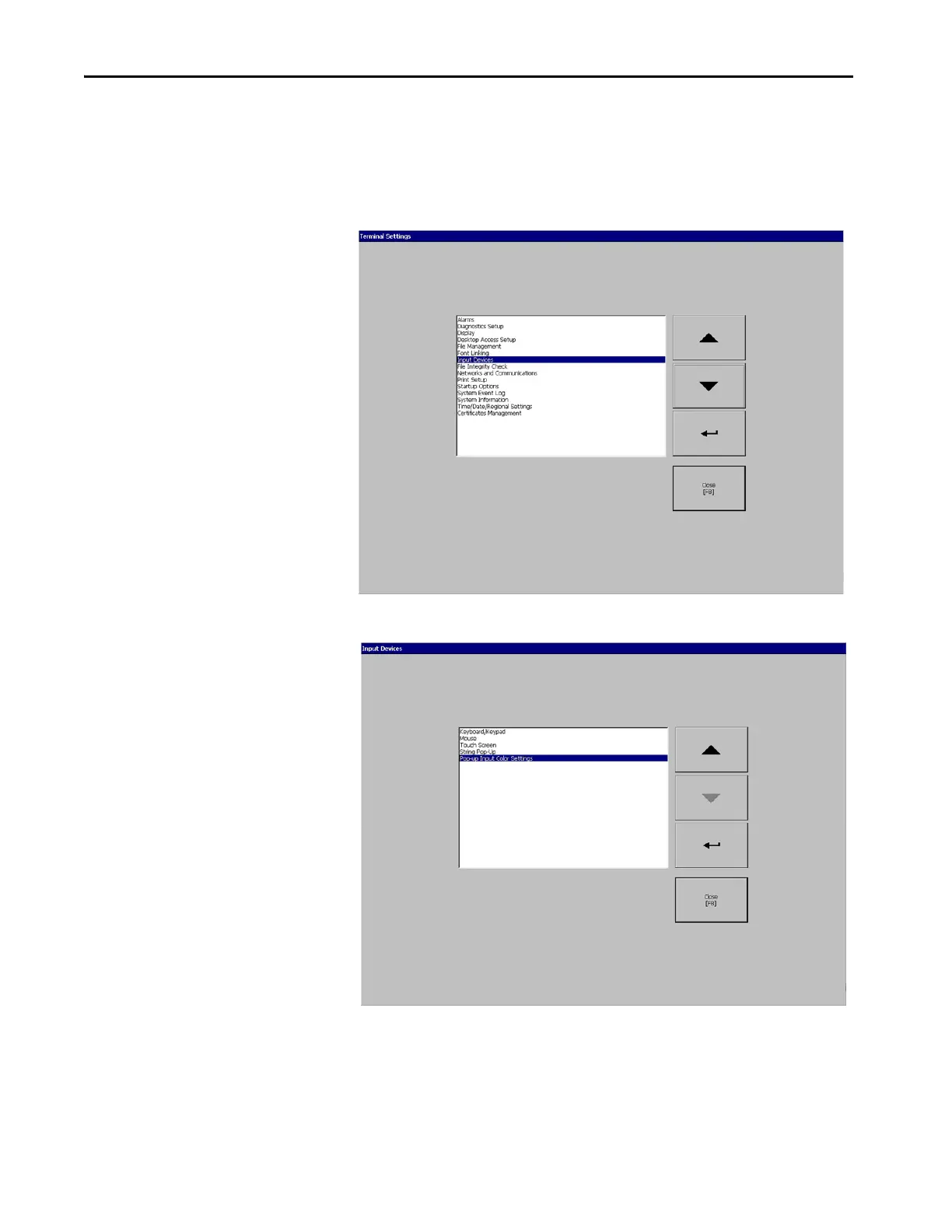
1. Press Terminal Settings, then choose Input Devices.
2. In the Input Devices dialog box, choose Pop-Up Input Color Settings.


 To Next Page
 Loading...