Controller functions
Page 28 RES-445
10.2 Display
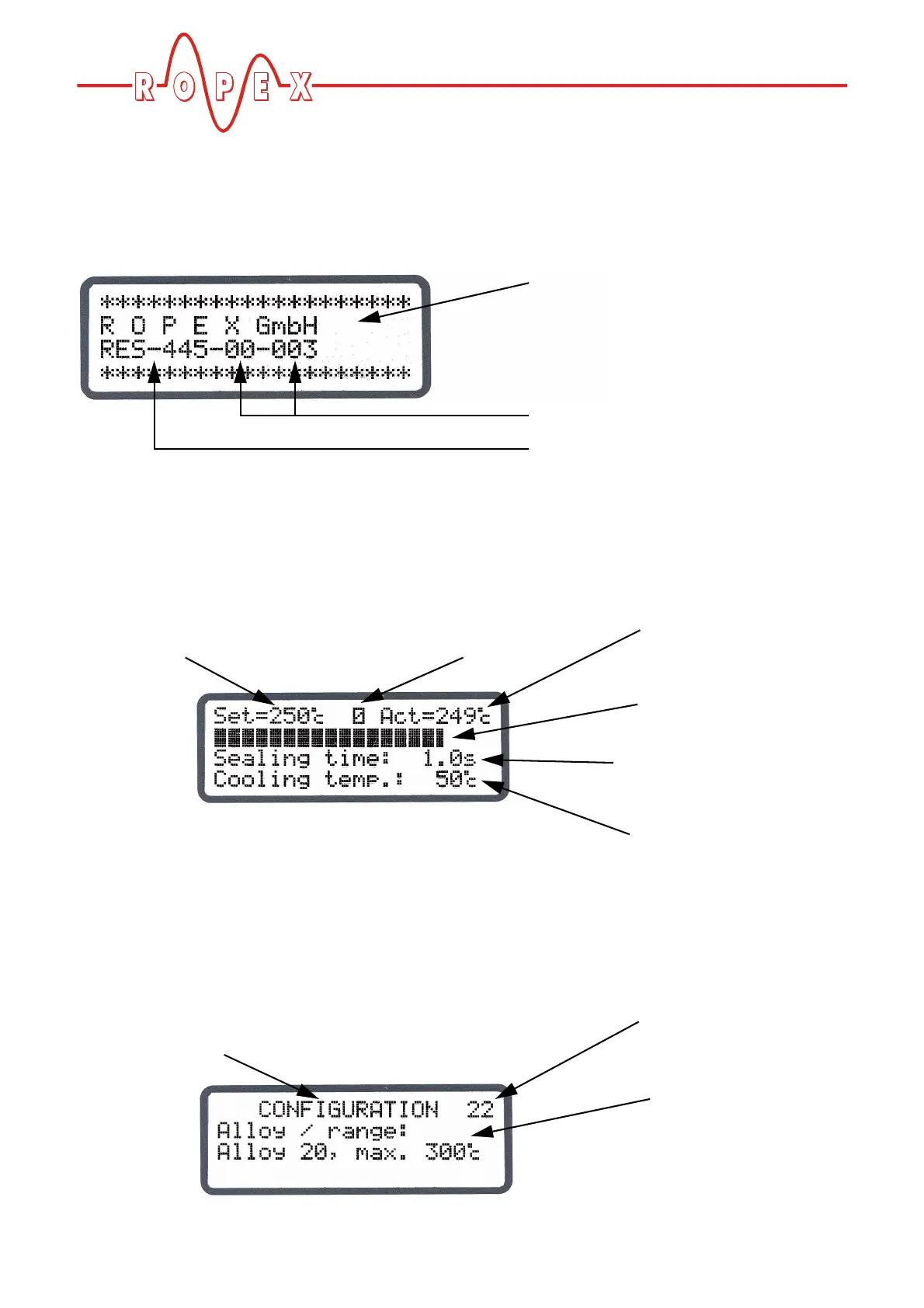
10.2.1 Power-up message
A power-up message appears on the display for appro-
ximately 2 seconds when the controller is switched on.
This message also includes details of the software ver-
sion.
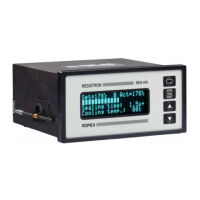
10.2.2 Display in home position
If no settings are entered on the controller and no error
message are present, the display is in the home posi-
tion, in other words it indicates the SET temperature as
a digital value and the ACTUAL temperature as a digital
value and a dynamic bar. If time control (timer function)
is active, the time control settings are also displayed.
10.2.3 Settings/Configuration menus
The required parameters are set on two menu levels:
the Settings (control) menu and the Configuration
menu ( Kap. 10.4 „Menu structure“ auf Seite 31).
Company name
(optional: customer-specific)
Software ID number
Controller type (RES-445)
Icon indicates that NO
contact of additional
Specified heatsealing
temperature
(SET temperature) relay K1 is closed.
Measured ACTUAL
temperature
ACTUAL temperature
as a dynamic bar
Heatsealing parameters
(only if time control is active)
Cooling parameters
(only if time control is active)
Menu level:
Settings or Configuration menu
(Configuration menu shown here)
Position in menu
(menu step)
Menu contents
(max. 3 lines)


 To Next Page