Controller functions
RES-445 Page 29
10.2.4 Error messages
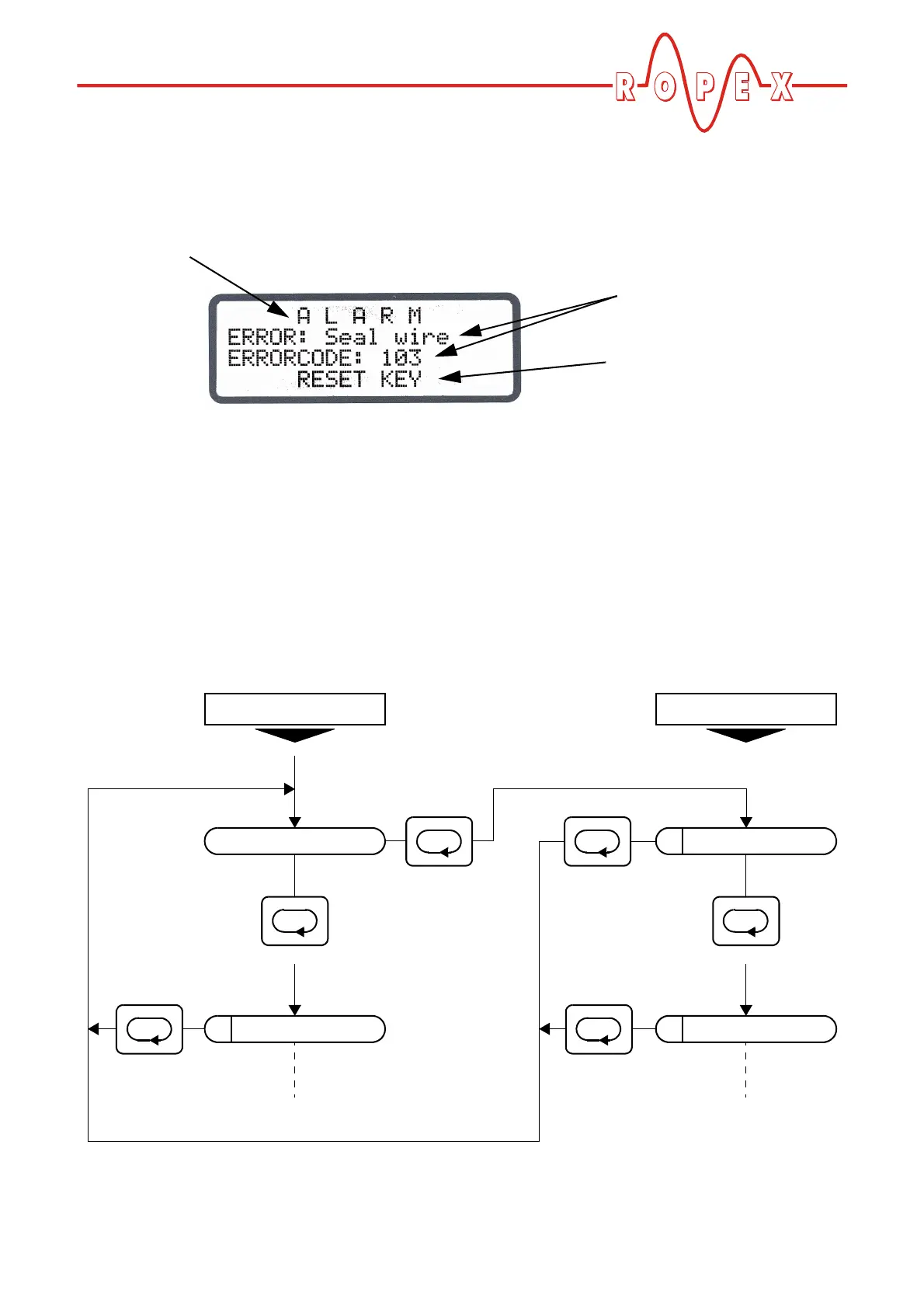
The fault diagnosis function of the controller is always
active. If a fault is detected, it is indicated on the display
immediately in the form of an error message
( Kap. 10.25 „System monitoring/alarm output“ auf
Seite 59).
10.3 Navigation in the menus
10.3.1 Navigation in menus without a fault
A "MENU" key is provided for navigating through the
various menu steps and levels. By pressing this key
briefly (<1s) at any time, you can jump to the next menu
step. As of software revision 100, you can also jump to
the previous menu step by pressing the "MENU" key for
1-2s. By pressing the key for longer (>2s), you can
return to the home position from anywhere in the menu
structure, providing a controller alarm is not active. In
this case, the Alarm menu is opened instead.
If the display is in the home position or an alarm is indi-
cated and you press the "MENU" key for longer than
2s, you are taken directly to the configuration level
(starting at step 201 [20]).
In addition, you always return to the home position if
you do not press any keys for a period of 30s. There is
no automatic return after 30s from "AUTOCAL" or
"Alarm".
Alarm indication
Fault description
and error code
Prompt to press
"RESET" key
202
Factory settings
201
Language
101
Heatsealing temp.
Home position
<1s
>2s
<1s
automatically
after 30s
Settings Configuration
>2s
or
automatically
after 30s
>2s
or
automatically
after 30s
>2s
or


 To Next Page