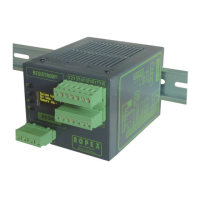
Controller functions
Page 34 RES-445
10.6 Menu steps
No. Name Description Setting range
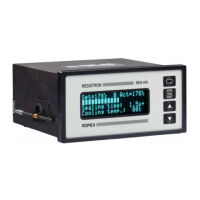
Home position The specified set value and the current actual value
are displayed in digital form. The actual value is also
represented as a dynamic bar.
If time control (step 209 [26]) is active, the heatse-
aling time and the cooling value are also displayed.
The heatsealing band can be heated manually (to
the specified heatsealing temperature) by pressing
the "HAND" key.
101
[1]
Heatsealing
temperature
The required heatsealing temperature (set point)
can be set with the "UP" and "DOWN" keys. The
maximum selectable set point can be limited with
step 203 [22] (alloy/range) and step 204 [23] (max.
temperature). If the heatsealing temperature is to be
determined by a voltage at the analog input at termi-
nals 20+23, it must be set to 0°C with this menu
step. The set point is indicated in the home position.
If an external heatsealing temperature
(analog input, terminals 20+23) and an
internal heatsealing temperature (step 101 [1])
are specified simultaneously, the higher of the
two temperatures is used and indicated in the
main menu.
Depends on setting of
step 205 [22]:
0, 40°C…maximum tem-
perature (step 206 [23])
102
[2]
Preheating tempe-
rature
The required preheating temperature can be set
with the "UP" and "DOWN" keys. The maximum
temperature (step 206 [23]) applies to both the
heatsealing temperature and the preheating tempe-
rature.
The preheating function can be deactivated by
entering 0°C.
Depends on setting of
step 205 [22]:
0, 40°C…maximum tem-
perature (step 206 [23])
103
[3]
Starting delay This option allows the heatsealing time to be pre-
ceded by a starting delay. This delay time begins as
soon as the start signal is applied. When it elapses,
the heatsealing time is activated.
This function can only be selected if time control
(step 209 [26]) is active.
0…9.9s
104
[4]
Heatsealing time The length of the heatsealing pulse can be set with
the "UP" and "DOWN" keys. The specified heatse-
aling time is indicated in the home position.
This function can only be selected if time control
(step 209 [26]) is active.
0…99.9s, EXT


 To Next Page