Controller functions
RES-445 Page 51
10.18 Temperature unit
Celsius / Fahrenheit
(as of software revision 106)
As of software revision 106 the unit for the temperature
indication and value selection can be switched between
°C (Celsius) and °F (Fahrenheit). It can be paramete-
rized with step 225 as followed:
1. „Celsius“ (Factory setting)
Temperature indication and value selection in
Celsius (°C).
2. „Fahrenheit“
Temperature indication and value selection in
Fahrenheit (°F)
Up to software revision 105 only Celsius (°C) can be
specified on the controller as the temperature unit.
The degree unit can be changed on the con-
troller without interrupting operation
If you specify temperature indication and
value selection in Fahrenheit (°F), the con-
troller still uses Celsius (°C) internally. Value steps
are therefore possible with this function owing to
the conversion from Celsius to Fahrenheit.
10.19 Disabling the Configuration menu
(Software revision 010 or higher)
It is possible to disable all changes to values/parame-
ters in the Configuration menu. This prevents the con-
troller configuration from being tampered with by unau-
thorized persons.
The Configuration menu can be disabled or enabled by
pressing the "MENU" key for 2.0seconds while the
power-up message is displayed (after switching on the
controller, section 10.2.1 "Power-up message" on
page 28). The display then shows a message confir-
ming that the disable function is active for 3.0seconds
before returning to the home position.
The same message is also displayed for 5.0seconds
when you open the Configuration menu to indicate that
this menu is disabled.
You can still display all steps, values and
parameters even if the Configuration menu is
disabled. You are no longer allowed to enter or
change values, however.
As of software revision 103 the language in
menu pos. 201 can be changed while the con-
figuration menu is locked ( section 9.3.2 "Setting
the language" on page 21).
The Configuration menu remains disabled until the
disable function is canceled again. To do so, repeat the
above procedure (press the "MENU" key for
2.0seconds while the power-up message is displayed).
The display then shows a message confirming that the
disable function has been canceled.
In the factory setting the Configuration menu is not
disabled.
10.20 Setting the display brightness
(VF display only)
(Software revision 019 or higher)
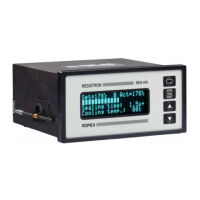
If the display is in the home position, the brightness of
the VF display (blue) can be set in 4 steps (25%, 50%,
75%, 100%) with the "UP" and "DOWN" keys.
The factory setting is 75%.
The life of the VF display can be prolonged by reducing
the brightness.


 To Next Page