Reference Manual
00809-0100-4663, Rev BA
January 2010
F-5
Rosemount 8732
RESOURCE BLOCK
ERRORS
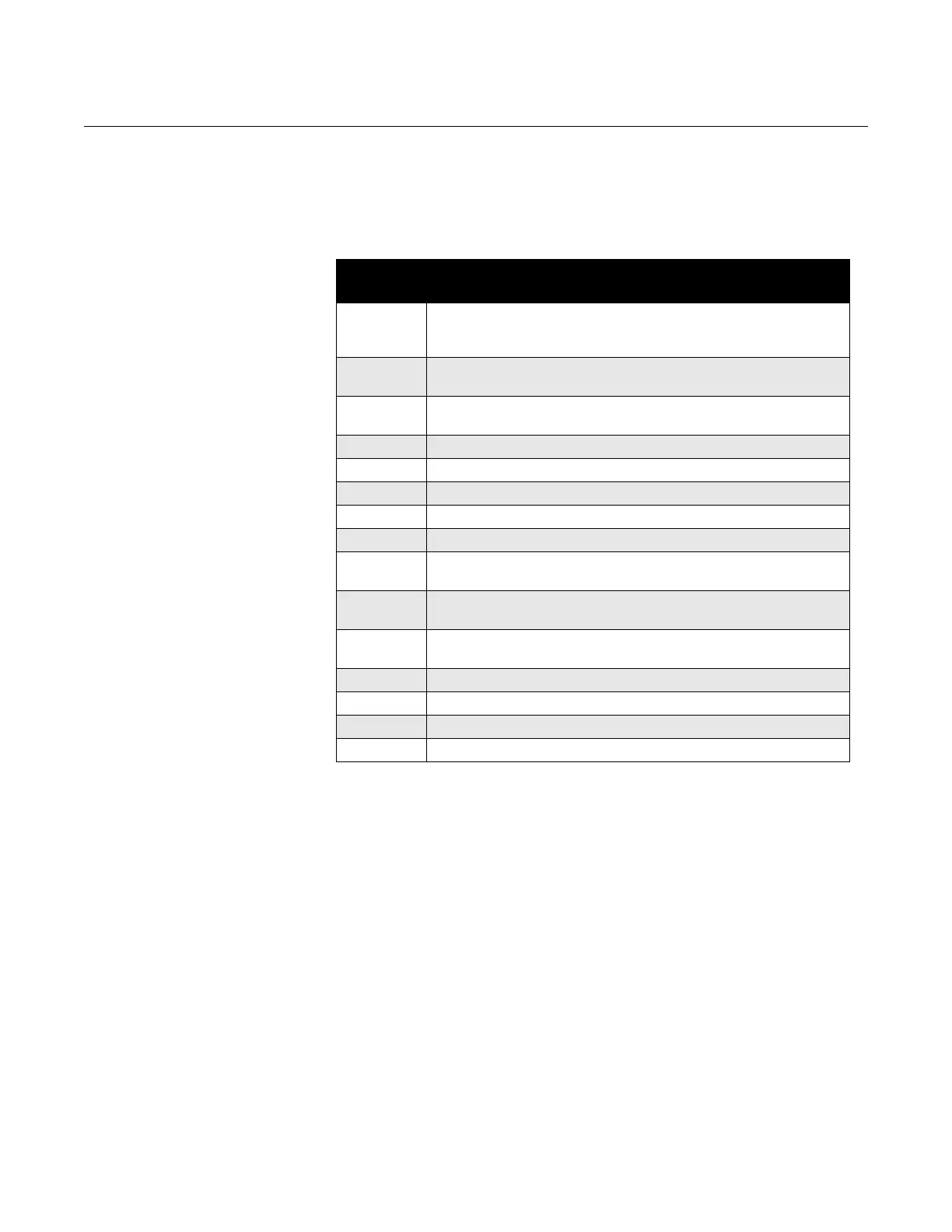
Table F-2 lists conditions reported in the BLOCK_ERR parameter. Conditions
in italics are inactive for the resource block and are given here only for
your reference.
Table F-2. Resource
BLOCK_ERR Conditions
MODES The resource block supports two modes of operation as defined by the
MODE_BLK parameter:
• Automatic (Auto)—The block is processing its normal background
memory checks.
• Out of Service (O/S)—The block is not processing its tasks. When the
resource block is in O/S, all blocks within the resource (device) are
forced into O/S. The BLOCK_ERR parameter shows OUT OF
SERVICE. In this mode, you can make changes to all configurable
parameters. The target mode of a block may be restricted to one or
more of the supported modes.
Condition
Number
Condition Name and Description
1 Block Configuration Error: A feature in FEATURES_SEL is set that is
not supported by FEATURES or an execution cycle in CYCLE_SEL is
set that is not supported by CYCLE_TYPE.
2 Link Configuration Error: A link used in one of the function blocks is
improperly configured.
3 Simulate Active: The simulation jumper is in place. Simulate active is
not an indication that the I/O blocks are using simulated data.
4 Local Override
5 Device Fault State Set
6 Device Needs Maintenance Soon
7 Input failure/process variable has bad status
8 Output Failure: The output is bad based primarily upon a bad input.
9 Memory Failure: A memory failure has occurred in FLASH, RAM, or
EEPROM memory.
10 Lost Static Data: Static data that are stored in nonvolatile memory have
been lost.
11 Lost NV Data: Nonvolatile data that are stored in nonvolatile memory
have been lost.
12 Readback Check Failed
13 Device Needs Maintenance Now
14 Power Up: The device was just powered-up.
15 Out of Service: The actual mode is out of service.



 To Next Page