23/05/2019Roundshot VR Drive Instruction Manual – Firmware Version 2.023 123
6.4 Selective image release + program resume: x/y repeat or x/y resume
x/y-repeat
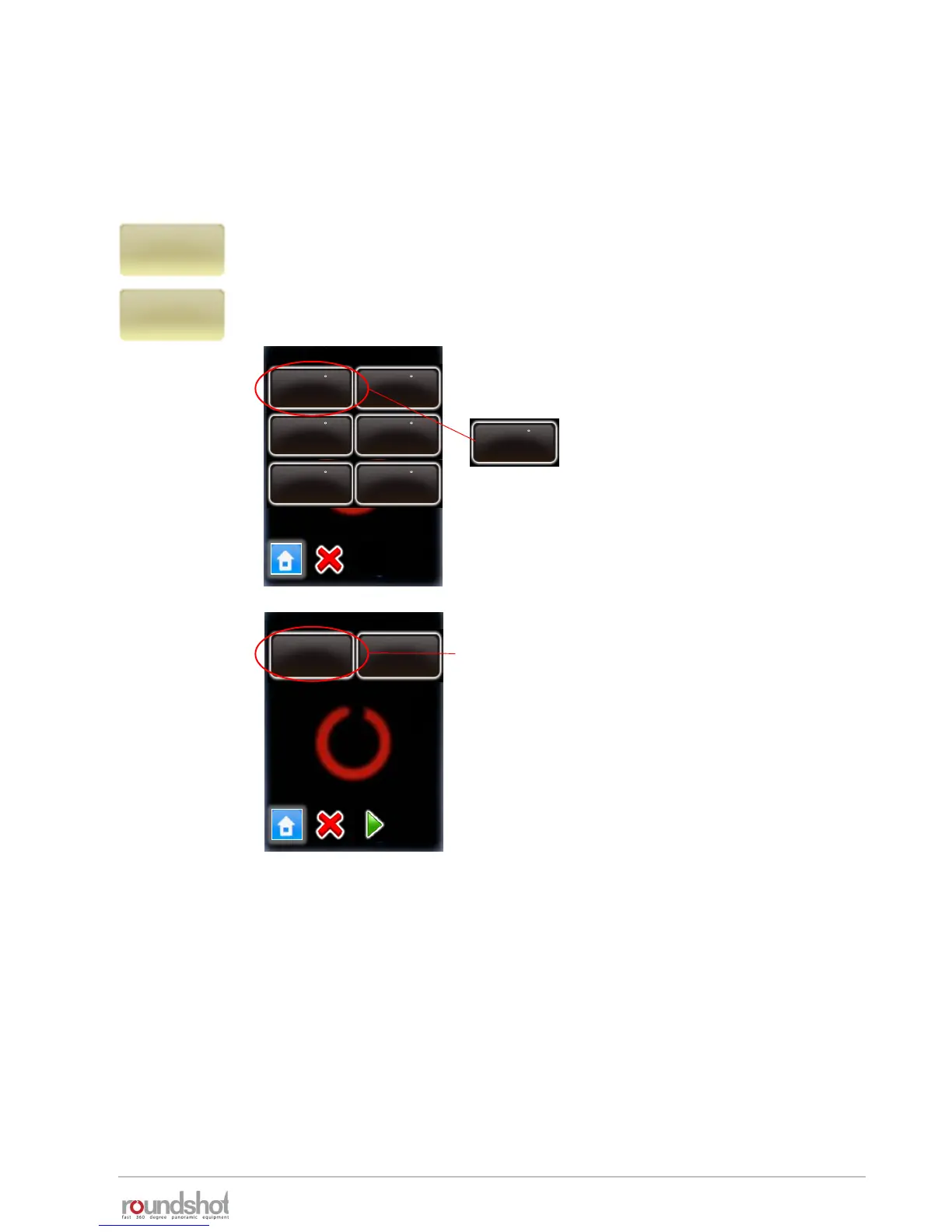
Click on “x/y-repeat” or “x/y-resume” to repeat any image or resume the
program by selecting a certain row + position.
This displays the rows of the active program (ie the last program which was
executed. Select the relevant row (elevation):
After completion of a program it may be necessary to repeat individual images or resume a
program from a certain position. This is particularly relevant for gigapixel projects.
repeat position
rows / page 1
elev. : 66
pos : 30
elev. : 55
pos : 30
elev. : 44
pos : 30
elev. : 33
pos : 30
elev. : 22
pos : 30
elev. : 11
pos : 30
position repeat
[1…10] [0…0]
Select the relevant row
(elevation), for example:
elev. : 66
pos : 30
For this row, select the position to repeat or from
which to resume.
Press “start”.
The VR Drive will now repeat the selected position
of the program or resume.
x/y-resume
Elevation: 66.0°
Degree: 0°
No. Positions: 30



 To Next Page